
AI Authority
Unlock the potential of freelancing with our comprehensive playbook, '👩💻 Freelancing with AI | Prompt Playbook'.
Start ReadingThis week we’re covering how to get started with freelance work.
The primary reason for this is I’ve been talking to lots of readers who want a way to dip their toe into generating income outside their job without having to go fully into a business.
Robert Kiyosaki’s CashFlow Quadrant is a great model here:
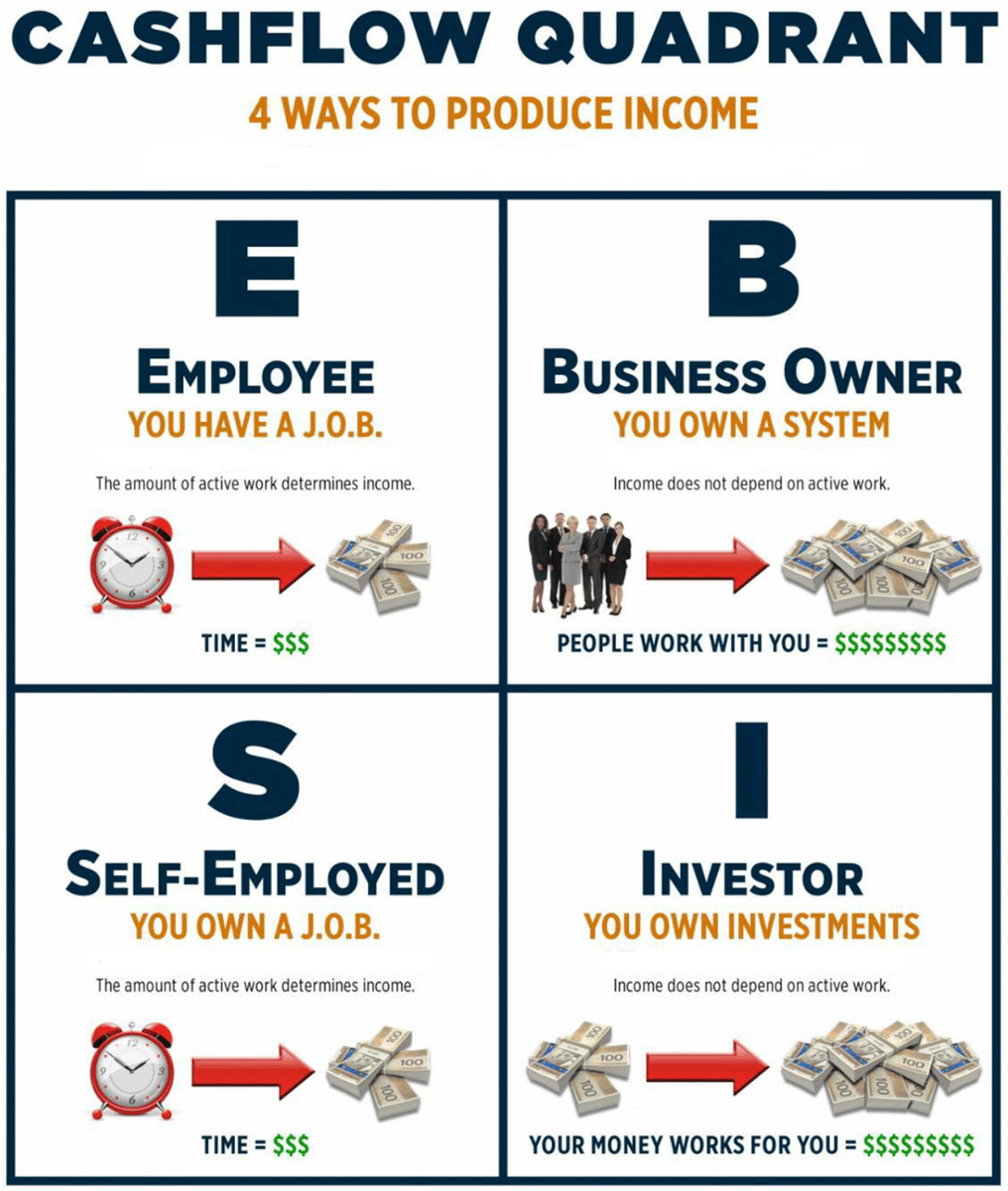
Most people are in E - they have a 9-5 job. Their income is tied to the time they put in - 9-5, 5 days a week for most people.
The next step is Self-employed. Instead of having a job you own a job. Your work is still tied to the amount of time and effort you put in but the work itself belongs to you.
Freelance work is an example of this. What you put in correlates to what you get out. You’re in control of your income much more than if you have a 9-5 job.
Freelance work is a great segue to then owning a business, the next step.
It’s a great transition because through freelance work you can work out what value you offer to the market. You can then convert that value into a product or service that you sell through a business.
As such freelancing is the perfect mid-point. A way to dip your toes, earn extra income and most importantly work out what your later business can be built upon.
This week we’ll cover:
Part 1: Your freelance offer
Part 2: Building your freelance profile
Part 3: Securing your first freelance clients
Part 4: Marketing your freelance work
Part 5: Growing Your freelance business
I recommend you start with Upwork as your freelance platform of choice.
The main reason for this is that when starting out you don’t know what your specific offer is going to be.
We could try to work it out now using fancy market research and Chat GPT but realistically we’ll only know by getting into the market place and seeing what clients want.
We can do this on Upwork by seeing what jobs clients are listing and seeing whether we have the skills to do them.
The other major freelancing platform is Fiverr. Fiverr is great if you have a very specific templated offer already. It’s great for “off the shelf” services where you do the same thing (ie. design a logo for a blog) again and again.
We may want to get to that point later but if we just make a templated offer now it’ll be based on what we want to provide rather than what our market wants.
By starting on Upwork we’ll get a better idea of what clients want first, gain some confidence by doing some gigs for them and learn what it is that clients want. We can then use that knowledge to build our templated offer.
For now therefore go ahead and set yourself up on Upwork.
It’s free to get an account. And once you are in you’ll be able to search jobs which we’ll need in a later step.
Don’t worry about filling in your profile yet. We’ll do that in the next Part of this guide.
First things first let’s work out the rough category where we’ll be operating.
I’ve written prompts previously on how to determine your skills and strengths using AI. Use those prompts if you are uncertain of what you are good at.
What we are looking to do here is find which of Upwork categories are the most relevant to us. These are the categories we’ll be focusing on when picking up gigs.
Here’s the official list from Upwork: Upwork Categories.
I’d recommend going through these and manually picking out which are most relevant to you. Go for 3-5 for now. We’ll want to narrow it down to 1 eventually which we’ll start to do as we go forward.
You should have now got an Upwork account and narrowed down to a handful of potential categories to work in.
We’re now going to refine and start to work out your niche.
From within Upwork we want to get to the Search Jobs screen. It’s in Find Work > Find Work in the top menu. Alternatively you can navigate directly here.
Then use Select Categories and select the categories you manually selected in the past step:
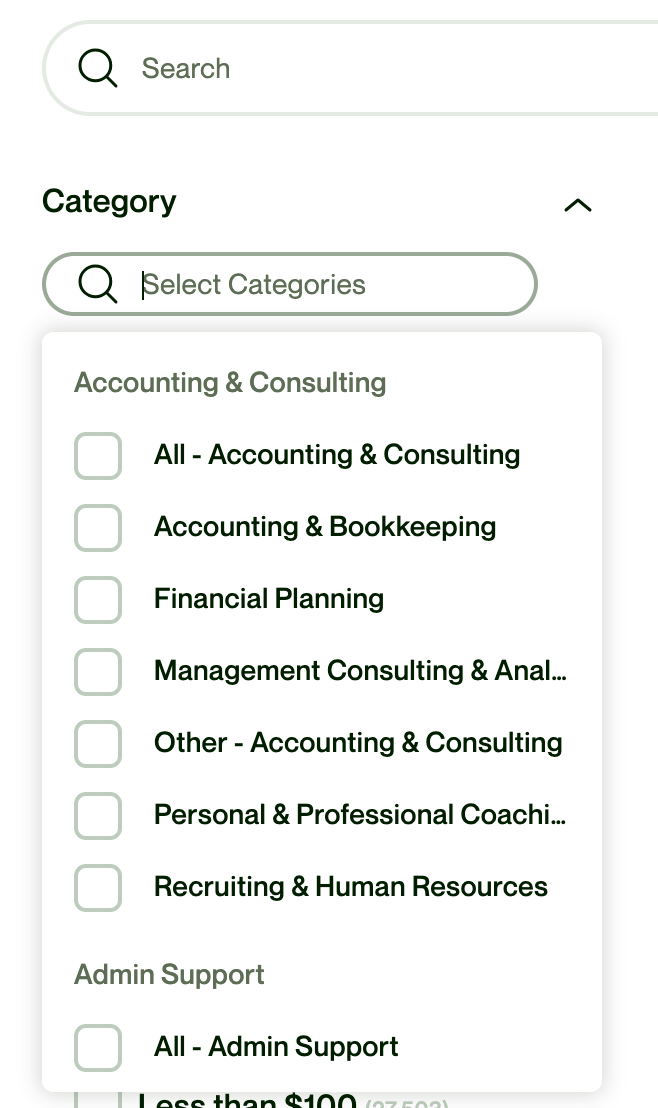
This will bring up a long list of available jobs right now.
Now go through the list and “heart” all the jobs you i) have the skills for ii) think you would enjoy and iii) pay sufficiently
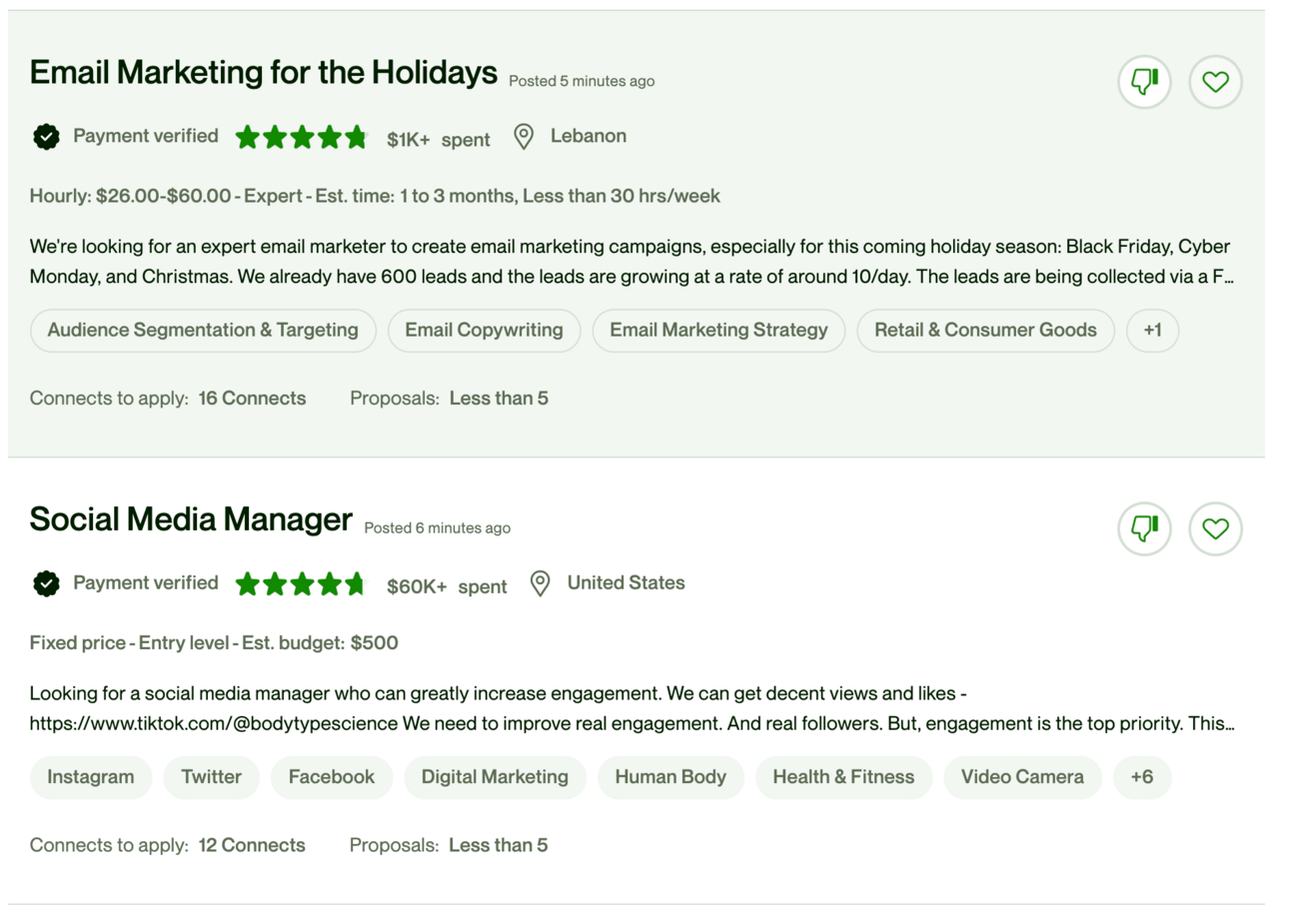
We are doing this to get an idea of the type of gigs that will suit you moving forward.
The more the better - keep going, keep adding hearts so as many as possible.
Once complete find Saved Jobs at the top of the search interface - click this to see all of the jobs your added hearts to.
Now go through each of these, click on the job to get details and copying the information into a document.
You want to copy all the basic information shown in this screenshot:
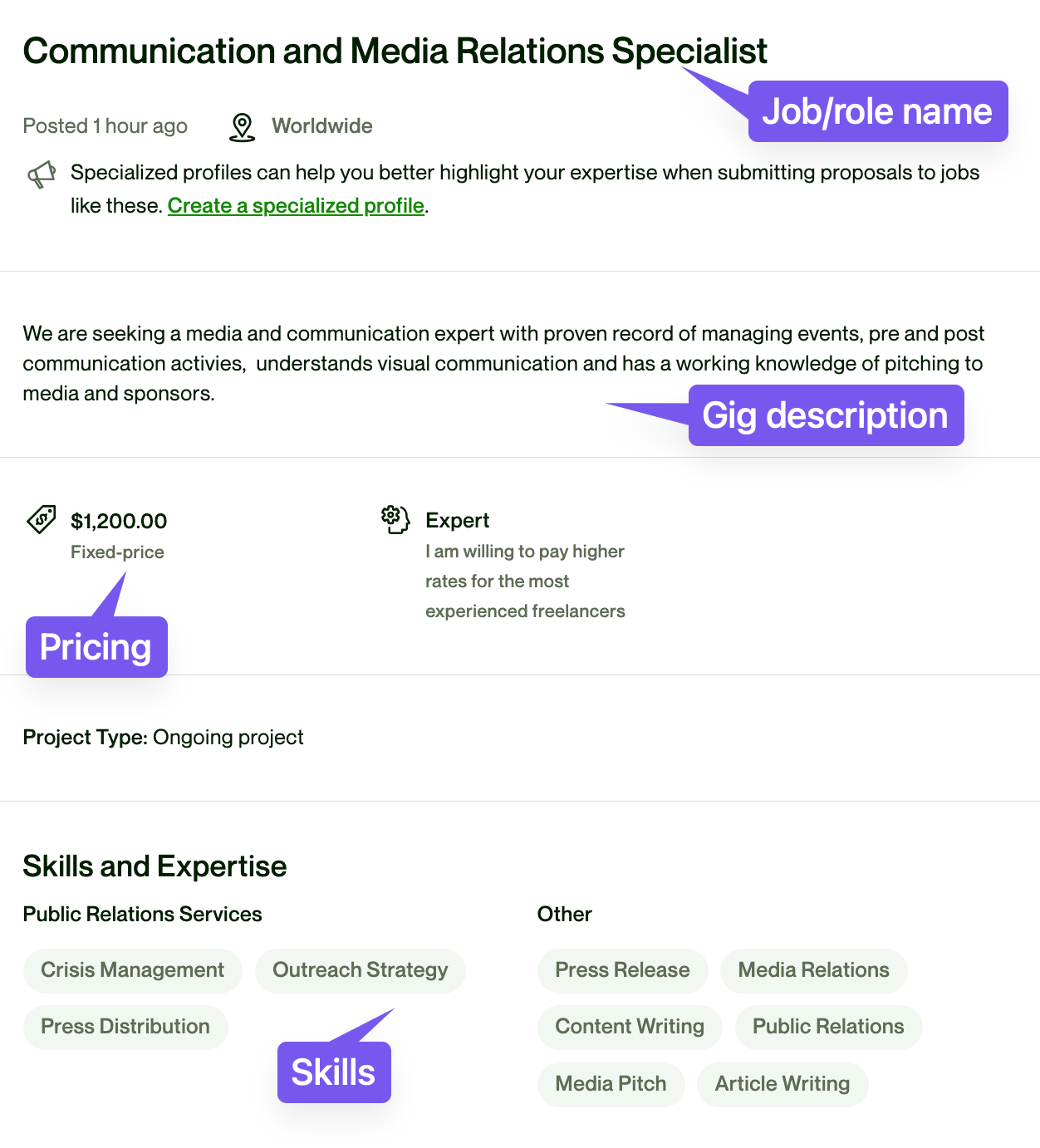
Copy everything - don’t worry about catching irrelevant information - from each role into a document.
We’re then going to use that information with this prompt:
This file contains information about freelance roles I am suited for

Extract the commonalities to help me better define my niche and position

Ignore content about creating a specialised profile.
Use this with GPT-4’s Advanced Data Analysis. Or use Claude2 for a free alternative that allows upload of a file.
In my example I fed in a number of gigs that were centred around digital marketing.
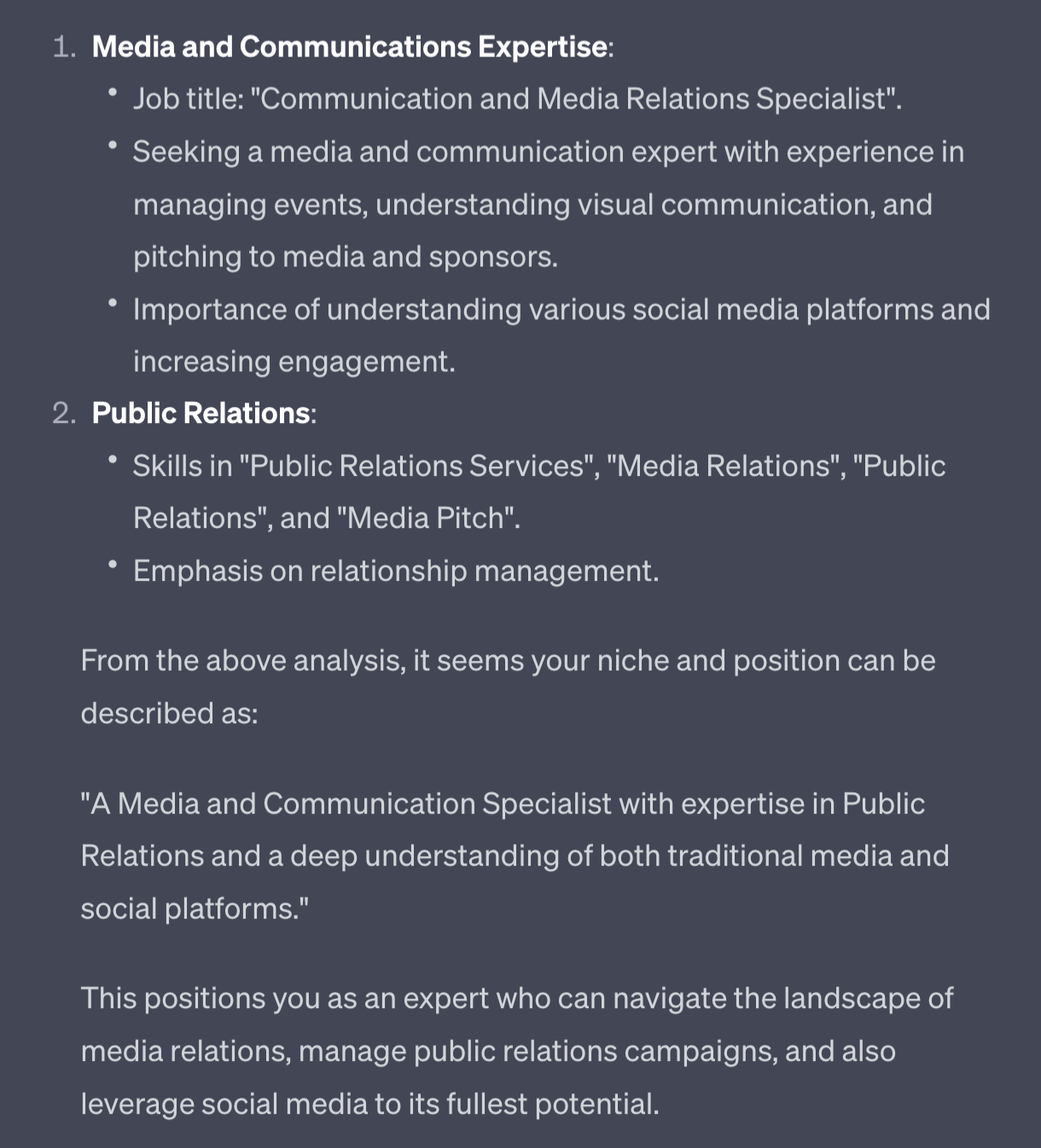
ChatGPT will reverse engineer from the jobs your selected as potential and start to work out your niche focus. It looks for commonalities between the specified gigs and uses this to carve out your niche. The more gigs you provide the better the result will be - so take your time here.
We’ll be building on this tomorrow as we begin to flesh out our profile.

Let’s go a little further with our niche defining prompt and identify skills that are in demand.
Here’s the prompt, use it with the same job d
Rank the mentioned skills and expertise from highest to lowest frequency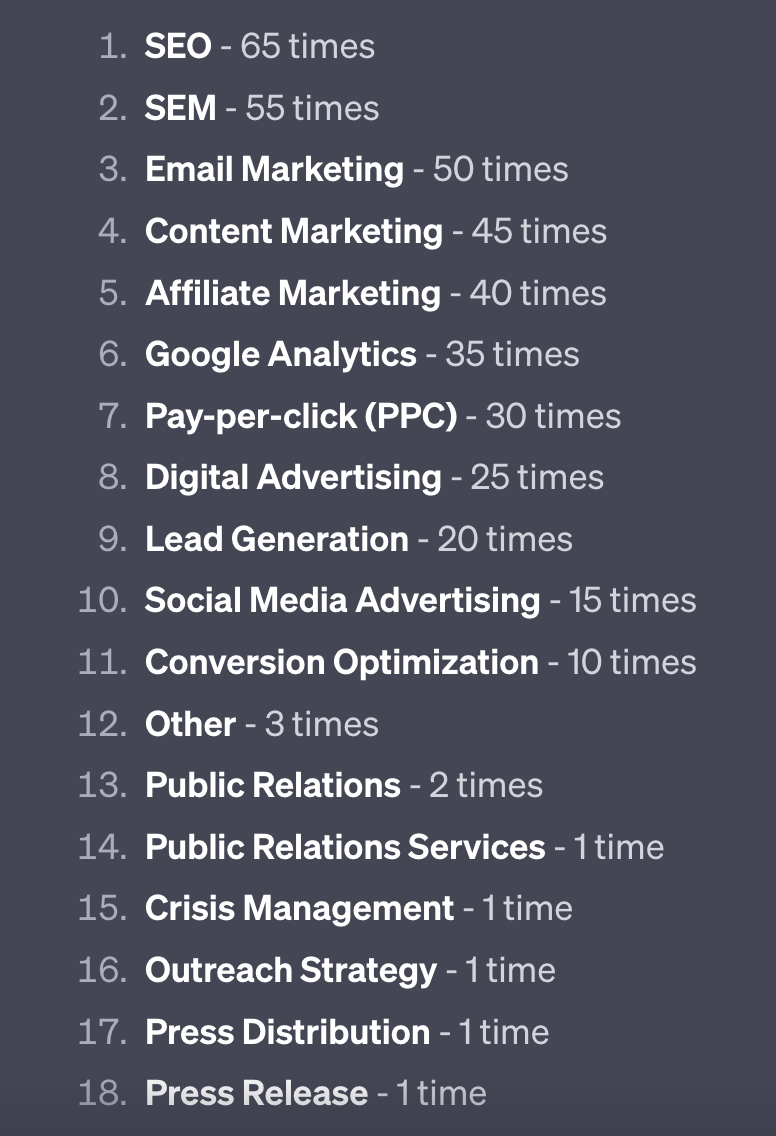
This will give you a list of the skills that the clients you want to work with are looking for.
Remember that we looked for gigs that we know we can do and are interested in. We’re now reverse engineering back to a list of the top skills that those clients want.
Let’s go one step further.
Maybe you don’t have one of those skills. Let’s use this prompt to start filling gaps:
Act as a professional educator

Give me an executive briefing on [skill name]

What is it, its uses
What does beginner, intermediate and expert level skill look like
What tools are commonly used
What are the steps to learning and mastering
What are good blogs, guides, influencers to look into in order to to learn more
I’ve used “lead generation” as an example.
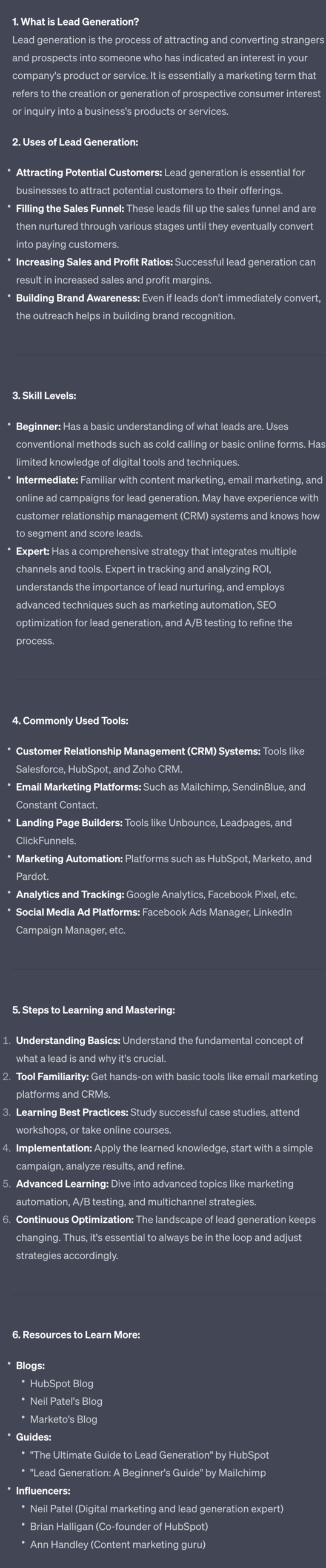
You can also use Chat GPT’s search with Bing function to get a more up to date guide. Try both and see what gives you better results.
I’d recommend picking up the top skills your future clients will want by using ChatGPT to quickly draw up a learning plan for you and then deploying it.
Now that we’re on Upwork and starting to see some of the possible gigs we can take hopefully you’ll be getting excited for the rest of the process.
In the next Part we’re going to build out your profile to make it as attractive as possible to your dream client.
A reminder of what we’re covering this week :
Part 1: Your freelance offer
Part 2: Building your freelance profile
Part 3: Securing your first freelance clients
Part 4: Marketing your freelance work
Part 5: Growing Your freelance business
See you tomorrow Prompt Entrepreneur!
Until then, keep PROMPTING!
Kyle
In this Part we’re going to build out our freelancer profile on Upwork to get ready for applying for gigs.
Remember that we are starting with Upwork and applying for work so that we can bag a few clients, get some reviews and work history and determine what it is that clients really need.
Once we know this we can decide our more evergreen offer - one solution to one problem.
We won’t know that until we’ve worked with a handful of clients and helped solve their specific problems. After a few you’ll start to see patterns and be able to build something more “templated”
First though let’s get our basic profile into shape so we can secure our first clients.
We’re not going to prepare our profile from scratch but instead find the best in class on Upwork and adapt their profiles using AI.
To find other freelancers use the search bar at the top of the screen (when logged in). Change the dropdown to Freelancers and plug in your chosen niche from the previous Part.
Here for example I’ve typed “content repurposing” for my Freelancer search:
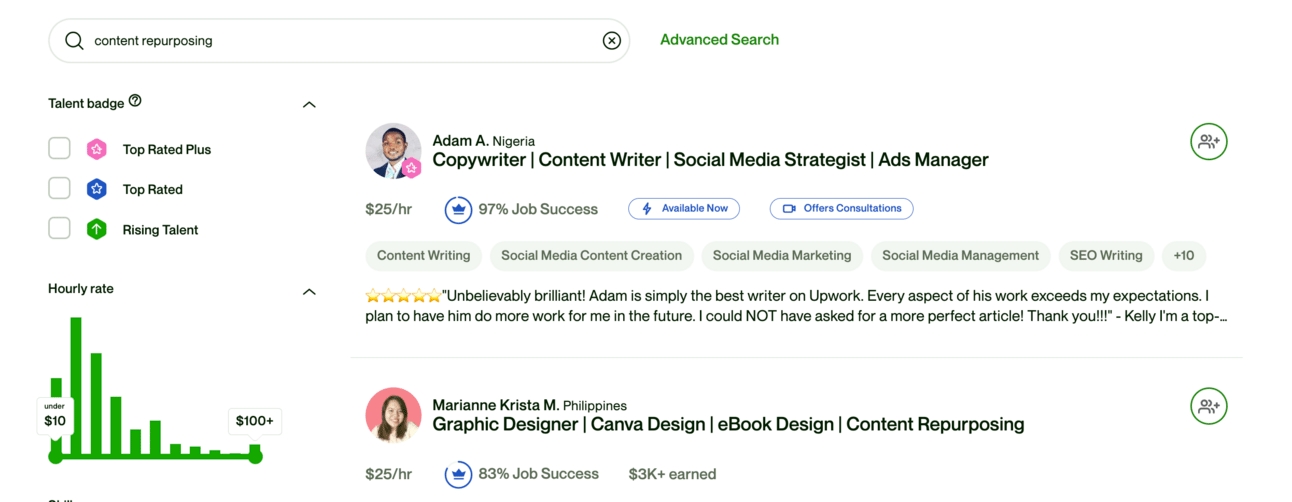
First thing we’re going to do is toggle “Rising Talent”.
We don’t want to look at the Top Rated or Top Rated Plus (yet) because they are less valuable examples to follow. They’ve probably been on the platform for years. They’ll be great targets to emulate later but for now, just starting, we’ll go with Rising Talent.
Rising Talent are new but successful freelancers. Hopefully we’ll get this badge shortly too!
Also filter to freelancers, not agencies:
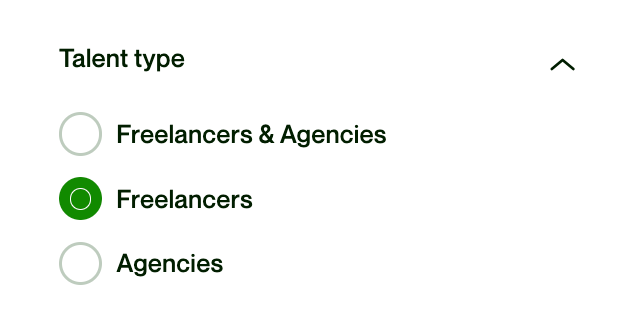
You may want to filter to only your country. I’d recommend doing this if you are in an English as a first language country as there’s a divide on Upwork (for better or worse) between native English speakers and English as a second language. This is less relevant in skills that aren’t language based - ie. web design.
Once filtered you’ll see freelancers similar to you.
In this example I’ve filtered for “content repurposing”, rising stars, English as a first language and set location to UK and USA:
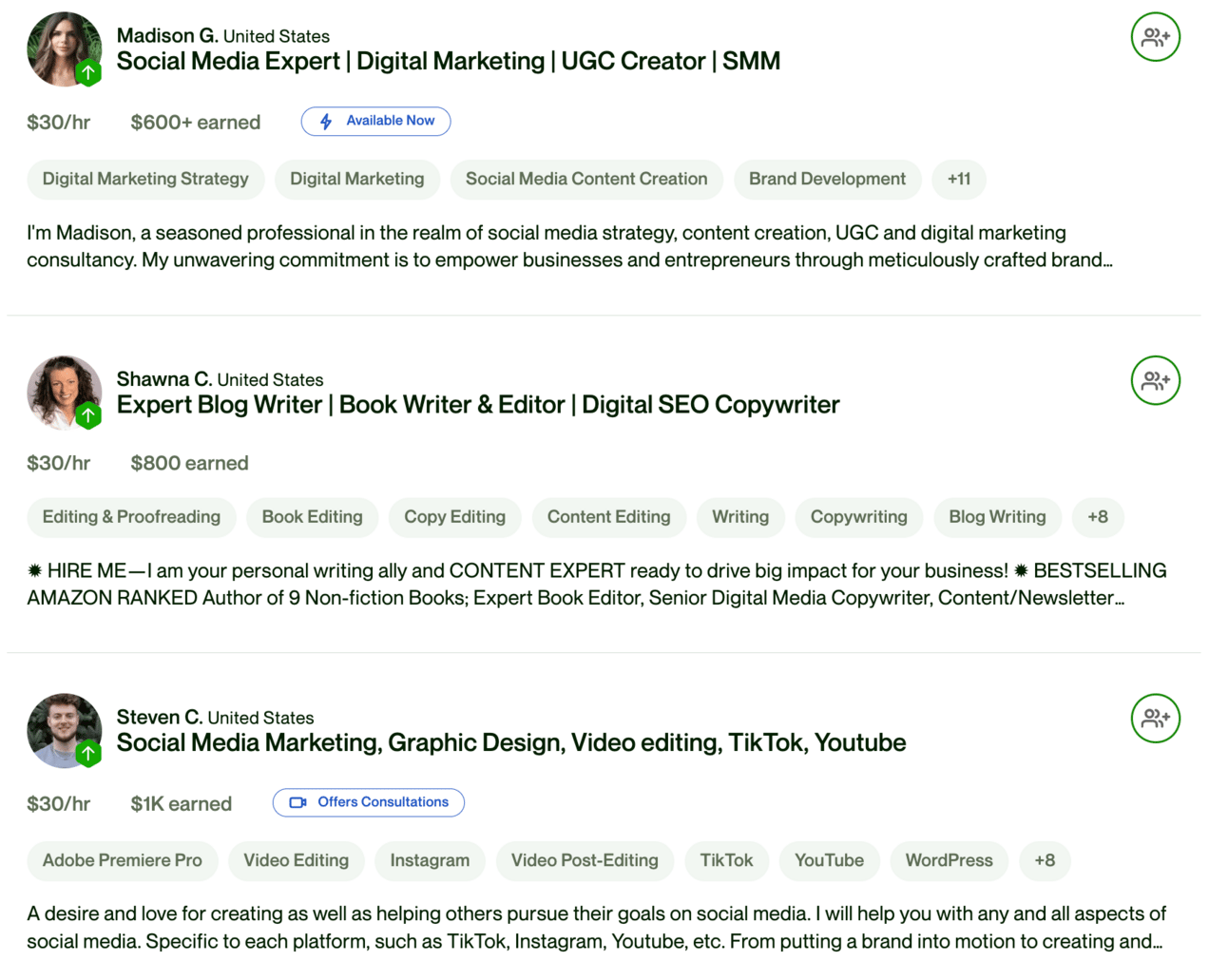
Notice they all have sub-$1000 total earnings. They are all beginners. This is perfect.
We’re going to now collect up their information and use it as the basis of our own profile.
Go to each of the profiles you’ve found. Read them through. Make sure that they are similar skill level to you and that you can do the same sort of work.
If so copy/paste their whole profile into a document.
You want to copy/paste the following:
their headline
their bio text
their hourly rate
their skills
Do not copy their work history or past projects. Those are particular to them and not helpful for us.
Collect as many as possible - aim for 10+. If you aren’t getting many hits turn off Rising Star and then carefully select users with less than 100 hours billed (ie. still new on the platform).
W'e’re now going to use this competitor research to generate the elements of our profile.
Once you’ve collected all the details into a document we’ll turn to ChatGPT and use this prompt in Advanced Data Analysis mode:
Act as an Upwork expert working for freelancers

Use the attached profiles as best practices to create a perfect profile. There will be multiple profiles in the file - use all of them to get a rounded set of best practices.

The profile's primary category is [category]

Generate:
5 x headlines
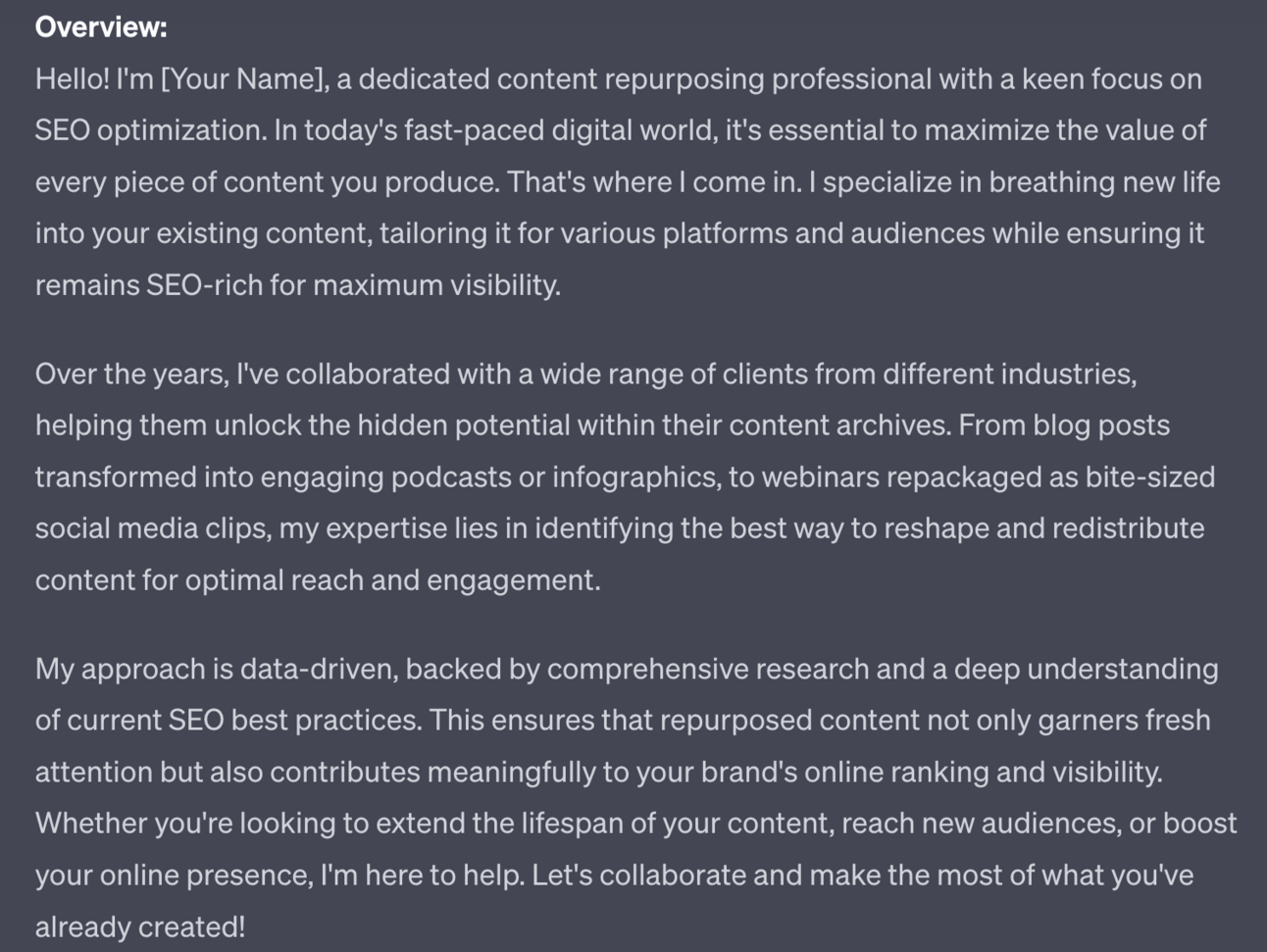
1 x Overview section
A list of suggested skills

The headlines should focus on the main category and include the top skills for SEO

The overview should be several paragaphs, like the examples. Ignore specific accomplishments and accolades from the examples - convert them into suggestions for me to add.

The list of suggested skills should be taken from the examples given. Do not create new skills but refer to the ones listed in the examples only. Order the skills from most to least mentioned.
Make sure you plug in your category - I’ve used “content repurposing” for the example.
This prompt will generate headlines for you:
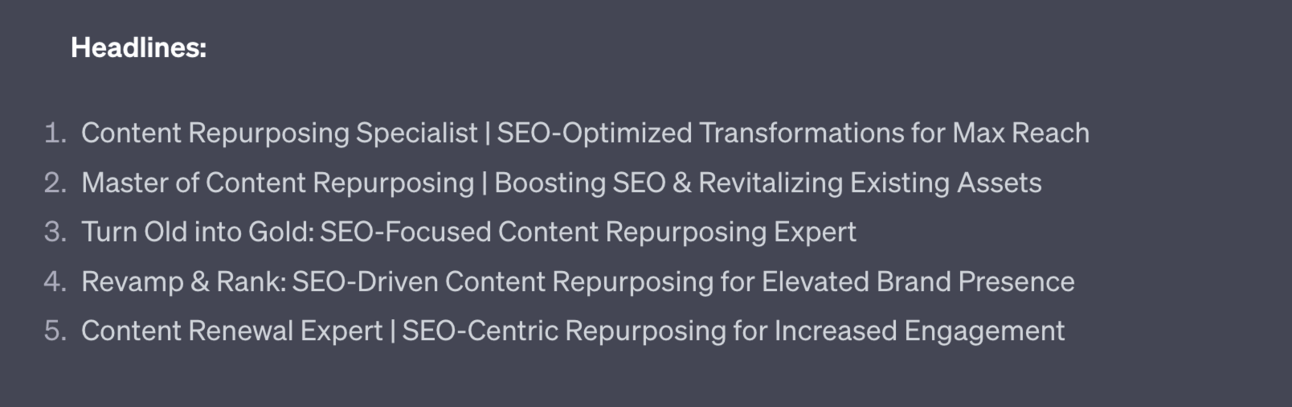
These headlines will emphasis the category (content repurposing) and the top skills. We’re doing this to make sure that our profile turns up in searches.
The prompt also generates an overview bio:
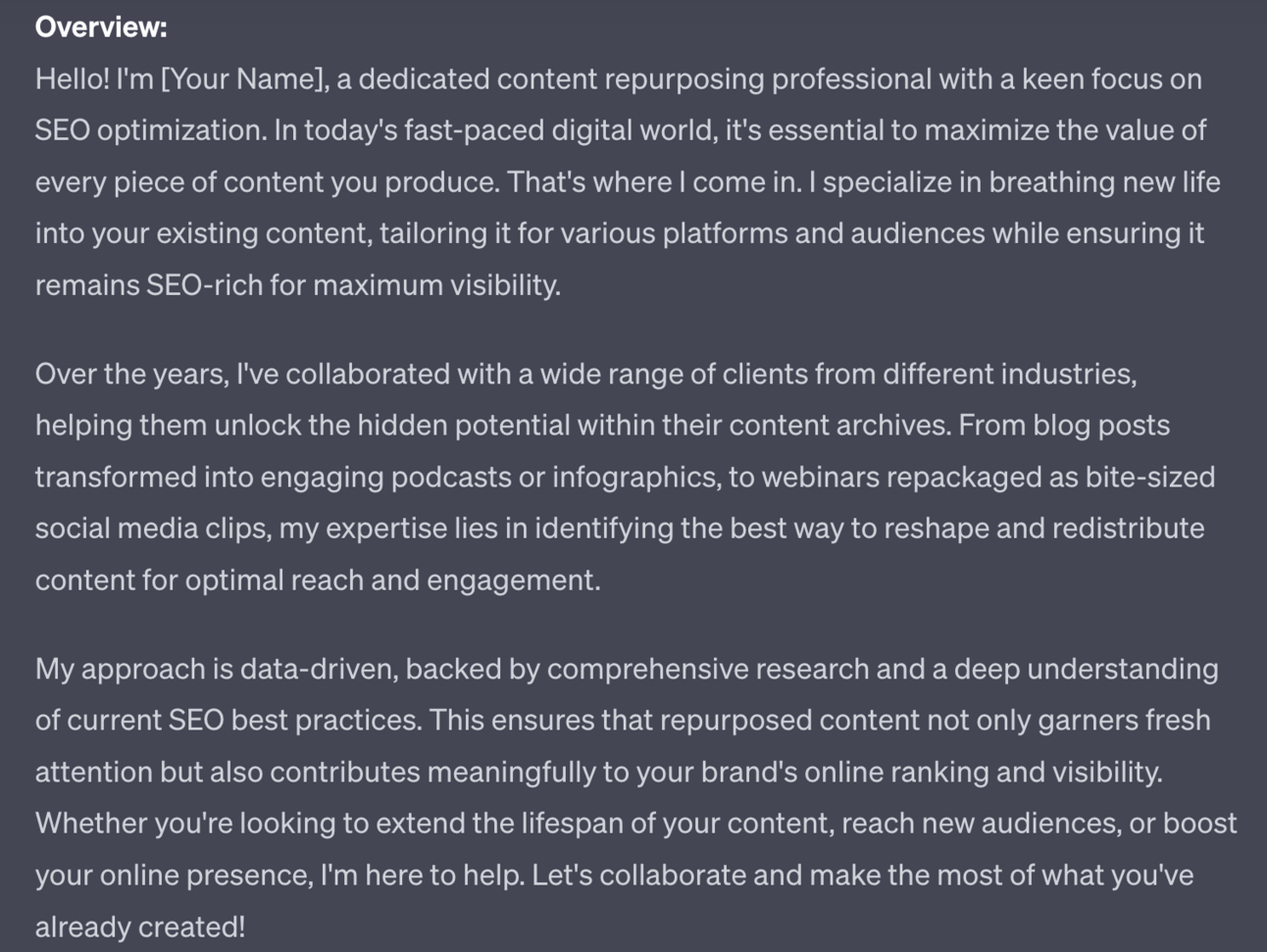
This is based on the other top profiles in your category. This is a basic first step - we’ll use the next step to make it your own.
Finally the prompt orders the skills from most to least mentioned:
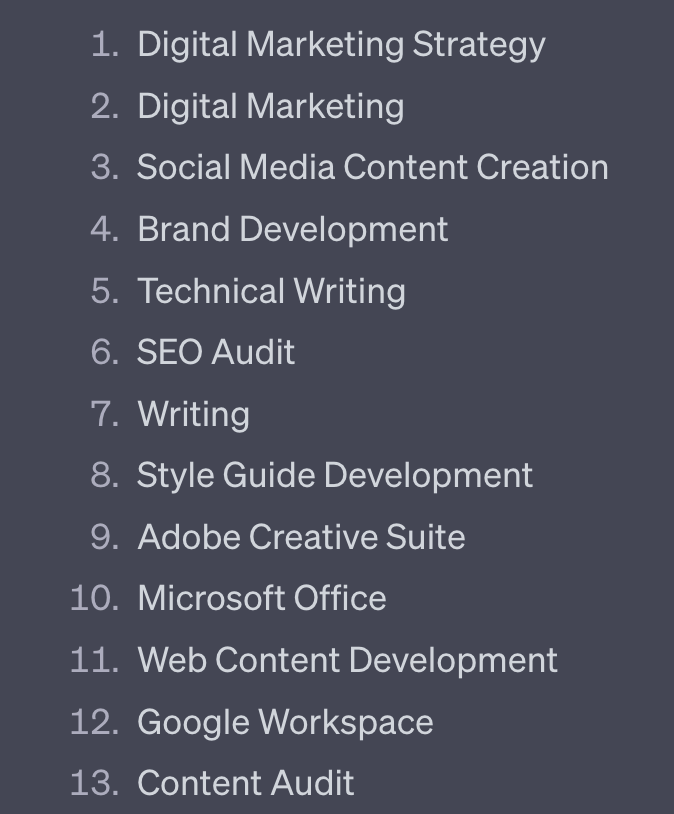
These are the skills we’ll highlight in our profile, depending of course on our own skill levels!
We’ve now got the basics needed to fill out the basics of our profile. The next steps will help refine and fill in gaps.
The Overview description from the last step drew on the best practices of the other top profiles in our niche. The structure is therefore solid.
However, it’s very generic because we have not yet provided any personal details.
Use this prompt below the existing work or copy and paste in the Overview then use the prompt underneath:
Act as a Upwork freelancer profile optimiser

Optimise this Overview to make it more personal.

To do so ask me these questions. Collect the answer to each question from me before moving to the next question.

1. List any relevant education, degrees, certificates, awards.
2. List past successful projects and relevant side projects. Give success in figures where possible.
3. Describe the specific services you provide and types of projects you have experience with. Give concrete examples if possible
4. Why did you get into this field and what excites you about it?
5. What's your perfect gig?

Then incorporate my answers into the previously created Overview, optimised for readability. Fit the answers in organically, do not follow the order in which they were asked.
This prompt will ask you a set of questions. Answer as fully as possible for best results.
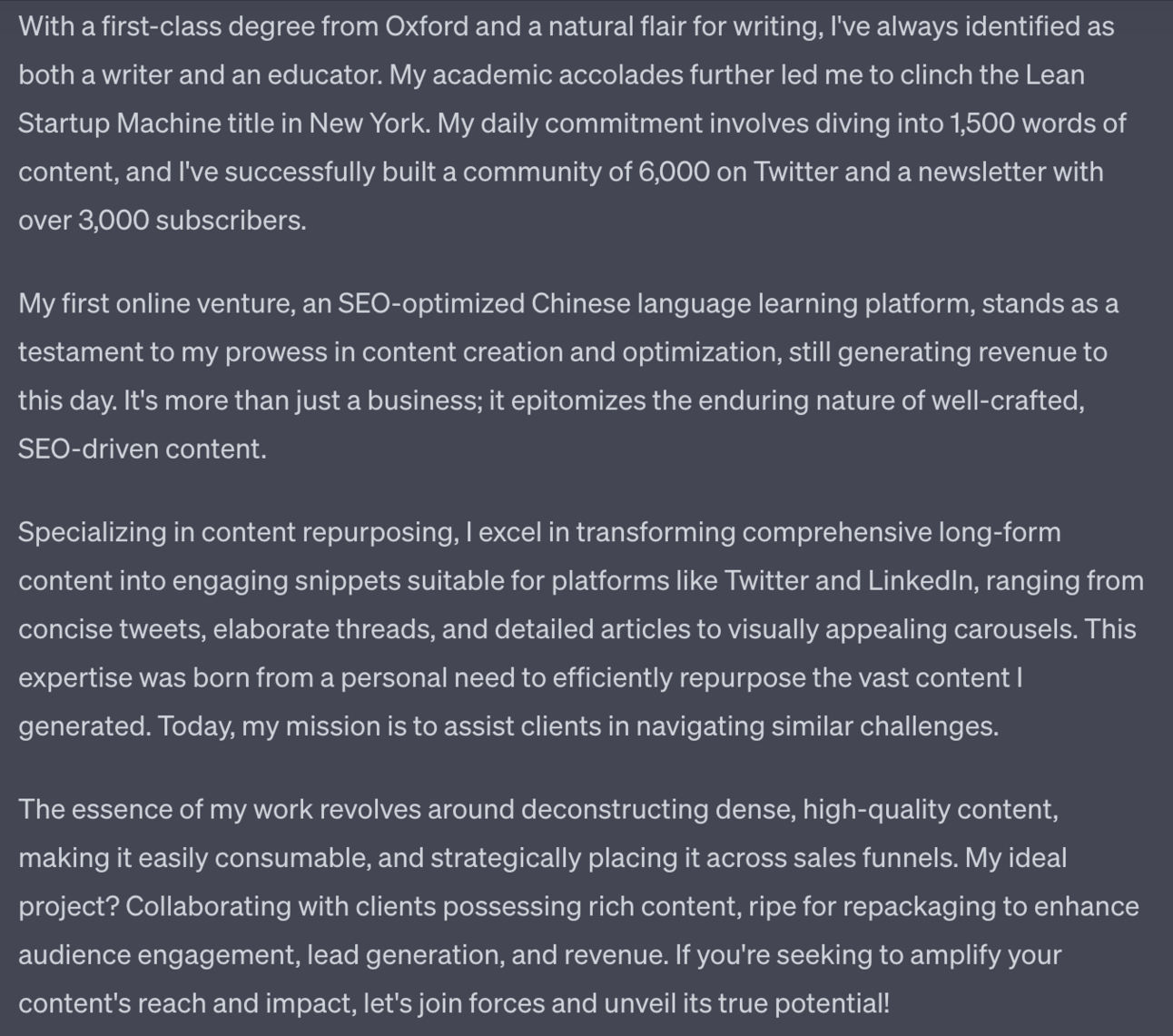
ChatGPT uses the answers as well as the previously generated Overview. Adjust as required, making sure that all the basic points from the “perfect” Overview are in place still.

One very powerful element on your freelancer profile is a video.
Upwork says that videos increase profile views and job offers by 30%!
Definitely worth the time to create one.
Here’s a prompt to generate a script. Use this under your Overview from the step above.
Act as a social media script writer.

Using the provided overview create a 60 second elevator pitch video.

Start with a strong hook
End with a call to action to work together

Provide one line then line break then next line.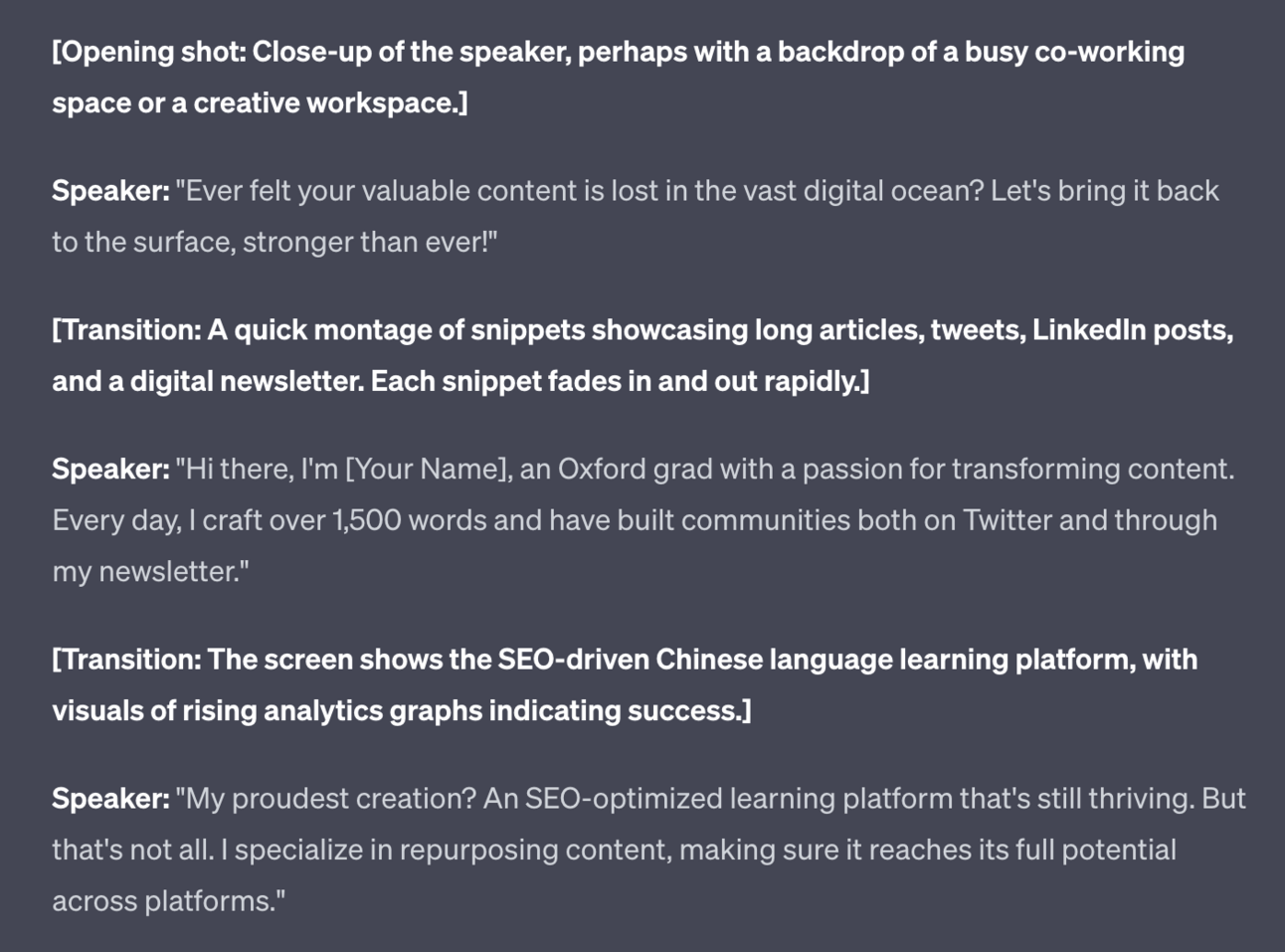
This is the beginning of the script only, cut for brevity.
The prompt will make suggestions of b-roll to add but you can equally shoot the video directly to camera.
For video production advice see my other Prompt Playbook on video production.
I would say though don’t overcomplicate it. So few people have videos on Upwork that just by shooting a quick video with your camera phone you are already ahead of everyone else.
A reminder of what we’re covering this week :
Part 1: Your freelance offer
Part 2: Building your freelance profile
Part 3: Securing your first freelance clients
Part 4: Marketing your freelance work
Part 5: Growing Your freelance business
See you tomorrow Prompt Entrepreneur!
Until then, keep PROMPTING!
Kyle
For your very first gigs I recommend finding and completing low cost (<$100) jobs.
We want volume here. Doing a gig for $5 is the same as doing a gig for $5000 as far as the number of jobs and number of reviews is concerned. Your “total billed” will obviously be low but at least we’ll get off the ground with a handful of lower-cost gigs.
Consider this lower price work as a marketing cost for you. Instead of running adverts to build your profile and marketing you are taking a lower rate on your work. It’s not a outgoing cost but a reduction in revenue.
Still don’t fancy doing lower priced work? One recommendation here is doing this sort of work for charities or non-profits. Then it’s a two for one - you’re doing low cost work for reviews but you are also providing a valuable service to a worthwhile cause.
Head to Find Work, enter your category and skills and optionally set the fixed price to a lower bracket (ie. <$100). It’ll be simpler to pick up more gigs here. And more gigs means more reviews.
Here’s an example gig that would work:
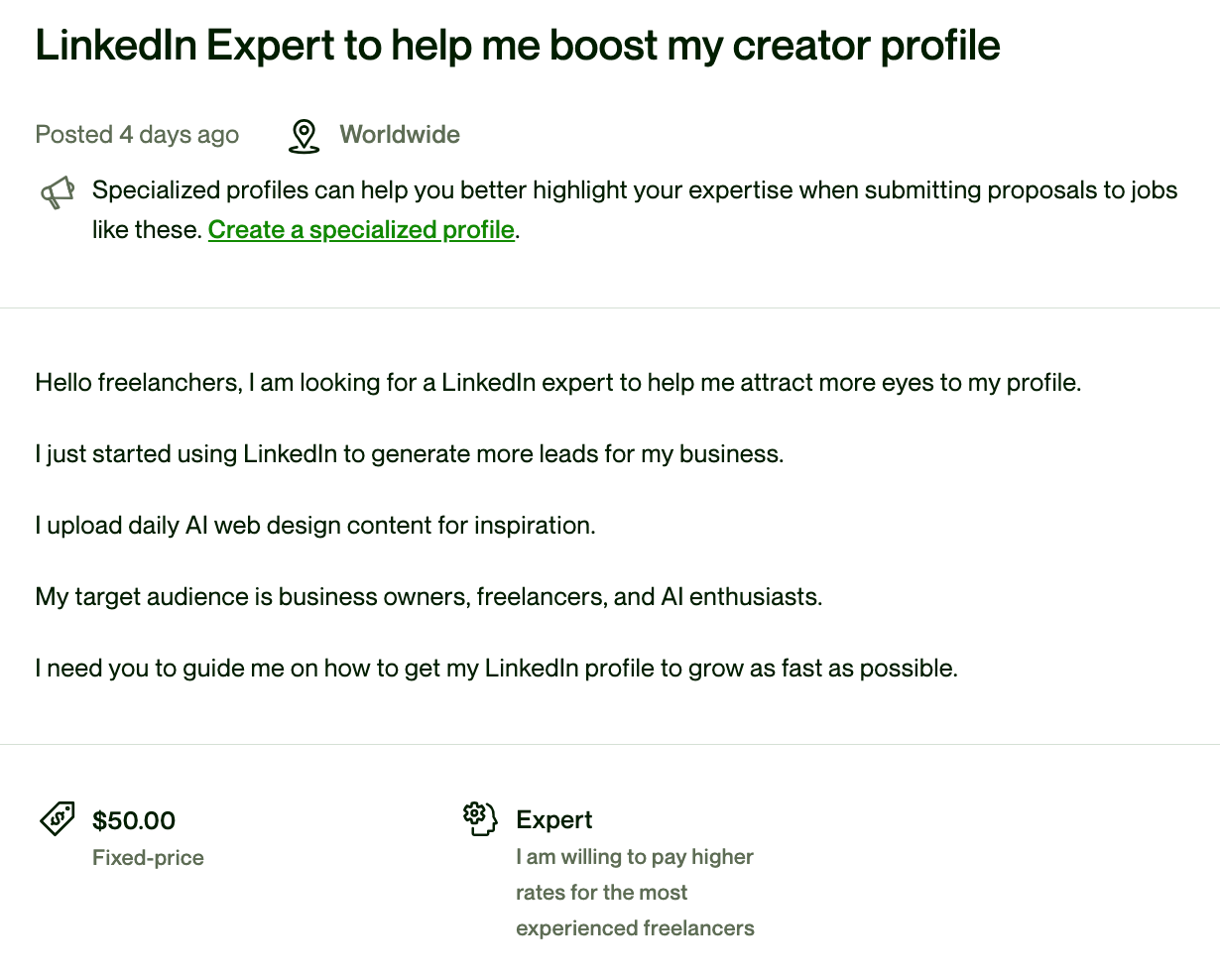
This is a very simple with a low ($50!) price.
To apply for the gig you need to send a proposal. You do this by hitting Apply. In that next screen you’ll see more details about the gig as well as the questions you’ll need to answer.
The most important is the Cover Letter.
The cover letter is where you get to tell the potential client about yourself and convince them you are the right person for the job.
Most people on Upwork just use a copy/paste template. Don’t do that. We’re going to do better.
We’re going to combine your profile and the job description and have ChatGPT create a cover letter for us.
Here’s the prompt:
Act as a Upwork freelance expert

Generate a cover letter to apply to the job, combining both the details of the job and details from my freelancer profile. Use the provided guidelines.

Guidelines
-Personalize it - Address the client by name and make it specific to the job posting.
-Keywords - if the job description says to mention a certain keyword or phrase make sure to do so.
-Highlight relevant skills and experience - Quickly summarize your background, key skills, and past experience that makes you a great fit for this particular job. Provide specific examples if possible.
-Explain why you're interested - Briefly share what interests you about the role and company and why you'd like to work on this project.
-Keep it brief - Cover letters should be short and to the point. Aim for 3-4 paragraphs at most.
-Use a professional tone - Avoid overly casual language. This is a business letter, so adopt a polite, formal tone. Use everyday language, not metaphors.
-Ask for the job - Wrap up by reiterating your interest in the role. Proactively ask for the opportunity to interview or move forward.
-Thank the client - Express appreciation for their time and consideration. End on a gracious note.

Job details:
+ [copy/paste job details]

My freelancer profile:
+ [copy/paste freelancer profile]
For your profile copy/paste the whole of your profile - capture all the details you can. As you start to get work make sure to start copy pasting that all in too.
For the job details also copy in everything from the main job description page including the skills required. Use select all then copy. Don’t worry about copying parts of Upwork’s interface- ChatGPT will know to ignore that.
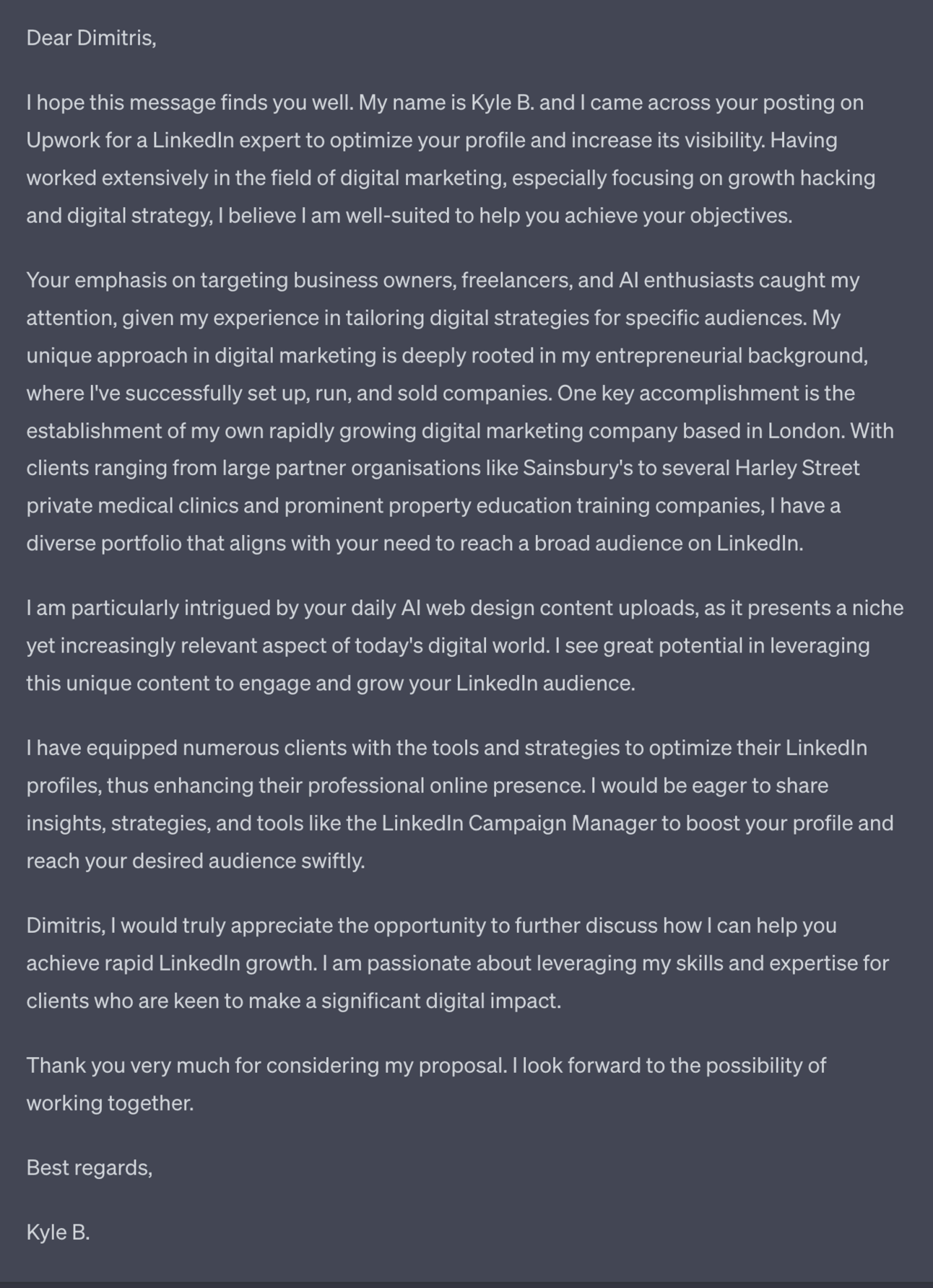
ChatGPT will output a cover letter focused on both the job description and your profile, merging the two together.
The more detail in the job description and your freelancer profile the better ChatGPT will be able to generate something unique.
Make sure to read through and make adjustments. For instance for this cover letter specifically I’d mention I have 12,000 LinkedIn followers - a highly pertinent piece of information for the gig.
Also adjust the language as required - feel free to change the prompt itself to best fit your particular tone of voice.
This ought to be sufficient to get your first gigs, especially lower priced work like this one.
If you are still having difficulty though let’s tweak the cover letter to add additional context about being new on Upwork.
Here’s the adapted prompt:
Act as a Upwork freelance expert

Generate a cover letter to apply to the job, combining both the details of the job and details from my freelancer profile. Use the provided guidelines.

Guidelines
-Personalize it - Address the client by name and make it specific to the job posting.
- New to Upwork. Be open with the client and mention having just started on Upwork and as such have limited history here. Because of this I’m doing early gigs for a  discount to build a base of work history and reviews.
-Keywords - if the job description says to mention a certain keyword or phrase make sure to do so.
-Highlight relevant skills and experience - Quickly summarize your background, key skills, and past experience that makes you a great fit for this particular job. Provide specific examples if possible.
-Explain why you're interested - Briefly share what interests you about the role and company and why you'd like to work on this project.
-Keep it brief - Cover letters should be short and to the point. Aim for 3-4 paragraphs at most.
-Use a professional tone - Avoid overly casual language. This is a business letter, so adopt a polite, formal tone. Use everyday language, not metaphors.
-Ask for the job - Wrap up by reiterating your interest in the role. Proactively ask for the opportunity to interview or move forward.
-Thank the client - Express appreciation for their time and consideration. End on a gracious note.

Job details:
+ [copy/paste job details]

My freelancer profile:
+ [copy/paste freelancer profile]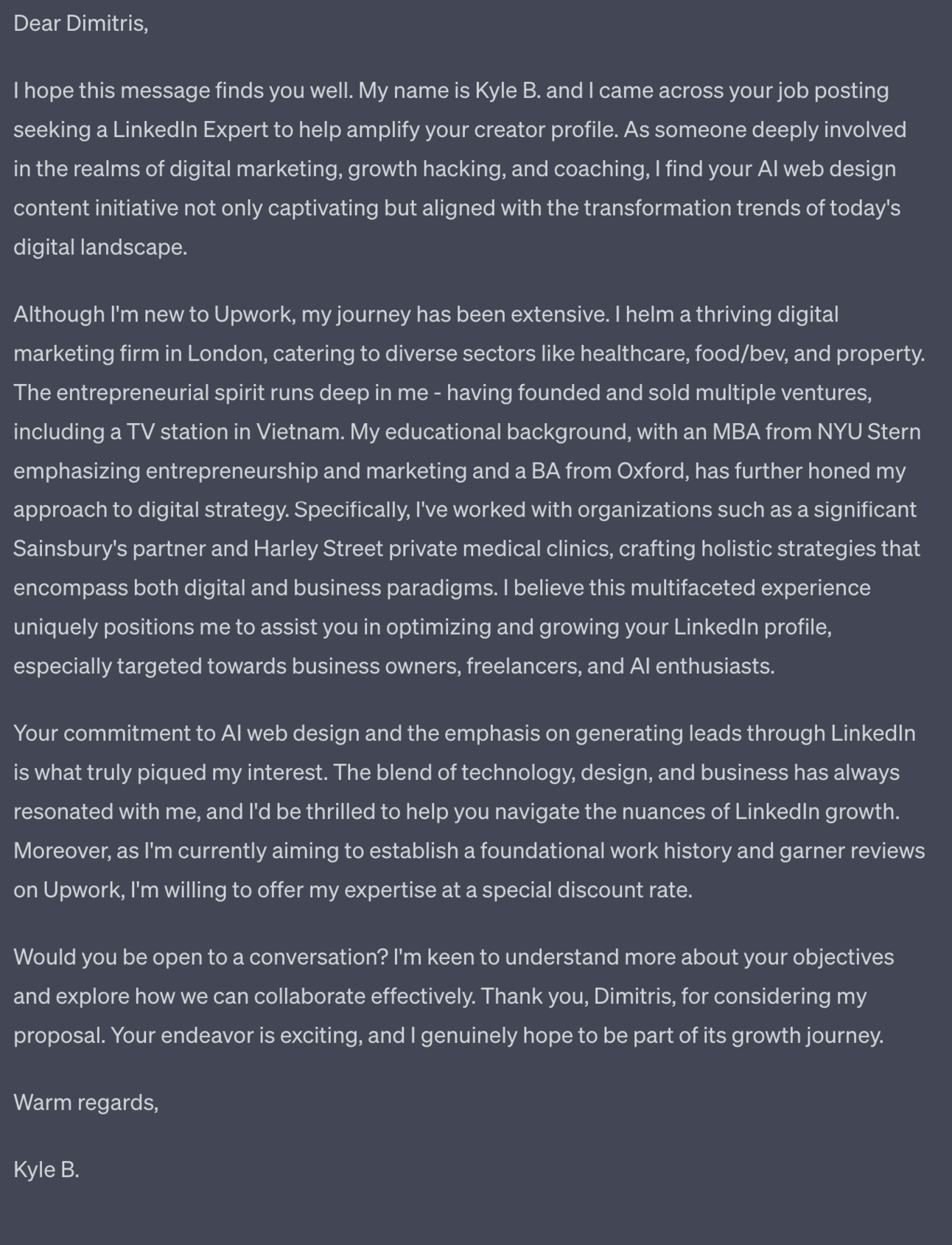
This prompt will explicitly mention you are new to Upwork. People are going to notice your lack of reviews anyway so this is a way of immediately dealing with that objection head on.
With your first gigs the main objective is getting 5 star reviews.
Performing the service isn’t enough.
You need to:
overdeliver
ask for a review
People will forget to review. They are busy. It’s natural.
So we need to blow their socks off and then ask, making them feel compelled to give us a review.
First up make sure you overdeliver - go the extra mile. How you do this will depend on the service obviously but here’s a nice simple prompt to give us some ideas.
Based on this job description generate a scope of work and over-delivery suggestions. Using the job description from above we get:
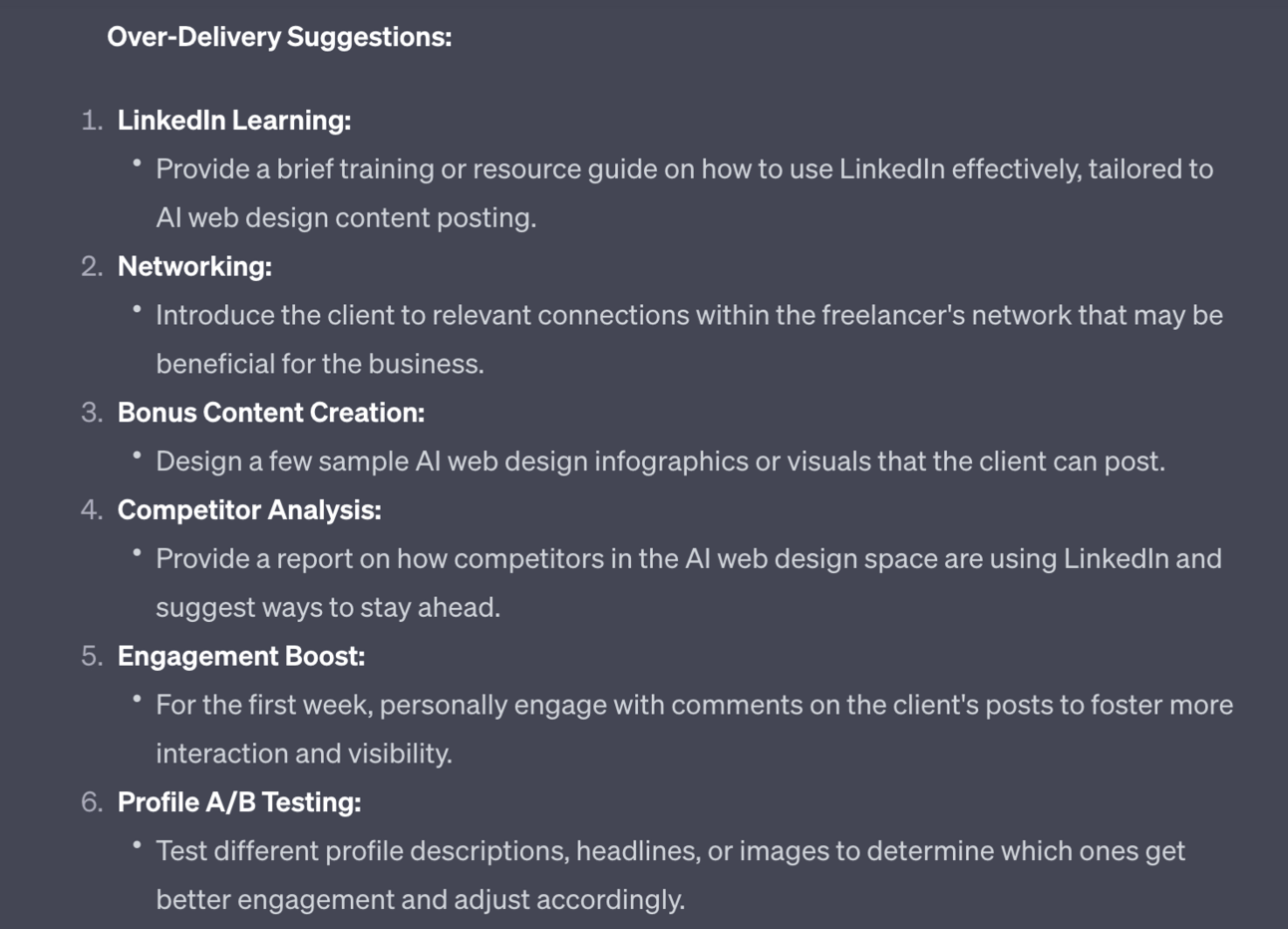
The prompt gives both the in-scope and out of scope work to help us distinguish them. Make sure you do the in-scope work as a default and then sprinkle in a few of the over delivery suggestions to gain brownie points.
Next up we need to DM them a review request as soon as the gig is completed.
Here’s a quick prompt:
The work is complete. Write a short (2 line) review request and offer to do future work. This generates a very short and to the point review request.

Don’t overcomplicate this as it’ll bury the core message of needing a review. Feel free to follow up as required - once a week is fine. Just make sure you get that review!

Need a guaranteed first gig?
Reach out to me in the community, tell me your service and I’ll post an Upwork gig for a $10 job I need. Something super super basic and fast to perform.
We’ll write the job description together because it’ll be visible on your profile.
I’ll pay for the gig, you do the gig and I’ll leave a review. Nice and simple way to get an immediate first gig and review done.
Just shoot me a DM in the Community and we’ll get it sorted out.
What we’ve covered in this Part will get you your first few gigs and reviews. Our profile will start to flesh out and not look as new.
In the next Part we’re going to leverage this and secure proper work for proper payment.
A reminder of what we’re covering this week :
Part 1: Your freelance offer
Part 2: Building your freelance profile
Part 3: Securing your first freelance clients
Part 4: Marketing your freelance work
Part 5: Growing Your freelance business
See you tomorrow Prompt Entrepreneur!
Until then, keep PROMPTING!
Kyle
Now that you have secured a handful of gigs and begun to flesh out your profile we can start to secure properly paid gigs.
In this part we’ll look at marketing ourselves and beginning to move up the ranks to higher and higher paid gigs.
First up let’s talk pricing.
You started by taking on lower priced gigs to just get some basic reviews on your profile. Now we’ll move towards your actual rate.
What is that rate? Let’s look at the market.
Head to Upwork and use the search bar set to Talent mode (from the dropdown). Search for your niche category.
If your skill is language dependant filter to your country and other countries where your language is the first language - for example as a Brit I’d set location to UK, USA, Canada, Australia.
If your skill is not language dependant leave the country off so you see the global market. Use your judgement here - basically if your country of origin commands a higher market price then filter to your country.
Do not filter to Rising Talent like we did before - we want to see overall market rate.
The easiest quick and dirty method is to check the graph in the left sidebar:
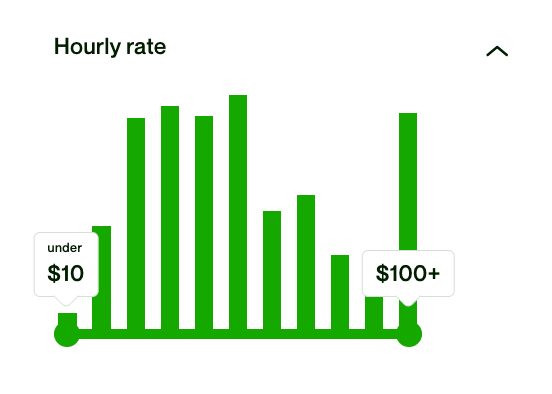
This tells me that an hourly rate of $50 is about right, or $100+ for a premium service.
For a more accurate market rate though let’s find the profiles that are most similar to you and your skills.
Note down their hourly rates. Then take an average.
I was about to give you a ChatGPT prompt for this…tells you how reliant on ChatGPT am I doesn’t it! We can take an average easily without ChatGPT!
Just add all the hourly rate together and divide by the number of rates you collected. Ie. if I had $30, $40, $60 as rates I’d add them up to $130 and divide by 3 for an average of $43.3.
Do this for your niche to work out the basic market rate for your skill. We use this as the base. This is our lowest rate.
If you are working a 9-5 and want to get out let’s run another exercise.
Work out your current hourly rate. This might be tricky as you are paid an annual salary.
Divide your annual salary by 2,000 - which is 8 hours a day, 5 days a week for 50 weeks a year. This is rough but will do the job.
If your annual salary is $50,000 then your hourly rate is $25/hour.
We want to make sure that our freelance hourly rate is at least 2x our current 9-5. Why? Because you won’t be working full time hours when freelancing - there will always be gaps. Giving us a 2x multiplier means we can afford to work up to half the time and still break even on our current salary.
If the freelance rate is at least 2x your current hourly great. That market rate basically works for you. You will be able to charge more later and also productise your service for even higher profits but for now we’re just doing a basic sense check.
If the freelance rate is dramatically lower than 2x your current 9-5 salary then I would look to see how you can shift into a more premium niche or at least provide a much more premium service in your current niche.
List this as your freelance rate on Upwork so people know your pricing range.
Often on Upwork the work will not be per hour but instead per project. You’ll either be given a price by the client or you need to pitch a price.
Once you have your hourly rate we have the basics we need to work out our project rate. Here’s how.
First we need to estimate how long the project will take. This will come from experience. It’s always a good idea to add a buffer to deal with unforeseen circumstances and general annoyances.
Let’s say you read a task description and think it’ll take 10 hours.
Double it.
Assume 20 hours. It always takes longer than initial estimation.
Now multiply the number of hours by your hourly rate - $50 - for $1,000. That’s the base price of the project.
If the client is suggestion $100, don’t do it. We’re done with low cost projects to increase our reviews. We only take projects that our worth our time.
As you take on more and more gigs you’ll be better able to estimate timings. Until then be conservative and always assume more.
Also as you progress continue to increase your hourly rate. There’s no harm testing this on Upwork, just keep increasing it after each job and see if you continue to get gigs. If so, keep increasing.
As we take on more and more work make sure to continue to collect reviews from happy customers - this is the lifeblood of Upwork.
There’s another valuable social proof we can add to Upwork that many freelancers don’t bother to. This is great news for us.
We can upload details to our Portfolio to provide case studies about our past work. These allow us to go into detail about what problems we’ve helped solve.
Importantly these appear as one of the very few visual elements on Upwork:
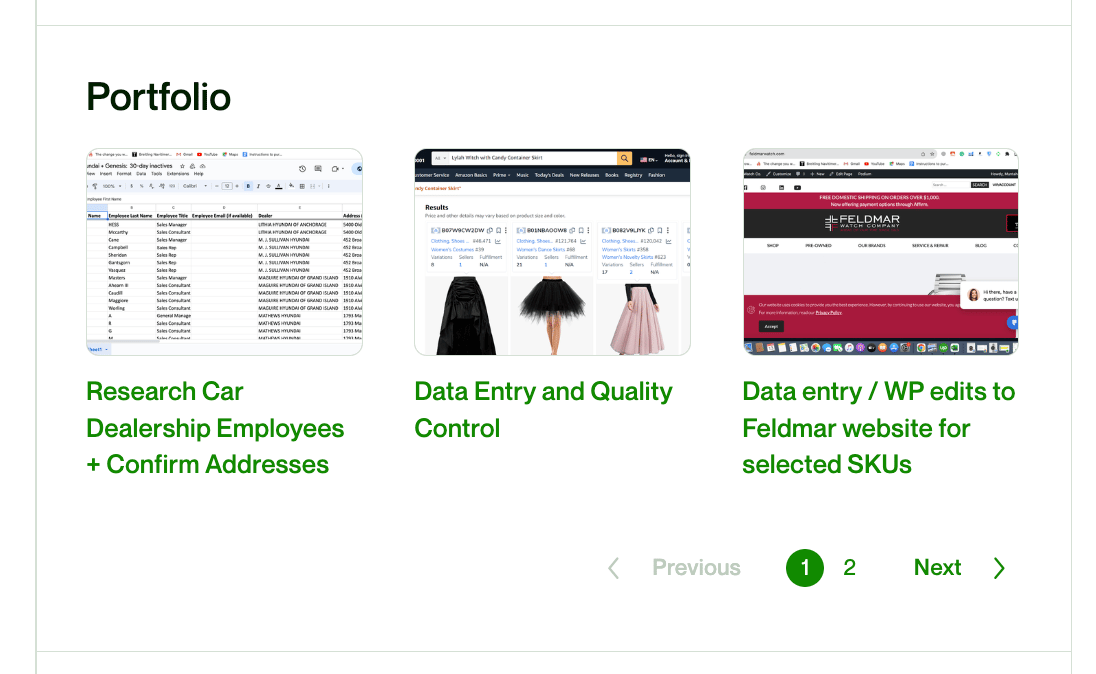
Designers often use the Portfolio function as their work is obviously visual. But you should be using it regardless of your skills because it allows us to add a written case study:
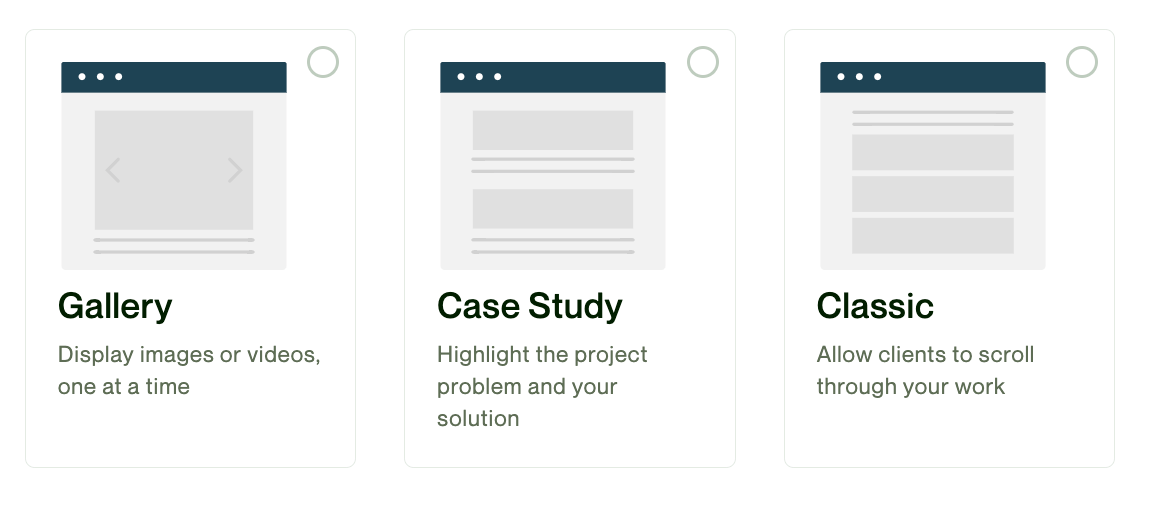
If your work is visual then this is simple - use the Gallery.
If it’s non-visual then we’ll use a prompt to help us generate a case study.
Here’s the prompt:
Act as a freelancing expert

Craft a case study about a job I recently completed for a client

The client's project was: [copy paste initial job description]

Ask me a series of 5 questions, one at a time, to collect information required to generate a compelling case study about how I solved the client's problem.

Output format:
Role, one line
Project task/challenge, rewritten for clarity
Project solution, in depth.
For the example I used a gig about Email Funnel design and answered the questions accordingly.
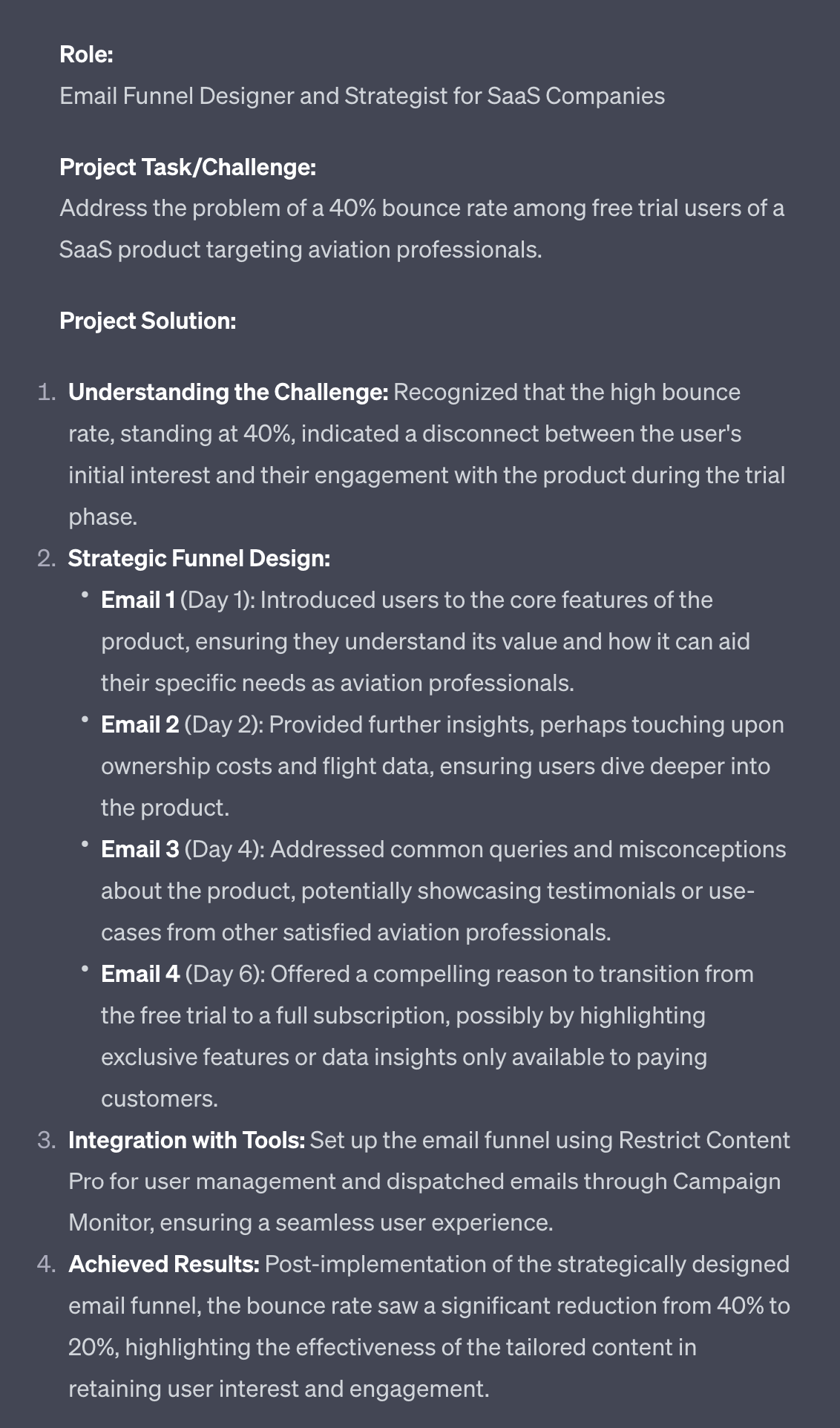
The output is in the format required by Upwork. Simply copy/paste the details in. You’ll also need to add an image - a screenshot of the client’s website would be a good image here.

As a bonus we can use the more visually attractive gallery for our case studies. Even if our case study is text based.
This will really help distinguish us from the competition as this unusual visual format will be a pattern break.
First up use this prompt below your case study that we just generated:
Convert this case study into a Twitter thread.
Short, concise tweets.
No emojis, no hashtags. 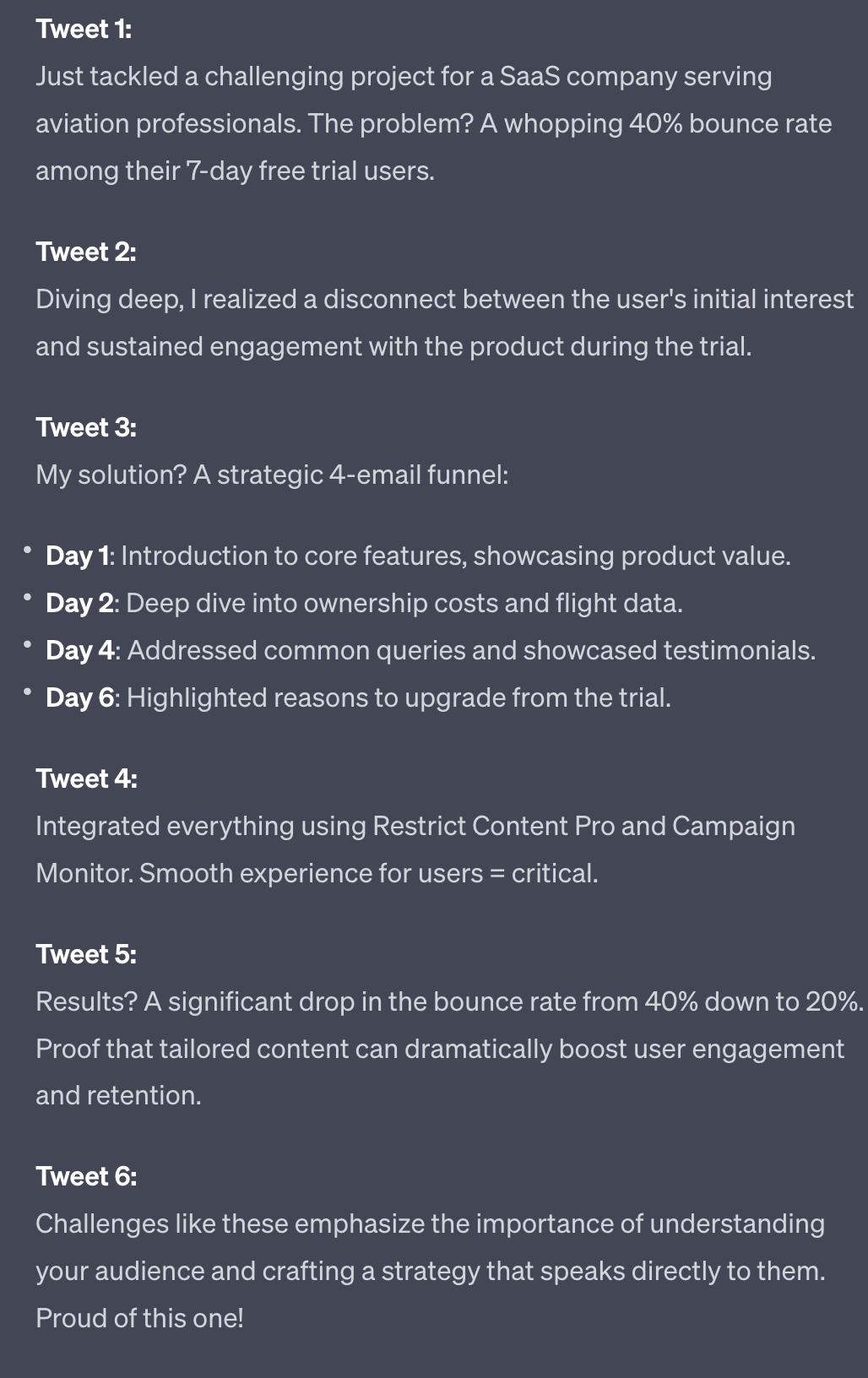
Edit the posts to your liking and post them to X/Twitter. This helps you announce that you are open for freelance business which is a nice bonus benefit.
What we really want to do though is take the thread and convert it into images for a carousel.
Go to Tweetpik and add the URL of the thread tweets. You can then download each tweet as an individual image.
We take these individual images over to Upwork and upload them as gallery images in the Portfolio section:
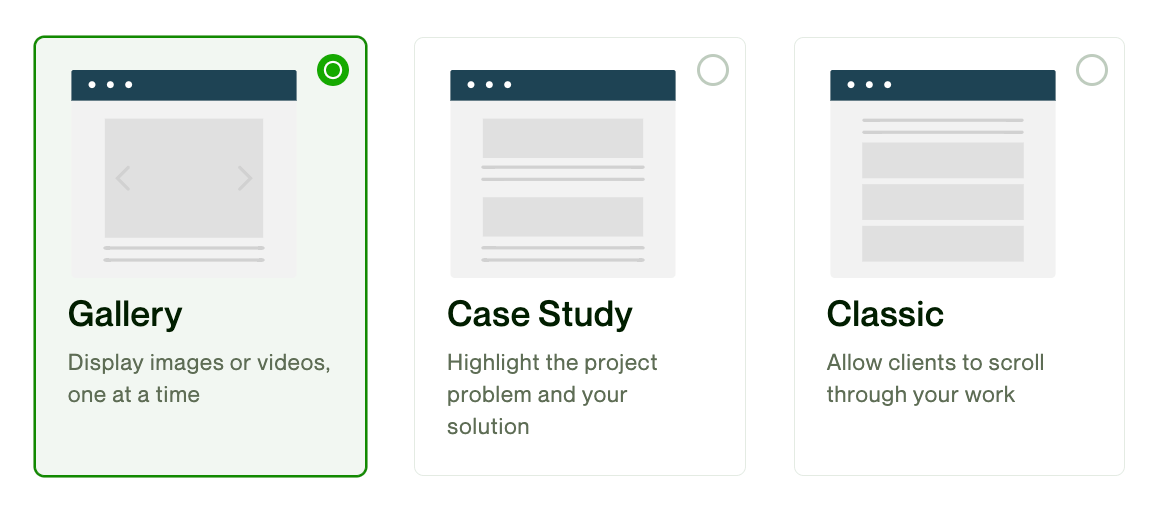
This will create a much more readable and visually attractive version of our case study in our Upwork profile. It’s also an unusual technique and as such will help differentiate from your competition.
Now that we have a healthy growing Upwork profile we can start to think about next steps.
Specifically how to productise our service into repeatable templated work and even launch a full service business of the back of our experience working freelance.
We’ll jump into that in the next Part.
A reminder of what we’re covering this week :
Part 1: Your freelance offer
Part 2: Building your freelance profile
Part 3: Securing your first freelance clients
Part 4: Marketing your freelance work
Part 5: Growing Your freelance business
See you tomorrow Prompt Entrepreneur!
Until then, keep PROMPTING!
Kyle
Once you have a steady flow of freelance work coming in it’s time to systematise and scale.
In this Part we’ll look at making our service more templated so that it’s more easily repeated for scale.
As you work with more and more clients you’ll see the same basic problems popping up again and again.
This is because similar companies in the same niche will encounter the same problems.
As a service provider pay attention to what these problems are - the more you recognise the patterns the better able you’ll be able to help more customers in your niche.
Ideally we want to find one big problem that all your customers have. Then we’ll create one solution to help them fix it.
Ideally take all of your case studies (produced in the last Part) and ask ChatGPT to find similarities between them. ChatGPT can draw the patterns out even if we can’t see them ourselves.
This requires a large (50+ case studies at least) data set so let’s look at a more accessible method to get us started.
Let’s use this prompt:
Act as a business strategist

We're building a standardised service offer for the [topic] niche

Here's my freelancer profile: [copy/paste profile]

My primary category of work is [category]

Past work has included [copy/paste job descriptions]

Common problems my clients have are: [list common problem areas]

Based on this information please create three very specific standardised services I could offer

Take these considerations into account:
standardised pricing, scope, tools, contracts
limited customisation, extras
For the example I fed in information about freelance work involved with preparing pitch decks for investment.
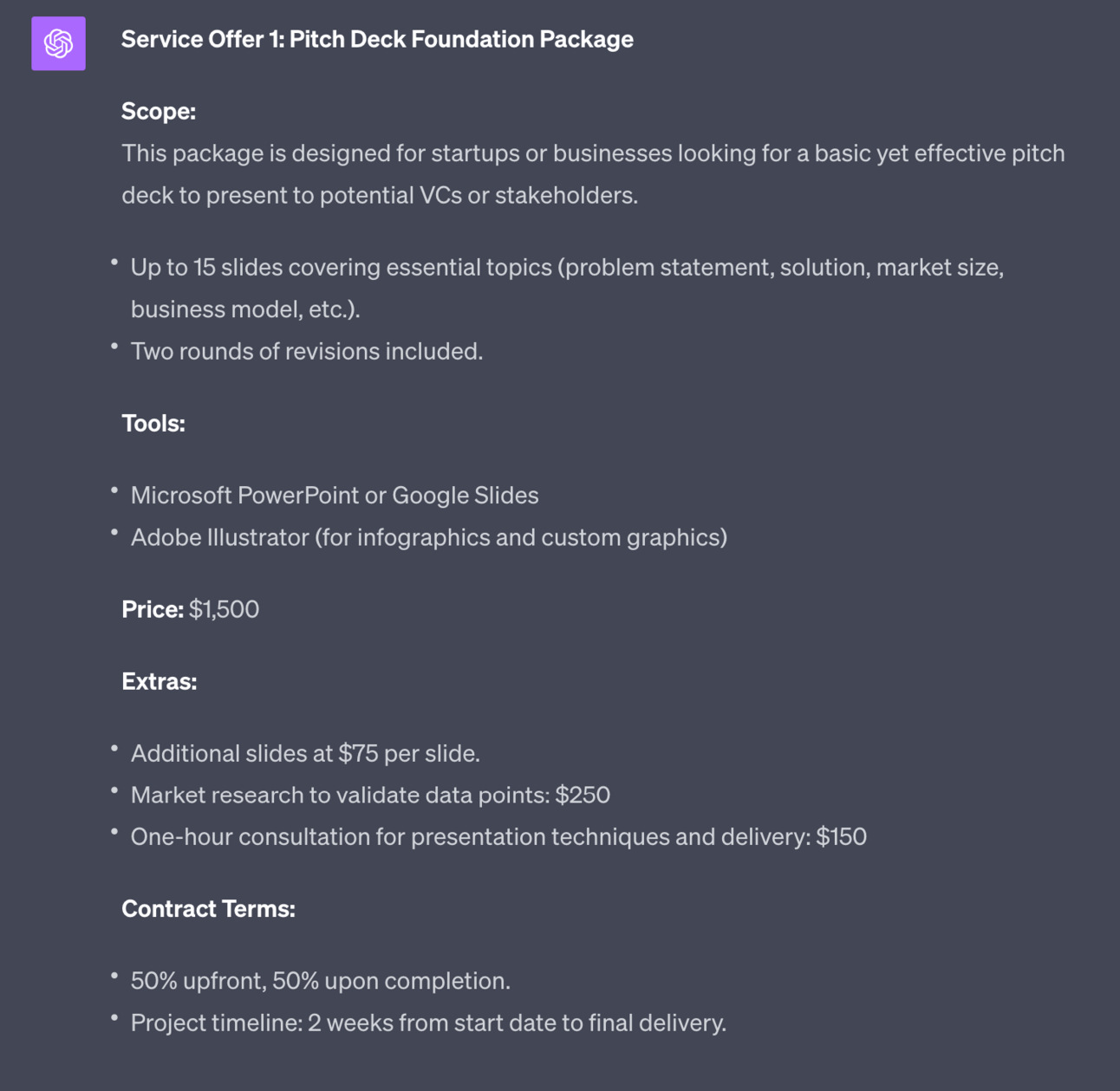
This is one of the 3 standardised offerings that ChatGPT gave me.
Notice how the scope and pricing are standard. Additional work (here extra slides) is priced in up-front at $25. Everything is set and standardised.
Use your own knowledge of what customers want to fill in the [list common problems] as this is where you make sure you are providing a solution to a problem that exists!
Upwork generally works via clients posting their requirements and us pitching for the work.
However, now that we have a standardised product we need clients to come to us. We’re not bending to their needs, they are bending to ours.
Upwork has a feature called Projects where we can post our standardised services:
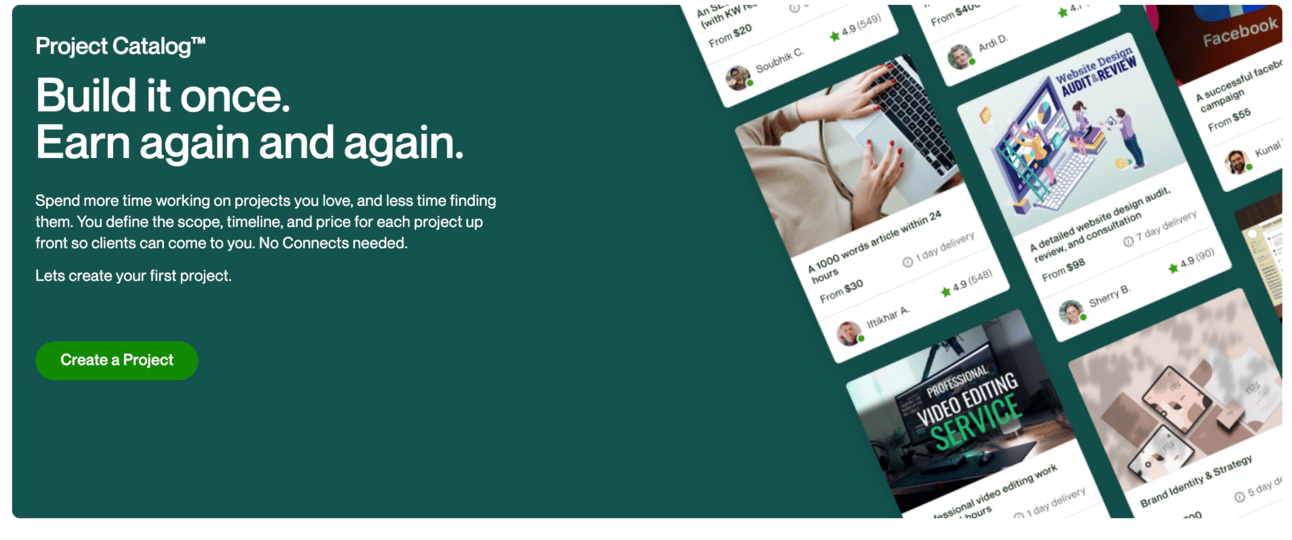
You can find Projects from your profile page or directly here.
Walk through the process on Upwork, using ChatGPT’s suggested standardised offerings and your own experience to craft a Project.
As well as publishing here on Upwork now that you have a standardised offering you can go to other platforms.
The first I’d recommend is Fiverr. Both Fiverr and Upwork are similar in that they allow freelancers to both post standard packages and bid for work.
Upwork is more focused on bidding, Fiverr is more focused on standardised packages. Similar platforms with a different primary focus.
We started with Upwork because of this. We needed to start bidding with ad hoc work and doing client gigs so that we could work out what clients actually need.
Then and only then do we standardise! And once standardised we can add Fiverr as well as Upwork.
The details of setting up a Fiverr account are very similar to the work we’ve done already building a profile on Upwork. You can copy most of the work you’ve done already over into Fiverr and get started quickly. I’d recommend therefore setting up on both Upwork Projects and Fiverr for expanded reach.
An optional extra is to convert our service from a one off into ongoing fulfilment.
In freelancing we tend to call this a retainer - an agreement to continue certain recurring work month after month.
We can pick up retainers without having first standardised our service. In fact lots of freelancers do. The risk of this though is that poorly scoped retainers can lead to overload.
For example let’s say I have 5 clients on retainer but the scope of the monthly work is ill-defined. Most of the time this will be no problem. But there will be months when suddenly all your clients will need extra or special work for whatever reason and you get overloaded. Quality drops and no-one is happy.
If we instead add standardised retainers to standardised service offerings we know exactly what the work is each month and how much we can handle.
Use this prompt below the standardised service offering description of your choice:
Create a retainer offer for this standardised service offer

The retainer should have standardised pricing, scope,  contracts,limited customisation and extras

Provide 3 pricing levels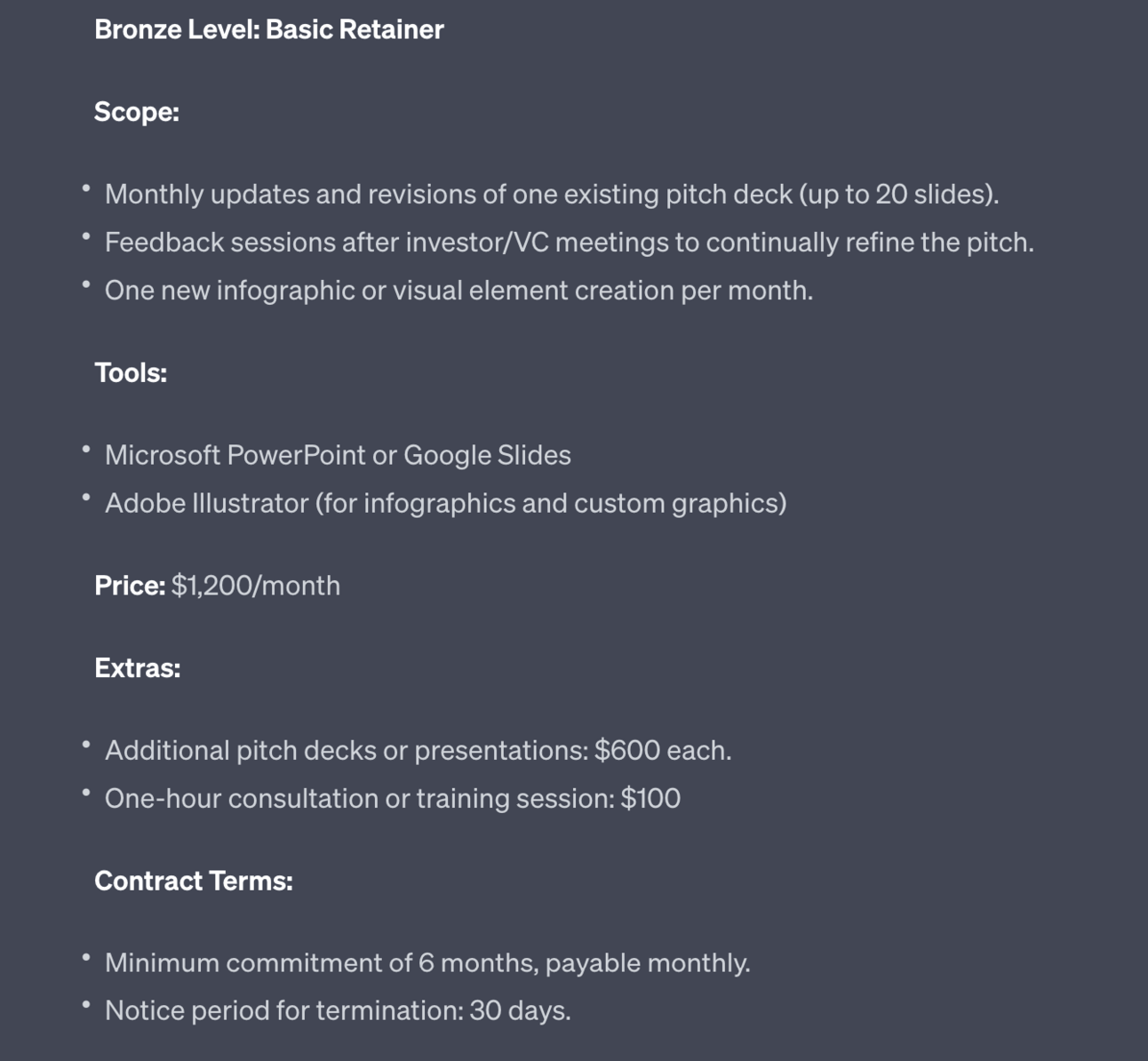
The prompt generates 3 different levels of retainer - pictured above is the first of three.
The pricing generated will be relative to each level, not to your actual value. Therefore make sure to adjust pricing so that it makes sense to your business growth.
To do so work out how many hours the work will maximally take per month, assuming the client fully uses your service. Multiply that by your hourly rate.
I’d then recommend adding a discount to recognise the fact that this is steady retainer work. You spend less time chasing retainer work - you just get paid each month without having to pitch and close new clients. Therefore you want to incentive retainers by making them more cost effective for clients.
Once you start to stack up standardised clients and retainers you should look at outsourcing elements of the work.
This is a huge topic but we’ll cover a basic method to get you started.
Below the same standardised service package description use this prompt:
Act as a business systems analyst

Generate an SOP for the described service offering

For each element provide substeps, timings and the type of role.

Include not only the operational elements of fulfilling the service but also onboarding, admin, customer service.

Break it down into a checklist in tabular format. Summarise time per section and at the end of the table.

After the checklist provide a list of the smallest number of contractors required to outsource the work, noting for each which parts of the work they'll supply. For each provide time required. This prompt will generate a Standard Operating Procedure (SOP) for your service offering:
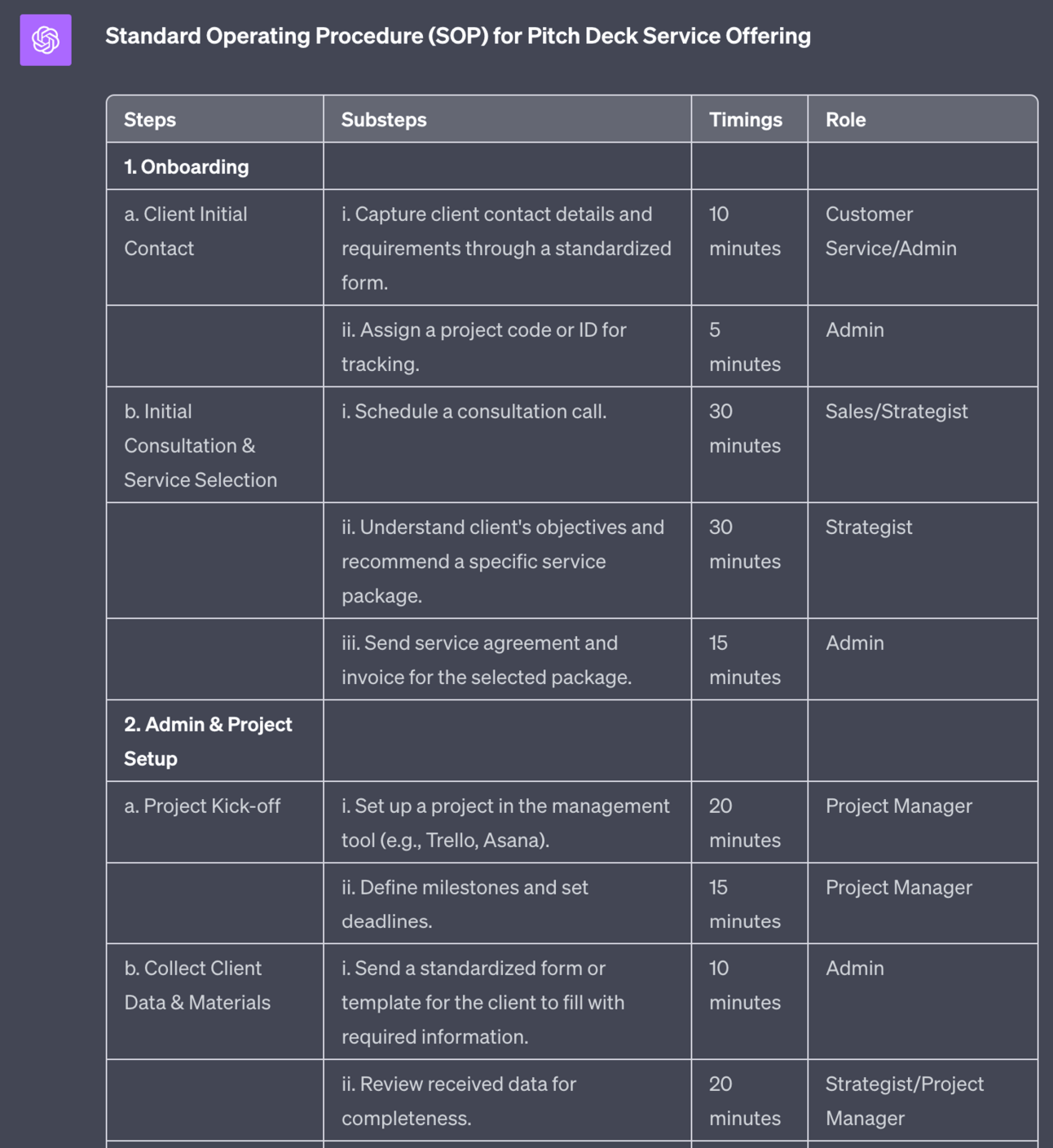
It will also work out what the roles required are:
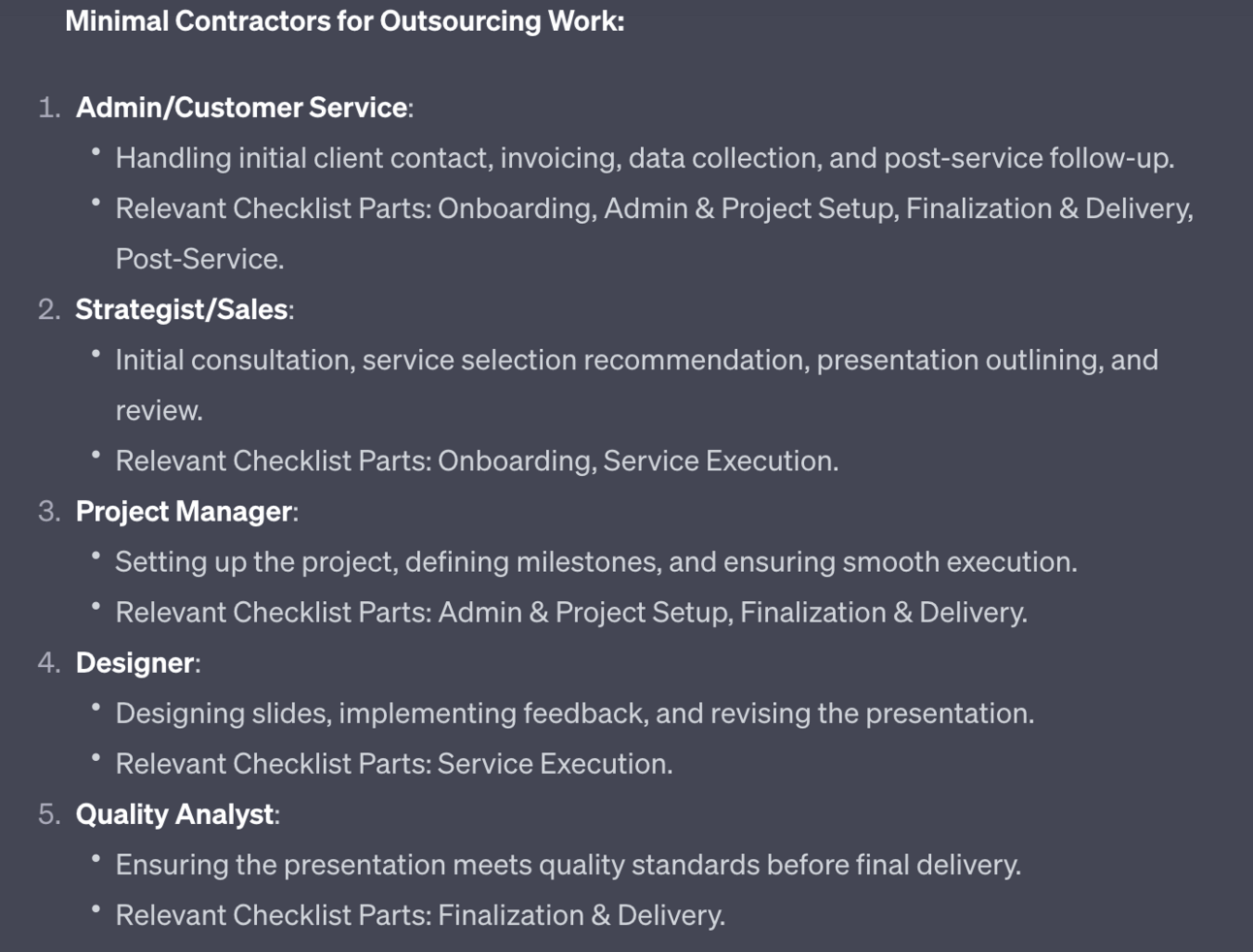
I’ll automatically reduce the number of roles to the lowest number possible but you can use common sense to combine roles. For instance in this I’d combine Admin, Project Management and Quality Analyst into one role. Sales is a one role. And design is one role.
Use this as a jumping off point to structure outsourcing.
And where do you outsource from? Upwork of course!

Now that you’ve found a freelance service that customers want you are in a great position to convert this into a business.
Thankfully I’ve written a whole Playbook on this.
Here’s everything you need in a nice neat:
Please don’t share that!
You can skip the first Part (or review it but ignore the actions) as you’ve already completed that work by deploying a freelance service.
Over this week we’ve leveraged Upwork to work out what we should be offering, started to secure initial clients, learned about their common problems and finally developed a standardised service offering.
You’re now in a place to continue to scale your freelancing service via standardised packages, retainers and outsourcing or flip it into a fully-fledged business.
A reminder of what we covered this week :
Part 1: Your freelance offer
Part 2: Building your freelance profile
Part 3: Securing your first freelance clients
Part 4: Marketing your freelance work
Part 5: Growing Your freelance business
See you tomorrow Prompt Entrepreneur!
Until then, keep PROMPTING!
Kyle
Unlock the potential of freelancing with our comprehensive playbook, '👩💻 Freelancing with AI | Prompt Playbook'. This guide is designed to empower aspiring freelancers to navigate the exciting world of freelance work, leveraging AI tools to streamline their processes and maximize their income. Whether you're looking to supplement your 9-5 income or transition into full-time freelancing, this playbook provides actionable insights and practical steps to help you succeed. Dive into a world where you control your income and discover the value you can bring to the marketplace.
This playbook is tailored for individuals eager to explore freelancing as a viable income source, particularly those currently in traditional employment seeking to diversify their income streams. If you're feeling overwhelmed by the prospect of starting your freelance journey or unsure of how to leverage your skills in the marketplace, this playbook is perfect for you. It addresses common challenges such as identifying your niche, building confidence, and effectively marketing your services, empowering you to take control of your freelancing career.
No prior experience is required! This playbook helps you identify your skills and how to apply them effectively in the freelance market.
You can start part-time, dedicating a few hours each week to build your freelance profile, secure gigs, and establish your services.
This playbook guides you through the process of identifying your skills and interests, helping you develop a freelance offer that aligns with client needs.
While platforms like Upwork and Fiverr may charge fees, the initial setup is free, allowing you to start without significant investment.
Absolutely! The playbook includes strategies for creating standardized services and retainers to help you efficiently grow your freelance business.