
AI Authority
Are you ready to unlock the potential of LinkedIn's booming short video feature?
Start ReadingYou may have noticed something different - video. Lots and lots of video.
LinkedIn is going hard on short form vertical video right now and if you lean in too then there’s a huge opportunity.
Here’s my last 7 days for reference:
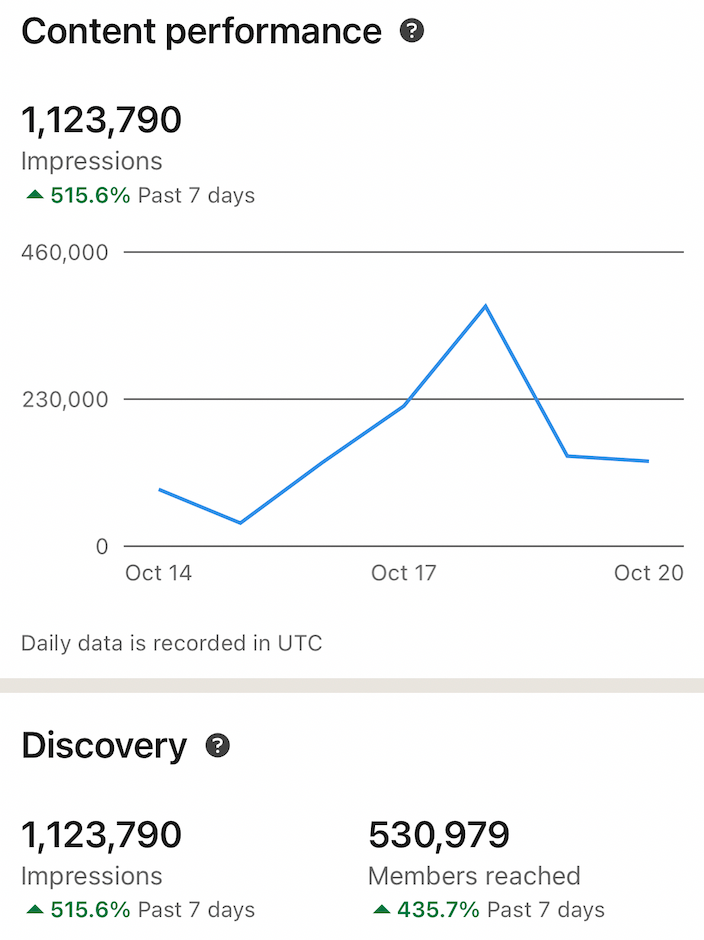
1M+ impressions, half a mil members reached.
6 solid business leads worth (conservatively) $20-30k.
All from 3 short form videos. That’s a hell of an ROI.
Before we get started, a message from ContentRadar (a perfect complement to today's topic):

Consistent LinkedIn and X presence is a crucial task, but it's just one of the many you have to juggle on a daily basis. We help you convert any piece of content into LinkedIn posts and carousel with 1 click, allowing you to schedule, cross-post and collaborate. Saving hours of time every single week.
Drive more growth from your content by turning blogs, articles, white papers, YouTube links and podcasts into engaging LinkedIn and X posts that fit your brand and tone of voice with AI.
Just like groceries arrive in minutes to your doorsteps, cab or pizza are available at one click, ContentRadar has the secret sauce to provide the same simplicity for your LinkedIn and X orchestration.
Let’s get started:
Short Video Goldrush
What are LinkedIn shorts and why they're a game-changer
The current state of the feature: low competition, high rewards
Success stories and screenshots to inspire you
Why personality is your secret weapon
Your first action step to get in on the ground floor
Now, I know what you're thinking. "Kyle, mate, isn't this just LinkedIn playing catch-up with TikTok and Instagram Reels?"
100%!
But: who cares?
LinkedIn wants short form video and reward you for providing short form video.
Right now the algorithm strongly leans towards short form video. So by getting your arse in gear and fulfilling this demand you can take advantage of the trend and carve out an expert niche fast.
Here's the thing: LinkedIn is late to the short-form video party.
Super late. They are playing catchup with Tiktok, Instagram Reels, Youtube Shorts and Facebook. Basically they are dead last.
The big shift they’ve added, years late? This navigation element at the bottom of the app:
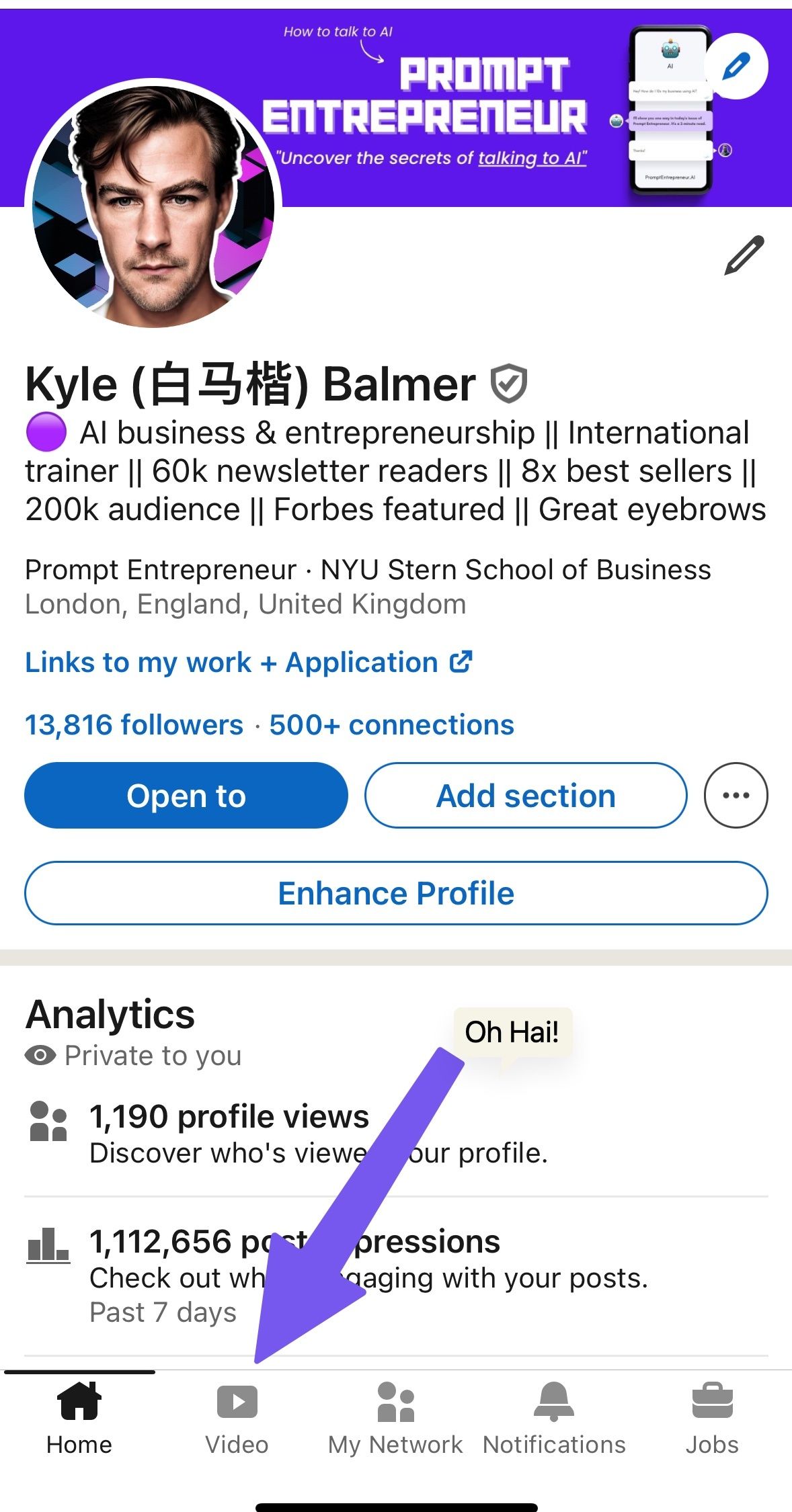
I know right? Wow! A new button! 🤣
But that buttons tells us that this is a big priority for them. They are pushing video hard. They want the sort of engagement and screen time TikTok gets and believe short form video is the answer. (Truth be told - it probably is…)
This precisely why it's so exciting. We're looking at a perfect storm of opportunity:
High Reach: The LinkedIn algorithm is currently favouring these videos, pushing them to a wider audience. It's like being handed a megaphone in a room full of whisperers still posting text and crappy photos.
Low Competition: Because it's new, not everyone has jumped on the bandwagon yet. This means less noise and more chances for you to shine.
Novelty Factor: People are curious about this new feature, making them more likely to engage with your content.
Professional Context: Unlike TikTok or Instagram, LinkedIn's professional focus means your business content is right at home here.
All this ultimately means you can drive business. This is the power of LinkedIn specifically - high quality traffic and leads. Here’s a breakdown of the audience consuming my videos for example:
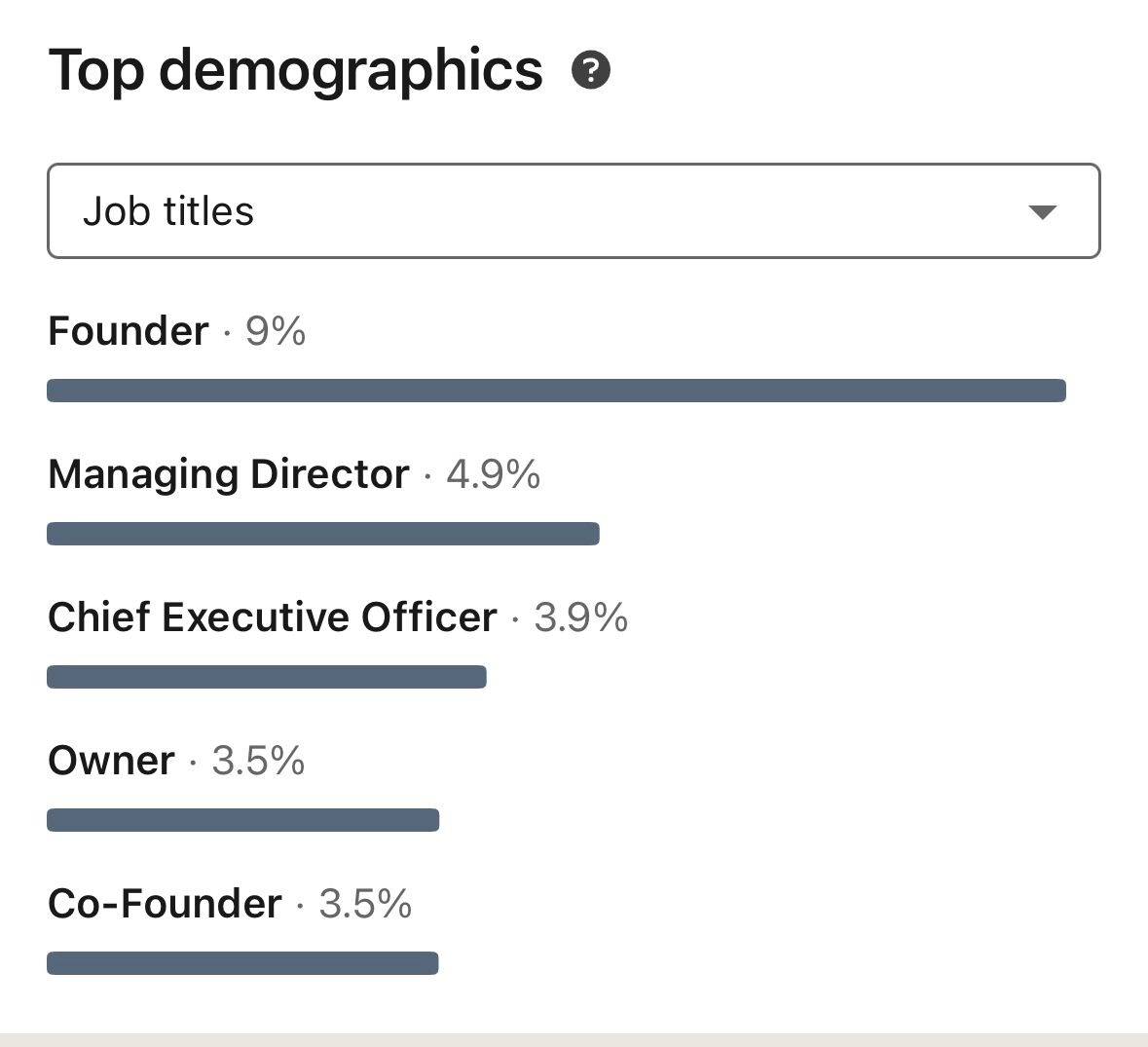
Let’s do a quick bit of maths here. Last 7 day impressions were 1M+
Around 25% of my audience are business owners or CEOs. That’s 250,000 decision makers right there seeing me talk about AI for businesses.
Sure, I can get higher numbers on TikTok but the quality of the audience from a sales/marketing POV is much lower.
This is the gold that you are going to be able to unlock.
Here's a little secret: most LinkedIn content is about as exciting as watching paint dry.
I’m not a fan of the platform and spend as little time as possible there.
It's all corporate jargon and polished press releases. But you know what's refreshing? Actual human beings with actual personalities. Wild huh?
So that’ll be our play this week:
talking head videos
about topics and questions in our industry
with a strong focus on your initial hook
Your content doesn’t have to be polished. In fact that may actually hinder you (we can test this). Instead the focus should be on your expertise and industry knowledge.
OK onto the detailed action plan. This week I’ll walk you through the exact strategies I’m using so you can copy what is working. Specifically:
Part 2: Crafting Your Content Strategy. We'll explore how to choose topics that position you as an expert, and I'll show you how to use AI tools to generate ideas and scripts in seconds.
Part 3: Shooting your Videos. Don't worry, tech-phobes. We're keeping it simple with easy recording techniques. The key is making this as frictionless as possible, regardless of your speaking skills.
Part 4: Optimisation and Engagement There are a handful of tweaks we can make before and after posting to give our videos the best chance of success. I’ll cover all the tactics I’ve tested.
Part 5: Turning Views into Business Opportunities. Ultimately this is what we are from. We'll wrap up by showing you how to convert all those lovely views into cash.
You are currently on the free plan or trial.
The email you just read is only Part 1 of 5.
Every week I write an AI Business and Entrepreneurship series to help you take advantage and profit from the AI revolution.
And when you join you instantly unlock my entire back catalogue of playbooks.
If you feel this is not for you — Unsubscribe here.
Keep Prompting,
Kyle
Picture this: You post a video, thinking it's just another drop in the ocean. You’re being good and putting it the work that Kyle told you to (good!).
You go to bed, and when you wake up... BAM! Your phone's blowing up with notifications. So many that you have to turn the notifications off ASAP.
You open the app, and suddenly there are thousands, tens of thousands more views than when you went to sleep.
It’s happened to me twice so far on TikTok. Into the millions. It's a weird feeling.
The numbers become so big, so fast, that they start to feel unreal. I remember waking up one morning, checking my phone, and casually telling my partner, "Oh, cool. Another million views overnight." As if that was just a normal thing to say!
Those viral hits on TikTok were crucial in launching Prompt Entrepreneur.
But here's the thing - going viral, especially with educational or business content, is hard to manufacture over on TikTok. I'm still learning how to crack that code consistently!
But LinkedIn? Right now it’s easy.
With LinkedIn's new short video feature, it feels like I'm shooting fish in a barrel. I'm consistently hitting several hundred thousand views - we're talking 3-5 videos per week, each racking up 300-400k views. It's bonkers!
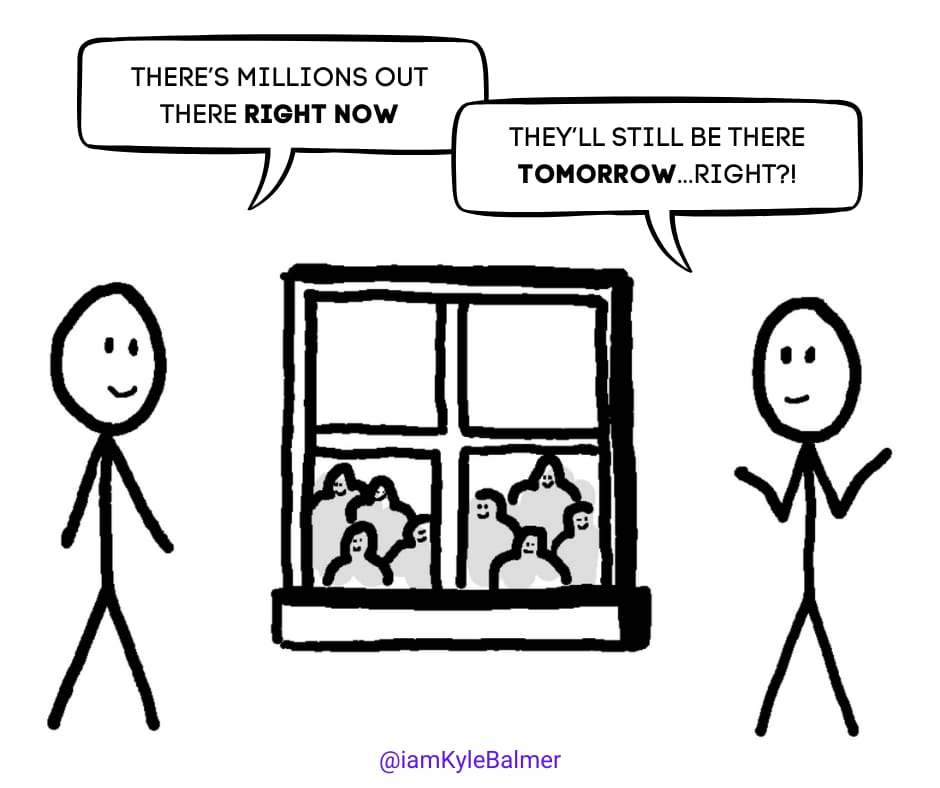
It feels almost too easy, which is exactly why you need to act fast on this opportunity. The window won't stay open forever, but right now? It's wide open and practically begging you to jump through.
This isn’t me selling you anything - I’ve got nothing to sell! I’m just imploring you to act!
Let’s get started:
Creating short video for LinkedIn
Why educational content is king on LinkedIn
How to choose topics that position you as an expert
Using AI tools to generate ideas and scripts
The power of the talking head video
Crafting hooks that stop the scroll
Let's face it, LinkedIn isn't TikTok. You're not going to go viral with a dance challenge or a "What I Eat in a Day" video (unless you're a nutritionist, maybe).
And if you do post that sort of content guess what? You are going to be able to convert that into business. You may even go viral but it’ll be low quality traffic rather than potential leads.
This can actually trash your account.
This is the double-edge of virility that isn’t discussed. If your account blows up due to content that is not aligned with your business then you’ll end up with followers who aren’t actually interested in what you do.
Next time you post a business related video these people will be shown it. And they won’t care. They’ll swipe away. Your video will appear non-engaging to LinkedIn and…it’ll stop being shown.
You’re in a death spiral at this point.
By having lots of follows who want something totally different you will hurt the reach of your business content. Oops.
So on LinkedIn we’ll focus on content that is related to your niche but not about you selling. We’re going to educate.
Every time you teach something, you're positioning yourself as an expert. You're not just another face in the LinkedIn crowd - you're a valuable resource.
But here's the kicker: it doesn't have to be groundbreaking information. You don't need to reinvent the wheel. You just need to package your knowledge in a way that's easily digestible and immediately applicable. This is something very few people are doing on LinkedIn.
Now, you might be thinking, "But Kyle, I'm not an expert!" Trust me, you know more than you think. Here's how to tap into that knowledge:
What questions do people always ask you about your work?
What processes have you streamlined in your business?
What mistakes do you see others in your industry making?
What recent changes in your field are people struggling to adapt to?
These are all goldmines for content ideas. Remember, you don't need to be the world's leading expert. You just need to know more than your audience about a specific topic.
Here's where we bring in the big guns. AI tools like Perplexity and Claude can be your secret weapons in content creation.
Here's how I use them:
Go to Perplexity and ask: "What are trending topics in [your niche]?" or "What's new in [your industry]?" or "What are common questions asked about [your area of expertise]?"
Take the information Perplexity gives you and feed it into Claude/ChatGPT with a prompt like this:
Convert this information into a script for a 30-second LinkedIn video. Include a strong hook at the beginning, the main content in the middle, and end with a question to encourage engagement and a call-to-action.Boom! You've got a script ready to go. Of course, you'll want to tweak it to match your voice and style, but it's a great starting point.
I’d recommend using Perplexity Pro for the most up to date information. You can do a handful of Pro requests on a free account per day or upgrade for a reasonable fee.
When taking topics to Claude (or ChatGPT, up to you!) you can either take the direct Perplexity output or follow the link back to the original sources and feed these into your conversion prompt. One of the benefits of Perplexity is that it gives you references - so use them!
Let's talk format. While LinkedIn allows for all sorts of video content, I've found that simple talking head videos work best. Here's why:
They're quick and easy to produce. No fancy equipment needed - just you and your phone.
They need no/low editing. You are an entrepreneur, you don’t have time to edit.
They feel authentic and personal. People connect with faces, not slides or animations.
They allow for volume. You can easily crank out several of these in a single recording session. Volume gives you more reach and (more importantly) practice!
They build trust. In an age of AI-generated content, showing your face proves you're a real person. Don’t fall for the faceless trend - it’s tempting yes but not sustainable.
You've got about 2 seconds to grab someone's attention as they're scrolling through LinkedIn. Less.
Honestly you should spend 80% of your prep time on the hook and 20% on the content itself. If no-one gets part the first seconds the rest is moot.
Here are some hook strategies that work well:
The Counterintuitive Statement: "Want to go viral on LinkedIn? Stop trying to go viral."
The Bold Claim: “I earn $1500-4000 per hour delivering AI workshops to businesses"
The Curiosity Gap: "There's a new feature on LinkedIn that 99% of users are overlooking. Here's what it is..."
The Relatable Problem: "Tired of launching an offer and hearing crickets? Let's fix that."
Go Negative: “99% of you are using ChatGPT wrong.”
Remember, your hook should be intriguing enough to make people want to watch the rest of your video, but not so click-baity that it feels inauthentic. It’s a fine balance but you’ll find your voice and what works with your audience over time.
Also don’t be afraid to use visual hooks. This could be movement at the beginning of the video (you plonking into a chair), something weird you are holding or some strange object in frame. It doesn’t really matter what it is - if LinkedIn sees that people are holding on the video for more than a few seconds it’ll boost your reach.
There’s a great book on all this called Hook Point by Brendan Kane. Well worth a read (as long as you implement!).
In Part 3, we're going to get into the nitty-gritty of actually creating these videos. I'll show you some simple recording techniques, how to edit on the fly, and the easiest ways to share your content across platforms.
Your homework for today? Use the AI tools we discussed to generate three video ideas. Don't worry about recording yet - just get those ideas flowing. Tomorrow, we'll turn those ideas into actual content.
Related Playbooks: Audience Fundamentals, Expert Guide Marketing, Become an AI Expert, Tiktokification of Social Media, How to Build an Audience, Start a Creator Business, LinkedIn Growth…and more.
Upgrade today and get them all.
Or access the Vault if you are a premium reader.
Keep Prompting,
Kyle
I'm naturally introverted. Like, really introverted.
And I hate cameras.
Here's a fun fact - I was recently looking for photos of myself for a webinar, and you know what I discovered? Over the last decade, I have maybe 15 photos of myself. Total.
So getting on camera for video content? That was a massive hurdle for me. But I knew how important it was for business growth, especially in today's digital landscape.
In this Part we’re talking about how to start creating videos the easy way, even if you're camera-shy like me.
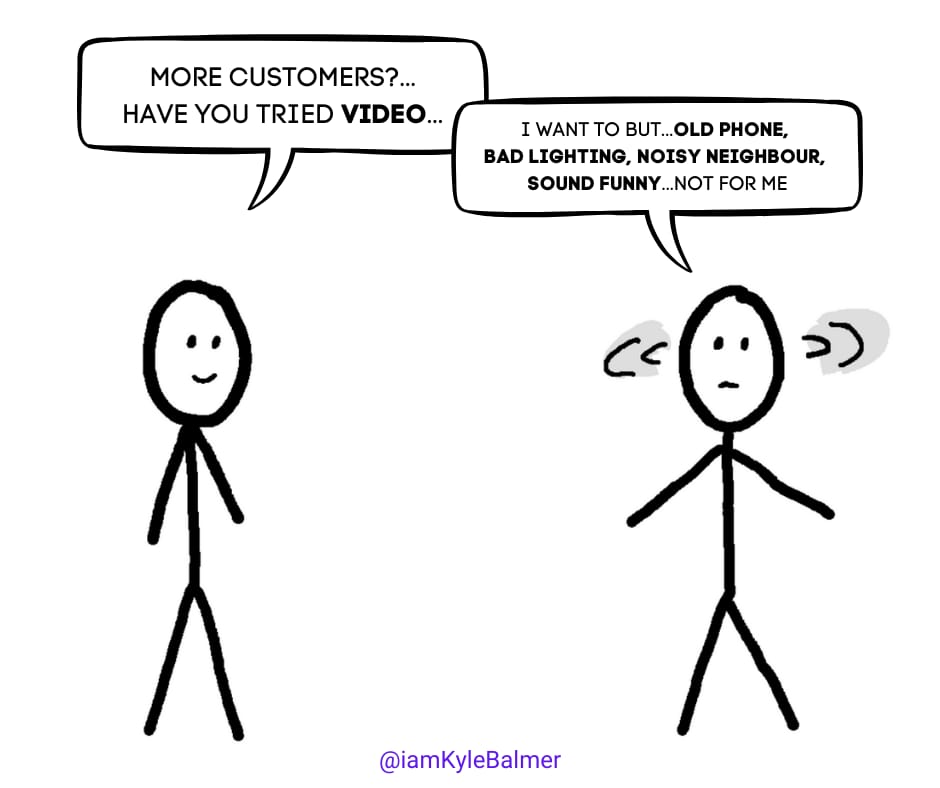
From polls I’ve run before I know this is a lot of you. So we need to remove this block.
Let’s get started:
Video recording made easy
Making video creation frictionless
Essential (and non-essential) equipment
Background solutions for any situation
Recording techniques for beginners
The power of clip-based recording
Before we start, go ahead and get your phone out and shoot a 30 second introduction to yourself. We’re not posting it. Just shoot it.
I’ll wait.
Still waiting.
Good.
Did you do it?
I know you did not.
Here’s the question then: why not?
What excuses did you make? I’ll do it later? My hair is weird today? My phone camera isn’t good.
It’s too easy to just not do it. Because of some small reason.
Because if there's even the tiniest obstacle, our brains will grab it as an excuse: "Oh, I can't record today because I don't have time to edit" or "My background is too messy" or "The lighting isn't perfect."
Because of my natural resistance to being on camera, I knew I had to make everything as easy as possible.
I stripped away all friction points.
You are going to have to do that yourself. Write down all the reasons that stopped you just now. And then attack them - all of them are fixable, believe me.
I’m going to cover some of the biggies so we can start to knock down resistance and make it easier just to start shooting.
Let's start with the absolute basics: your phone. That's it.
Seriously, your smartphone's camera is more than enough to get started. Don't overcomplicate this.
Now, if you want to level up slightly:
Get a basic tripod with a ring light attached ($10 from Amazon)
A lavalier microphone is nice but not essential
Here's the golden rule right now though: If you don't have a tripod or a fancy mic, move on. Start without them. Don't let perfect be the enemy of done.
What about your background? You don’t need a full studio. You just need a neutral background. I use a pull-up screen because it removes the "my room is messy" excuse. Screen goes up, I record, done. But guess what? You don't even need that. Find a blank wall and sit in front of it. Boom. Done.
The magic here isn't in having the perfect setup - it's in having a setup that lets you actually press record ASAP.
We're going with talking head videos - just you, speaking to the camera as if you're answering a question. Remember those scripts we created in Part 2? Use them to whatever level you're comfortable with. Need the whole script? Great. Just want bullet points? Also great. Do what works for you.
Why talking heads? It removes complexity. No graphics, minimal editing, no need for complex planning. You have a phone and yourself - that’s enough to get it done.
The Secret Sauce here though is clip-Based recording. This is where we really make it easier.
If you can talk to the camera for 30 seconds straight and nail it, fantastic! That's a superpower. But for the rest of us mere mortals, here's my favourite hack: clip-based recording.
Apps like TikTok, Instagram, and Apple's Clips let you record in segments. Here's how it works:
Tap to record your first sentence
Tap to stop
Like how it turned out? Great, move on to the next sentence
Flubbed a word? No problem - delete that clip and try again
The app stitches everything together automatically
This method is a game-changer because it:
Saves you from starting over every time you make a mistake
Eliminates the pressure of getting everything perfect in one take
Removes the need for editing because you're essentially editing as you go
I recommend using TikTok for recording, even if you're not planning to post there. Why? Because it has one of the most user-friendly interfaces for clip-based recording. Instagram Reels and Apple's Clips are solid alternatives. Try them all and see which one you jive with honestly. Unfortunately LinkedIn doesn’t have a recorder, at least not yet.
Once you're done, simply download your video. Don't post it yet - we'll cover the optimal way to share on LinkedIn in tomorrow's issue.
I‘ve covered the BIG blocks - the 80%ers.
Chances are your brain has thought of some more though. Let’s rapid fire some.
Personal Appearance:
Need a haircut → Get one! But also, wear a cap/hat - instant fix and can become your signature look
Make-up takes too long → TikTok filters are a game-changer (I’ve chatted to female creators who swear by the “natural” ones )
Don't like how you look → Use TikTok's "Enhance" feature, subtle but effective
Don't like your outfit → Have a "recording top" that you put on every time you record.
Environment:
House is noisy → Use your car as studio (great acoustics!) or use Airpods (they cancel out background noise well)
Dog keeps barking → make them part of the video, get them on your lap (instant engagement boost)
Bad lighting → Face window, or stand facing desk lamp at eye level
Mental Blocks:
Feel awkward → Pretend you're explaining to friend over coffee
Keep stumbling → Write key points on post-its, stick behind phone
Perfectionism → Set timer for 15 mins - must finish before it rings
Don't like voice → It's in your head, nobody else cares (seriously!)
Stage fright → Start with 0 followers on practice account
I could go on…
But the point is that once you’ve identified your blocks attack mercilessly to remove them. Most are easy easy fixes.
In Part 4, we're diving into optimisation and posting strategy. I'll show you how to add captions (crucial for LinkedIn), craft engaging descriptions, and time your posts for maximum impact.
Your homework for today? I mean, you know already I’m sure.
Record your first video using the clip method. Don't worry about posting it yet - just get comfortable with the process. Remember, your first video won't be your best video, but you can't get to your best video without making your first one.
Related Playbooks: Audience Fundamentals, Expert Guide Marketing, Become an AI Expert, Tiktokification of Social Media, How to Build an Audience, Start a Creator Business, LinkedIn Growth…and more.
Upgrade today and get them all.
Or access the Vault if you are a premium reader.
Keep Prompting,
Kyle
Everyone's got their "secret sauce" for HOW to post on LinkedIn.
When to post? How often to post? Use hashtags? Etc.
Here's the thing: very little of the advice here is actually data-backed. It's mostly anecdotal - "Well, this worked for me, so it must be THE way!" I've spent hours trying to find the "truth" about optimal posting times, engagement strategies, and all that jazz.
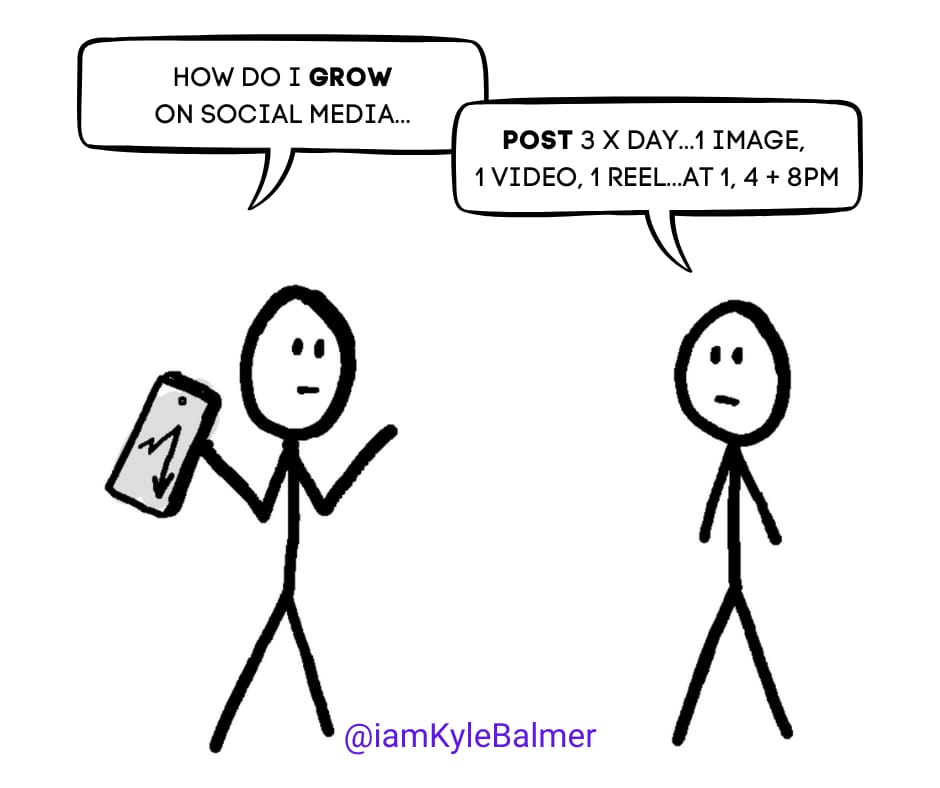
Want to know what I discovered? I’ve no idea. And I don’t think anyone really knows…
There is no universal truth. Algorithms change, what works changes, people change! And you know what? That's actually liberating once you accept it.
So today, we're going to focus on a “non-perfect” protocol that I've found works consistently - one that you can adapt and make your own.
Let’s get started:
LinkedIn Posting Protocol
The volume game
Timing strategies that actually work
The power of reposting (and why nobody does it)
Captions, descriptions, and engagement tactics
Making each post work harder for you
Here's the most important thing I'm going to tell you today: you posting protocol doesn't really matter.
Just post and see what works. Volume wins here, every time.
I almost didn't want to write this part of the playbook because I worried it would give you another set of "rules" to follow - another reason to procrastinate. ("Oh, I can't post now because it's not the optimal time!")
But I also get dozens of messages asking about posting frequency, timing, captions, hashtags... So clearly, having NO guidance creates its own kind of friction!
Rock and a hard place eh? So let's thread this needle together. Clumsily potentially but we’ll give it a shot!
Everything I'm about to share comes with a massive pinch of salt. A shaker worth.
The main thing - the 80% that matters - is that short-form video works brilliantly right now on LinkedIn. The rest is just details. Important details, maybe, but still just the 20%.
First up, volume. I've posted up to 5 videos a day with no negative effect. In fact, my views increased simply because I had more videos out there. (If you're posting more than 5 a day, please let me know what happens - I'm genuinely curious!...)
The only caveat? Don't post rubbish. Your videos need to maintain quality. You'll know if they're good enough because you'll get the views and engagement. Once you're hitting that quality bar consistently, go nuts with volume.
When are your audience members actually on LinkedIn? For me, it's primarily UK and East Coast America. So I post once during UK morning (around 10am) and once at a time that hits both UK and US (4pm).
Also the time you initially post is going to matter less because we’re going to also repost.
Nobody does this, and I have no idea why not.
Here's the play: 6-12 hours after posting your video, REPOST it. There's literally a repost button under the video. One tap brings it back to the top of your timeline, putting it in front of a whole new time zone.
Are you in Europe and America is 6 hours behind? Easy. Post at a good time for Europe and then repost it when America is awake.
Quick caveat: I haven't found a way to automate this (if you know how, please tell me!). You'll need to manually pop into the app and hit repost.
Got nothing new to post today? No problem. Find an old popular video and bring it back to life with a repost. I've had videos absolutely explode on their second or third run. One went to 800,000 views initially, then I reposted it 3 months later and it picked up another 700K. All from one button tap!
The text around your video matters - it helps LinkedIn understand your content. While LinkedIn will auto-transcribe your video, we can boost this by adding our own description.
I use the Captions app (but Descript works too) to get a transcription. This serves two purposes:
You can add actual captions to your video (bonus!)
You get text for your post description (the main thing we need right now)
Here's a prompt I use to turn transcriptions into a LinkedIn post to accompany the video:
Convert this video transcription into an engaging LinkedIn post. Use natural language, no hashtags or emojis. Focus on value and readability

Format the post with:
- A strong opening line / hook
- Short, scannable paragraphs
- Key points highlighted
- A conversation-starting question at the end

[Paste transcription here]
Notice that this prompt removes hashtags. Should hashtags be used? The consensus answer seems to be no - but also that it doesn't matter that much! If you want to use them, go ahead. If not, don't sweat it.
Before and after posting, engage with your followers and accounts you follow. Like, comment, share insights. People will notice your activity, check your profile, and often reciprocate. Importantly they’ll be actively engaging with you just as your new video is published. This early engagement gives your new post a better chance of taking off.
Here's a ninja move: add your own comments below your post with additional information. If you mentioned something from Perplexity, drop the source links. Add context, ask questions, basically flesh out the video with "additional resources" in your own comments. Add each point as it’s own comment - really flesh it out.
This does two things:
Extends the physical size of your post (more screen real estate = more attention)
Makes it look like discussion is already happening
All of this is details - additional to boost the performance of each video. Take too long? Drop them - the main thing is posting the darn video! Don’t let anything else get in the way of that.
In our final part tomorrow, we're talking about converting all this visibility into actual business opportunities. Because views are great, but paying customers are better!
Related Playbooks: Audience Fundamentals, Expert Guide Marketing, Become an AI Expert, Tiktokification of Social Media, How to Build an Audience, Start a Creator Business, LinkedIn Growth…and more.
Upgrade today and get them all.
Or access the Vault if you are a premium reader.
Keep Prompting,
Kyle
Most people think my AI workshop business (where I charge $1,000-4,000 per hour) comes purely from having a large audience and viral content. They see the views, the engagement, and assume that's the whole story.
Fair! I’d assume that too. But wrong.
Want to know how I really started? Pure LinkedIn outreach. I simply reached out to people and companies (using automation, because I'm not a masochist) asking if they wanted AI workshops.
Spoiler alert: they did! Like…really did.
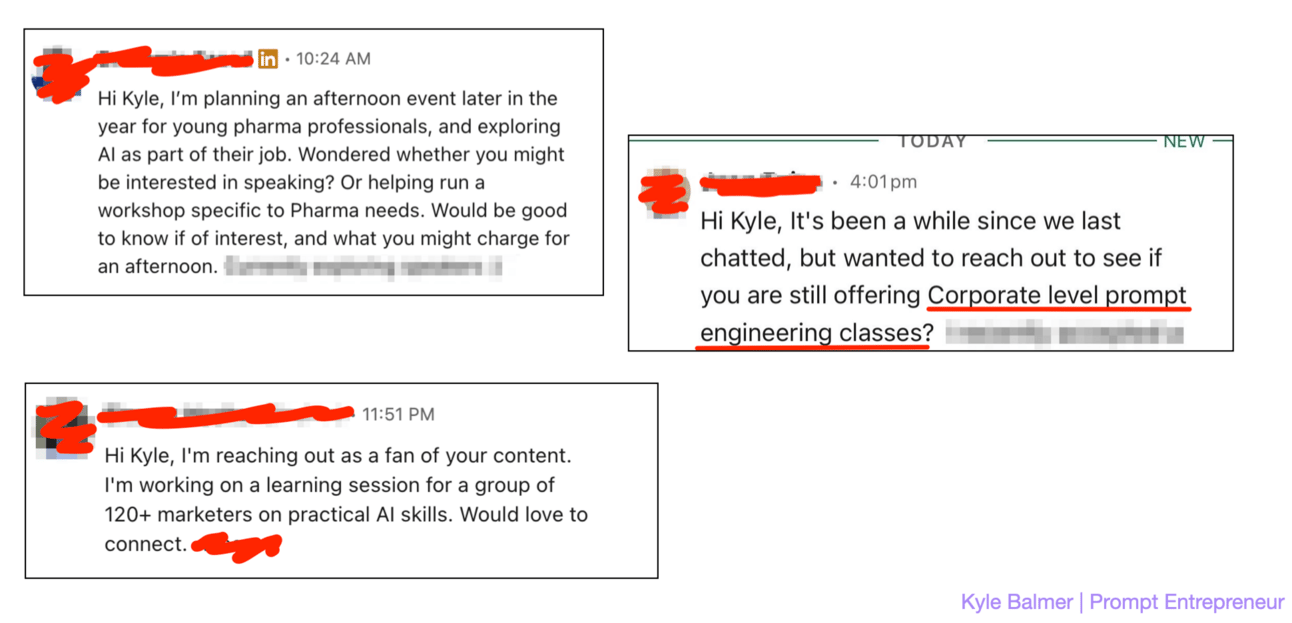
And here's the kicker - I still keep this up. Even with all the viral videos and the large audience, I'm still running outreach campaigns. Why? Because reach plus awareness isn't enough. You need to convert!
Let’s get started:
Reach isn’t enough
Why views don't automatically mean business
Setting up your conversion machine
Automation that actually works
Premium features worth paying for
Combining outreach with content
Here's something that might surprise you: views are just expensive confetti unless you have a system to convert them into business.
I've seen people hit millions of views but struggle to make a single sale. Why? Because they're missing the crucial infrastructure that turns viewers into customers.
I’ve actually had people with waay (waaaaaaaay) larger followings ask me how they can sell. 😆
You are the person with 4M fans why are you asking me? Goodness.
You need a system. But don't worry - it doesn't have to be complicated. In fact, the simpler the better.
First things first: your LinkedIn profile needs to do some heavy lifting for you. Think of it as your 24/7 salesperson. When someone lands on your profile after watching one of your viral videos, it should be crystal clear what you do and how you can help them.
I learned this the hard way. My first viral videos sent thousands of people to my profile, but it was a mess - unclear value proposition, no clear next steps, just a jumble of past experiences.
Talk about a wasted opportunity! Basically turning on a firehose and totally missing the burning house - ineffective and wasteful.
Your profile needs to be built to convert. This is non-negotiable.
You need:
A header image that instantly communicates what you do. Not a random photo, not a corporate skyline - a clear visual representation of the value you provide.
An 'About' section that leads with value. What problem do you solve? How do you solve it? What makes you different? Put it right at the top - don't make people wade through your life story to find out why they should care.
A featured section that showcases your best work. Think of it as your greatest hits album. Those viral videos you've created? Pin them here. Case studies? Here. Client testimonials? You guessed it.
And most crucially: a clear call-to-action. Don't leave potential clients wondering what to do next. Whether it's "Book a call", "Download my guide", or "Join my newsletter" or whatever - make it obvious. Then make it even obvious-er.
Not because people are stupid. Because people are busy and you have 0.5 seconds
The best profile in the world is useless if people don't know what step to take next.
Think of your profile as a sales page, because that's exactly what it is. Every element should be working towards converting viewers into prospects, and prospects into clients.
Now, here's where things get interesting. LinkedIn automation is like playing with fire - do it wrong, and you'll get burned (or banned). Do it right, and it's your secret weapon.
In short LinkedIn automation is about sending automatic connection requests and message sequences. You’ve very likely been at the receiving end of some and more likely than not they were rubbish…
…we need to make sure yours is not!
Here’s the skinny:
Connection Requests
100 per day maximum (use a tool for speed and keep within limits of your LinkedIn plan!)
Include a reason for connecting
NO pitch in first message
Follow-Up Sequence
Wait 2-3 days after connection
Share relevant content
Ask questions about their business
Only pitch if engagement is positive
I then only pitch if they’ve responded. And even then the pitch is brief: this is what I do? Any interest? If yes I’ll send over a one pager. Then progress the lead manually (or pass to my team)
What tools to use? There are many out there - I’ve mainly used MeetAlfred and LinkedIn Helper. I’d advise trying a few out. Make sure not to test them at the same time!!
Need a CRM to track this? Again many options and this is a bigger decision than how to use LinkedIn. But if need something lightweight then Folk CRM is a solid option.
Here's how I combine viral content with outreach for maximum impact. My short videos create awareness and credibility. They're like billboards, but better - because people can actually engage with them. And not just by graffitiing them!
Meanwhile, my automated outreach is running in the background, connecting with ideal prospects. When these prospects see my content in their feed, they're more likely to engage because we're already connected. And when they engage, that's my cue to start a conversation.
We are connected, they are seeing me daily, and then we chat.
Simple but effective.
Think of it as a two-pronged approach: content builds credibility, outreach drives action. One without the other is like trying to clap with one hand - technically possible, but weak sauce.
What a journey we've been on this week! We've covered everything you need to know about LinkedIn's game-changing short video feature - from your first recording to turning those views into actual revenue.
Part 1: The Opportunity LinkedIn's new short video feature is killing it right now. High reach, low competition, perfect timing to get in early.
Part 2: Content Strategy Educational, talking head videos about your expertise. Use Perplexity for topics, Claude for scripts, and keep it valuable.
Part 3: Getting It Done Simple setup: phone, basic tripod if you want, clean background. Record in clips to make it easy. No fancy equipment needed.
Part 4: Posting Strategy Post, engage, repost 6-12 hours later for second time zone. Add your transcript as text. Volume wins - aim for consistent posting.
Part 5: Making Money Turn views into revenue with a conversion-ready profile, targeted outreach, and smart automation. Views are nice, but invoices are better.
The big takeaway? The window of opportunity is open right now, but it won't stay open forever.
How you do this is less important than you just doing it. This is one of those right now opportunities. Don’t miss it.
Related Playbooks: Audience Fundamentals, Expert Guide Marketing, Become an AI Expert, Tiktokification of Social Media, How to Build an Audience, Start a Creator Business, LinkedIn Growth…and more.
Upgrade today and get them all.
Or access the Vault if you are a premium reader.
Keep Prompting,
Kyle
Are you ready to unlock the potential of LinkedIn's booming short video feature? In the 📱LinkedIn Short Video | AI Business Playbook, you'll discover how to leverage this game-changing tool to capture attention, build your brand, and convert views into business opportunities. With the algorithm favoring video content, now is the perfect time to dive in and establish your presence on this professional platform. This playbook provides you with actionable strategies and insights to make your video content not just engaging but also profitable.
This playbook is designed for entrepreneurs, business owners, and marketers looking to capitalize on the rising trend of short-form video on LinkedIn. If you're struggling to stand out in a crowded digital landscape or find it challenging to convert your audience into paying clients, this playbook is your solution. With practical steps and expert insights, you'll transform your LinkedIn presence into a powerful tool for business growth.
No, this playbook is designed to help anyone, regardless of their current audience size, leverage LinkedIn's video feature to grow their business.
Results can vary, but with consistent effort and the strategies outlined in this playbook, you may start seeing engagement and leads within weeks.
The playbook simplifies the video creation process with easy-to-follow techniques, ensuring that anyone can create professional-looking content.
No prior experience with video marketing or LinkedIn is necessary; this playbook covers everything from the basics to advanced strategies.
Not at all! The playbook focuses on using simple tools and techniques to create impactful videos without the need for high-end equipment.