
AI Authority
Welcome to the '✒️ AI Writing Workflow | AI Business Playbook', your ultimate guide to mastering the art of AI-assisted writing.
Start ReadingWelcome to a brand new Playbook that's been requested a LOT: AI Writing Workflow. We're diving deep into the holy grail of AI writing - getting AI to sound just like you.
Let’s get started:
Creating a Basic Style Guide
the holy grail of AI writing
creating a basic style guide
implementing your style guide
what's coming up this week
Let's cut to the chase: getting AI to write in your voice is the ultimate goal for many content creators. It's like having a clone of yourself that can churn out content 24/7.
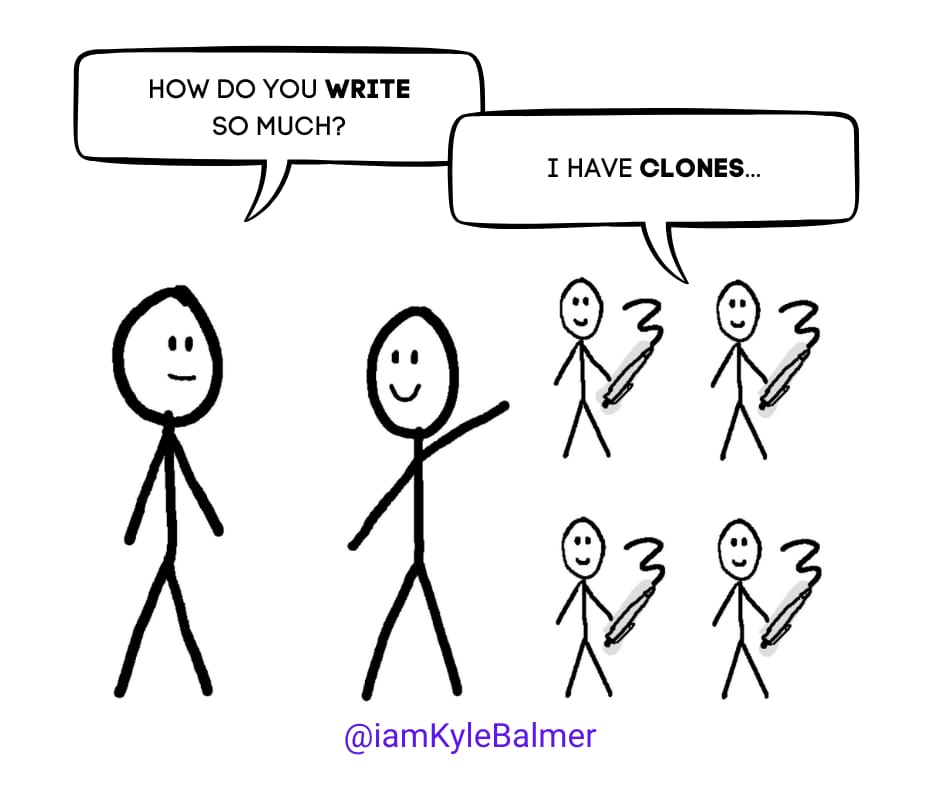
Sounds too good to be true?
Well. It sorta is.
To get good results we still need to put in some work.
But rest assured it’s a tiny fraction of the effort normally required. Take this from someone who writes 1000+ words a day everyday. It’s a lot of work!
Over the week we’re going to start simple and build up. Creating a more and more accurate and automatic AI writing workflow for you.
In this Part, we're starting with the simplest model: creating a style guide. It's rough and ready, but it'll get you started on this exciting journey. And it’ll also show you the basic method we’ll be using (just at different levels of sophistication).
Here's the deal: we're going to feed the AI a sample of your writing and ask it to distill your style into a reusable guide. It's like creating a mini-you in AI form.
Why a style guide? It's the most basic, yet effective way to capture your writing voice. It's not perfect, but it's a solid starting point that will give AI a framework to work with.
Let's use this prompt to create your style guide:
You are an AI assistant specialised in analysing writing styles and creating comprehensive style guides. Your task is to analyse the provided writing sample and create a detailed style guide that captures the essence of the author's unique voice and writing style. The guide will be used to provide instructions to AIs to replicate the style. Follow these steps:

1. Ask the user to provide a substantial writing sample (at least 1000 words) that best represents their typical writing style.

2. Analyse the provided writing sample for the following elements:
   a. Tone (e.g., formal, casual, humorous, authoritative)
   b. Vocabulary level and complexity
   c. Sentence structure and length
   d. Use of rhetorical devices (e.g., metaphors, analogies, rhetorical questions)
   e. Paragraph structure and flow
   f. Use of jargon or technical terms
   g. Common phrases or expressions
   h. Punctuation and formatting preferences

3. Create a detailed style guide that includes:
   a. Overall tone description
   b. Vocabulary guidelines (including words to use and avoid)
   c. Sentence structure recommendations
   d. Paragraph structure and transitioning tips
   e. Preferred rhetorical devices and how to use them
   f. Guidelines on using jargon or technical terms
   g. List of characteristic phrases or expressions
   h. Punctuation and formatting rules

4. Provide 2-3 example sentences that embody the analszed writing style.

5. Offer suggestions on how to maintain consistency with this style in various types of content (e.g., blog posts, social media, emails).

Remember, the goal is to create a guide that can be used to replicate the author's unique voice within different AIs.
This prompt is designed to analyse your writing and extract the key elements of your style. It'll look at things like your tone, vocabulary, sentence structure, and even your favourite phrases. It's not going to capture every nuance of your writing, but it'll give us a strong foundation to build on.
This is also the basic method we’ll be using over the week - just with additional depth and efficiency.
Now that you have your style guide, what do you do with it?
Most basic use is to copy and paste it into every chat and include an instruction to follow your style guide. Quick and dirty, gets the job done.
Alternatively upload it into the custom instructions in ChatGPT. This essentially "hardcodes" your style into all future chats.
To do this:
Go to ChatGPT settings
Click on "Custom Instructions"
Paste your style guide into the "How would you like ChatGPT to respond?" section
Click click, boom! Now ChatGPT will try to mimic your style in every interaction. Hard truth: it's not perfect, but it's a huge step towards getting AI to write like you.
Why is this important? Because it means you don't have to remind the AI of your style every time you start a new chat. It's baked in from the start, saving you time and ensuring more consistency across your AI-assisted writing.
One caveat here - once it’s in custom instructions it’s really easy to forget about. And then you might find ChatGPT replicating your tone of voice in documents where you don’t want it to! Just be mindful of this!
This style guide is the first step in a comprehensive AI Writing Workflow. It’s enough to get rolling with but it’s relatively crude. Here's what we've got lined up for the rest of the week:
Part 2: Feeding the Beast - Uploading Writing Samples
We'll start uploading larger writing samples to AI models. We'll explore why more content is better and how to choose the right samples. We'll also look at different AI models and why testing multiple options is crucial.
Part 3: The Art of Co-Writing with AI
We'll cover co-writing with AI. You'll learn how to provide the right framework for AI to truly capture your voice. It's not just about style - it's about content and structure too.
Part 4: Building Your Digital Clone
We'll go big - building a custom GPT or chatbot that's essentially a digital version of you. We'll explore options like custom GPTs in ChatGPT and external tools like Launch Lemonade.
Part 5: Automating Your Content Factory
We'll wrap up with creating a content workflow that can produce endless content in your style. We'll look at ways to automate the process, from idea generation to final drafts.
By the end of this week, you'll have a complete AI writing workflow that can produce content that sounds just like you wrote it yourself. We're talking about a system that can generate ideas, create outlines, write drafts, and even help with editing - all in your unique voice.
Remember, this is just the beginning. The style guide we created today is the foundation, but we'll be building on it throughout the week to create something truly powerful. We're not just teaching you how to use AI - we're showing you how to create a system that multiplies your creative output.
In the age of AI, standing out is more important than ever. Your unique voice is what sets you apart from the sea of generic content out there. By teaching AI to write like you, you're not replacing your voice - you're amplifying it. You're creating a tool that allows you to share your ideas and insights at scale, without losing that personal touch that your audience loves.
This isn't about replacing human creativity. It's about augmenting it. It's about giving you the tools to focus on the big ideas while AI helps with the execution. It's about creating more, better, faster - all while maintaining your authentic voice.
Premium subscribers, I'll see you tomorrow when we dive into uploading larger writing samples and choosing the right AI model for your style. We'll be getting into the nitty-gritty of how different models handle your writing style, and why that matters.
If you're not a premium subscriber yet, what are you waiting for?
You are currently on the free plan or trial.
The email you just read is Part 1 of a 5-part series.
Every week I write an AI Business and Entrepreneurship series to help you:
Start a business using AI
Grow your existing business using AI
Up-skill and use AI for your career progression
But, when you upgrade, you don’t just get the premium email newsletter…
You also get : AI business courses, private community, video playbooks, expert talks and instant access to 40+ AI Business Playbooks.
(Price increase after 200 members).
If you feel this is not for you — Unsubscribe here.
—
Keep prompting
Kyle
Welcome back to our AI Writing Workflow series. Yesterday, we created a basic style guide. Good start but a little crude.
Today, we're taking it up a notch. We're going to feed the AI beast with more of your writing. Adding more fuel to the fire.
Let’s get started:
Feeding the Beast: Uploading Your Writing Samples
why more content is better
choosing the right samples
selecting the right AI model
Remember when we created that style guide yesterday? Well, that was just the appetitiser. Now we're serving up the main course.
There was nothing wrong per se with the style guide. It’s just a starting point that we can improve on a lot.
Here's the deal: the more of your writing you feed into an AI model, the better it can mimic your style. AI, especially generative AI, thrives on massive amounts of data. It’s kinda what makes it work - the more data the better generally.
But we're not just after quantity. We're after quality and relevance too. Put crap in, get crap out. Which brings us to...
When it comes to selecting writing samples, here are two golden rules:
1. Match the output you want. Want blog articles? Upload your written blog articles. Want Twitter posts? Upload your Twitter posts. The AI will learn from what you give it, so make sure it's learning the right things! Sounds basic but it’s so easy to mess up here.
2. More is better. If in doubt - more! The more writing you give the model, the more it has to work from. It doesn’t have to “fill in the gaps” quite as much because it can look for direction in your work.
Your main task here is to gather up as much writing as possible, preferably all in one document for ease. If you want Tweets or other social media posts you can generally export a csv from the platform. If you want blog articles scrape your own site or do a site export. How you gather it up depends on where the writing is originally.
Next up, we're not just uploading these samples into any old AI. We're going to be picky about our AI model.
Now, you might be thinking, "Can't I just use ChatGPT for this?". It’s a good general workhorse and honestly might be the best tool for the job. But we want to do better.
First up, we want to use a model with a large “context window”. We don’t need to get technical here - think of the context window as the AI's short-term memory. The larger it is, the more of your writing it can consider at once.
You can check what the current models have in terms of context window on this site: https://artificialanalysis.ai/models
Roughly (very roughly) one token is one word in English. So a model with 32k context window can take 32,000 words of English text as your sample. This is rough but as a rule of thumb suffices.
For this task, I recommend Claude (or any large context window model) over ChatGPT. Why? Because we need that big memory to upload as much of your content as possible.
But here's the real secret sauce: try multiple models. Don’t just blindly follow what I say. I’m wrong. A lot. Just don’t tell anyone shh.
The choice of model is the single most important variable here, so don't skip testing. Most have free trials, so you've got nothing to lose.
Why test multiple models? Because your opinion of whether it matches your tone of voice is subjective. Some models you'll read the output and think "ugh, no". I get that with ChatGPT. Others you'll read and think "wow, did it steal a part of my soul?" For me, that's Claude. But it will depend on YOU. It's subjective.
Alright, let's get practical. Here's a prompt you can use to feed your writing samples into an AI model and get it to adhere to your tone of voice:
You are an AI assistant specialised in analysing writing styles and replicating them in future content creation. Your task is to ingest a large amount of writing samples from the user, analyse their unique writing style, and use this analysis to inform all future writing tasks. Follow these steps:

1. Request that the user provide multiple writing samples that best represent their typical writing style. Encourage them to include a variety of content types (e.g., blog posts, social media updates, emails) if they want the AI to be versatile in replicating their style across different formats.

2. Analyse the provided writing samples for the following elements:
   a. Tone (e.g., formal, casual, humorous, authoritative)
   b. Vocabulary preferences and complexity
   c. Sentence structure and length patterns
   d. Use of rhetorical devices (e.g., metaphors, analogies, rhetorical questions)
   e. Paragraph structure and flow
   f. Use of jargon or technical terms
   g. Common phrases or expressions
   h. Punctuation and formatting preferences

3. Create an internal style guide based on this analysis. This guide should include:
   a. Overall tone description
   b. Vocabulary guidelines (including words to use and avoid)
   c. Sentence structure recommendations
   d. Paragraph structure and transitioning tips
   e. Preferred rhetorical devices and how to use them
   f. Guidelines on using jargon or technical terms
   g. List of characteristic phrases or expressions
   h. Punctuation and formatting rules

4. Confirm to the user that you have ingested and analysed their writing samples, and that you are ready to assist with writing tasks in their style.

5. For all future writing tasks, strictly adhere to the analysed style and tone. This means:
   a. Using similar sentence structures and vocabulary complexity
   b. Mimicking the user's tone and level of formality
   c. Incorporating characteristic phrases and expressions where appropriate
   d. Following the user's typical paragraph structure and flow
   e. Using rhetorical devices in a similar manner to the user

6. If asked to write content in a format not present in the original samples, adapt the user's style to that format while maintaining their core writing characteristics.

7. Always be prepared to explain how a piece of writing adheres to the user's style if asked.
This prompt is designed to ingest all the written content you provide and use it for future tasks. It forces the AI to strictly adhere to the tone of voice provided -without explicit instruction our AI can sometimes go off course.
Remember, after uploading your writing samples, you can go ahead with your writing assignment as required. We use this prompt and our uploaded writing samples to prime the task an then go ahead with what we want writing.
In the next Part we discuss co-writing with AI. I'll show you how to work with your AI writing assistant to create content that actually captures your voice. It's not just about style (which we’ve given our AI) - it's about substance too.
—
Keep prompting
Kyle
Onwards and upwards! Welcome to Day 3 of our AI Writing Workflow series. We've created a style guide, fed our AI with writing samples, and now it's time to put it all to work.
Today, we're talking how to co-write with AI.
Let’s get started:
The Art of Co-Writing with AI
why co-writing matters
the common mistake to avoid
the co-writing process
putting it into practice
AI has your tone of voice down pat. It's ready to churn out content that sounds just like you. But if you think you can just say "write me a newsletter about X" and get gold, you're in for a rude awakening.
You’ve probably tried this (maybe after reading the last Part) and thought “well, that’s crap…this isn’t worth pursuing"!”)
Here's the main error people make once they've given AI their "tone of voice": they think the job is done.
They input a vague request and expect perfect output. Spoiler alert: it doesn't work that way.
Remember, AI is a tool, not a magic wand. It needs direction, context, and your unique insights to truly shine. Which brings us to...
This is where co-writing comes in. It's not about letting AI do all the work - it's about collaboration. Co-intelligence to borrow a term from Ethan Mollick.
You bring the ideas, the structure, the human touch.
AI brings the ability to expand on those ideas in your voice.
And together your get your writing done much faster and more efficiently than you could imagine.
Here's my recommended process for co-writing with AI:
0. Prime the AI: Use a style guide or the more fleshed out prompt + samples upload from the last Part to feed the AI with your tone of voice.
1. Outline Your Vision: Now tell the AI what you want to write, your goal, your target audience - as much detail as possible. Let it know you want to co-write the piece.
2. Brainstorm (Optional): Ask the AI for suggestions on topics or structure. This can help spark ideas you might not have thought of.
3. Provide the Framework: Write out notes on what you want to include. Provide the main ideas, structure, and thrust of the piece. Think of it like you're giving notes to a ghostwriter. This is the key to quality work.
4. Let AI Create the Draft: Based on your framework, let the AI create your initial draft.
5. Review and Revise: Read through the draft and provide notes or changes directly for redrafting.
6. Iterate: Repeat steps 4 and 5 until you're happy with the draft.
7. Final Touches: Copy the final draft out and make any last edits or changes yourself.
This process ensures that the final piece has your ideas and structure, written in your voice, with the added benefit of AI's ability to expand and elaborate.
Now, let's put this into practice. You can either manually follow the process above. Or here's a prompt you can use to start the co-writing process:
You are an AI assistant specialised in co-writing content with humans. Your task is to collaborate with the user to create a piece of content that combines their ideas and structure with your ability to expand and elaborate in their writing style. Follow these steps:

1. Ask the user to provide the following information:
   a. The type of content they want to create (e.g., blog post, newsletter, social media thread)
   b. The main topic or title
   c. The target audience
   d. The primary goal or purpose of the content
   e. Any specific points or ideas they want to include

2. Based on the information provided, suggest 2-3 potential outlines or structures for the content. Ask the user to choose one or provide their own preferred structure.

3. Request that the user provide more detailed notes or bullet points for each main section of the chosen structure. Encourage them to include their key ideas, any specific examples they want to use, and any particular phrases or concepts they want to emphasize.

4. Using the user's notes and adhering to their writing style (based on previous interactions or style guide), create an initial draft of the content. Expand on the user's ideas while maintaining their voice and tone.

5. Present the draft to the user and ask for their feedback. Encourage them to be specific about what they like, what they'd like to change, and any additional ideas they want to incorporate.

6. Based on the user's feedback, revise the draft. Continue this iterative process until the user is satisfied with the result.

7. For the final draft, ask the user if they want to make any last-minute adjustments or if they're happy with the current version.

Throughout this process, remember to:
- Consistently mirror the user's writing style, including tone, vocabulary, and sentence structure
- Ask clarifying questions if any part of the user's instructions or feedback is unclear
- Offer suggestions or ideas when appropriate, but always defer to the user's preferences
- Be prepared to explain your writing choices if asked, particularly in relation to maintaining the user's style

Your goal is to create a piece of content that seamlessly blends the user's ideas and voice with your ability to elaborate and refine, resulting in a high-quality piece that sounds authentically like the user wrote it themselves.
Remember, the key here is collaboration. You're not just feeding instructions to AI - you're working together to create something unique.
In the next Part we're taking it up a notch again. Priming your AI each time with writing sample is a pain. Ideally we want to “save” everything so we can return again and again and skip this pre-production.
With this in mind we're going to look at building a custom GPT or chatbot that's essentially a digital version of you. It's like creating a mini-me that can write in your style on demand.
—
Keep prompting
Kyle
Welcome to Day 4 of our AI Writing Workflow series. We've covered a lot of ground, but today we're taking it to a whole new level. We're going to build a digital clone of you.
And it definitely won’t murder you and take your place. Promise!
Let’s get started:
Building Your Digital Clone: Custom GPTs and Chatbots
why build a digital clone?
creating a custom GPT
building your own chatbot
custom instructions for your digital clone
Here's the deal: the methods we've discussed so far work well, but they have a limitation. Each time you start a new project, you need to load up your writing samples. It's a bit of a faff, right?
Don’t know about you but I’m lazy. That’s why I’m into AI. Lazy!
What we really want is a "container" that holds everything permanently. A digital version of you that's always ready to go. That's where custom GPTs and chatbots come in.
Let's start with the simplest option: creating a custom GPT in ChatGPT. Here's a quick step-by-step:
Go to ChatGPT and click on "Explore" in the left sidebar.
Click on "Create a GPT" at the top of the page.
Give your GPT a name and description.
In the "Configure" tab, upload your writing samples and style guide.
In the "Instructions" section, paste in your custom instructions (more on this later).
Test your GPT and refine as needed.
The main limitation here is the context length. Custom GPTs currently have a context window of about 32k tokens (which is roughly 32,000 words in English). It's a lot, but it might not be enough for all your content.
I’ve been writing this newsletter for a year now, 5 main issues a week, each at 1000-1500 words. We’re talking a ¼ million words (I’m coming for you Bible! The Bible has ¾ of a million words for reference!).
Obviously a 32,000 word limit just ain’t going to cut it there! But depending on the size of your writing sample a Custom GPT (using ChatGPT) may or may not be viable. It’s certainly the easiest and fastest to deploy though!
If you want more flexibility and a larger context window, you might want to set up your own chatbot. You can do this from scratch, but that's complex and would take a whole Playbook to cover (takes out battered, abused notebook and writes this down for the future…).
Instead, consider using off-the-shelf tools like Launch Lemonade.
Launch Lemonade (no affiliation, just a solid tool and Cien the founder is lovely) offers some key advantages:
Ability to upload a LOT more data
Can scrape your website - perfect if you have lots of blog articles and don’t want to copy/paste them all into a Word document
Multimodal - can use Claude, Gemini, ChatGPT so we can choose the model we subjectively believe matches our tone of voice.
The setup process is similar to creating a custom GPT, but with way more options for data input and model selection. You’ll end up with a higher quality tool for sure.
Whether you're using a custom GPT or your own chatbot, you need to give it instructions on how to use your content. Here's a prompt to help you generate those instructions:
You are an AI assistant specialised in creating instructions for custom AI models and chatbots. Your task is to help the user create detailed instructions for their digital clone (custom GPT or chatbot) that will guide it in using the user's writing style and knowledge base effectively. Follow these steps:

1. Ask the user to provide the following information:
   a. A brief description of their writing style and tone
   b. The types of content they typically create (e.g., blog posts, social media, emails)
   c. Any specific phrases or expressions they frequently use
   d. Topics they often write about
   e. Their target audience

2. Based on the provided information, create a set of instructions that includes:

   a. Style and Tone Guidelines:
      - Describe the overall writing style (e.g., casual, professional, humorous)
      - Specify sentence length preferences and structure
      - Outline vocabulary usage (e.g., complex terms, industry jargon, colloquialisms)

   b. Content Structure:
      - Describe typical content formats and structures
      - Specify how to approach introductions and conclusions
      - Outline any recurring sections or elements in their content

   c. Topic Handling:
      - Provide guidelines on how to approach the user's typical topics
      - Specify any angles or perspectives the user often takes on these topics

   d. Audience Engagement:
      - Describe how to address and engage the target audience
      - Specify any particular ways the user interacts with their audience

   e. Unique Elements:
      - List any catchphrases, signature sign-offs, or recurring jokes to incorporate
      - Describe any unique formatting or stylistic elements

   f. Do's and Don'ts:
      - Provide a list of things the digital clone should always do
      - Provide a list of things the digital clone should never do

3. Create a section on how to use the knowledge base:
   - Instruct the digital clone to draw information and examples from the uploaded content
   - Specify how to blend this knowledge with new information or topics

4. Include instructions for different content types:
   - Provide specific guidelines for each type of content the user typically creates

5. Add a section on maintaining consistency:
   - Instruct the digital clone on how to maintain a consistent voice across different pieces of content

6. Include a reminder about collaboration:
   - Instruct the digital clone to ask for clarification or additional input when needed
   - Emphasize the importance of following the user's lead in co-writing scenarios

Present these instructions in a clear, structured format that can be easily copied and pasted into a custom GPT or chatbot configuration. Encourage the user to review and refine these instructions based on their specific needs and preferences.
This prompt will help you create custom instructions that tell your digital clone how to use your knowledge base for tone of voice, and how to approach different writing tasks.
Also don’t forget to upload your writing samples! It needs raw material.
Once you have your digital clone set up you can ask it to write in your style on any topic, and it will draw from your uploaded content and follow your custom instructions.
Remember, though, that even a digital clone needs guidance. Use the co-writing process we discussed yesterday for best results.
Tomorrow, we're wrapping up this series with something a wee bit epic: creating an automated content workflow. We're talking about a system that can generate endless content ideas and even produce drafts - all in your unique style.
—
Keep prompting
Kyle
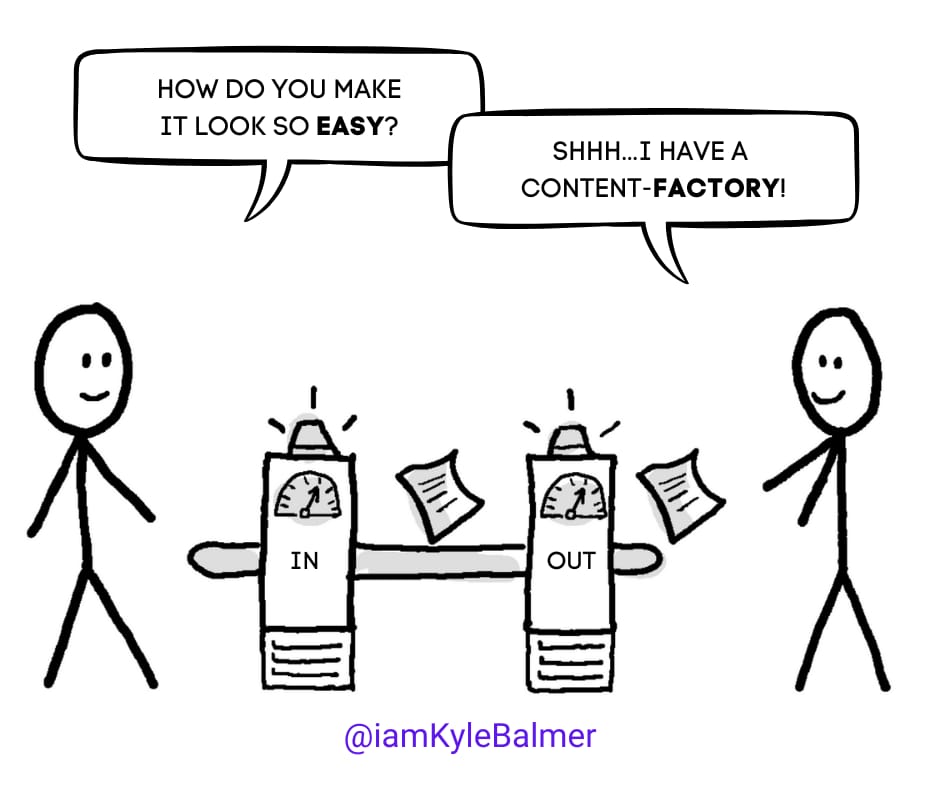
Welcome to the final Part of our AI Writing Workflow series. We've built up to this all week, and now it's time to put it all together into a content-creating powerhouse. Ready to automate your content factory?
Let’s get started:
Automating Your Content Factory
the power of automation
overcoming content creation limits
setting up your automated workflow
implementing your automated system
We've spent this week building powerful tools: a style guide, a co-writing process, and even a digital clone of yourself. Now it's time to put them to work - automagically!
No. I hate that. Automatically. Yeesh.
Why automate? Because even with all these tools, there are still two main limits to your content creation:
Initial ideas
You!
We're going to tackle both of these head-on.
First up: initial ideas. Remember, our writing AI knows our style AND our content. We’ve given it all we’ve written before as our writing sample.
We can leverage this to generate new content ideas. We're talking about content gaps and series ideas.
Content gaps are topics your audience is interested in that you haven't covered yet. Content series are related pieces of content built around pillar topics. Both make content creation easier because they give you a clear roadmap.
Let's use this prompt to generate some content ideas:
You are an AI assistant specialised in content strategy and idea generation. Your task is to analyse the user's existing content and generate new content ideas based on gaps and potential series. Use the following framework:

1. Ask the user to provide:
   a. A list of their top 10-15 existing content pieces (titles and brief descriptions)
   b. Their primary target audience
   c. Their main content goals (e.g., educate, entertain, sell)
   d. Any specific topics they want to focus on

2. Analyze the provided content to identify:
   a. Common themes
   b. Audience pain points addressed
   c. Content types used (e.g., how-to guides, listicles, case studies)

3. Generate content gap ideas:
   a. Identify 5-7 topics related to the user's niche that aren't fully covered in their existing content
   b. For each topic, suggest a content title and brief description
   c. Explain why this content would be valuable to their audience

4. Create content series ideas:
   a. Propose 3-4 potential content series based on the user's existing themes
   b. For each series, suggest 5 individual content pieces (titles and brief descriptions)
   c. Explain how the series builds on itself and provides comprehensive value

5. Suggest content repurposing ideas:
   a. Identify 3-5 existing pieces that could be expanded into a series
   b. Propose how to break down a comprehensive piece into smaller, more digestible content

6. Recommend new content types:
   a. Based on the user's current content, suggest 2-3 new content types they could explore
   b. Provide an idea for each new content type that aligns with their goals
Your AI already has your corpus of work so this prompt will help to identify gaps and pillars for you. I’ve written extensively elsewhere about content marketing and idea generation so this technique is primarily an add-on leveraging the fact that we now have an AI that has read everything we’ve written.
But what about the second limitation - you?
Silly, fleshy human beings that we are. With our need for sleep and rest. Eww.
Even with great ideas, you still need to physically input them and work with the AI. That's where our automation comes in.
Ideally, we want a hands-off system where we can feed in our (now long!) list of topics, and our writing AI will go off and mass-produce drafts. Here's how we can set this up:
Create a Google Sheet or Excel file with your content topics.
Connect this sheet to ChatGPT or Claude via API.
Use an automation tool like Zapier or Make.com to pull topics from the sheet.
Process these topics using your custom instructions in your chosen AI.
Send the output back to the Google Sheet or into its own Google Doc.
The exact setup will depend on your tools of choice - Google Sheets or Excel, ChatGPT or Claude, Make or Zapier. But don't worry, we've got you covered.
We’ll use AI to work this out for us!
Here's a prompt to help you design your automated AI writing tool:
You are an AI assistant specialised in workflow automation and content creation systems. Your task is to help the user design an automated AI writing tool that pulls topics from a spreadsheet, processes them using an AI model, and outputs drafted content. Follow these steps:

1. Ask the user to specify their preferences for:
   a. Spreadsheet tool (e.g., Google Sheets, Excel)
   b. AI model (e.g., ChatGPT, Claude)
   c. Automation tool (e.g., Zapier, Make.com)

2. Based on the user's choices, provide a step-by-step guide for setting up the automated system. Include:
   a. How to structure the input spreadsheet
   b. Setting up API connections to the chosen AI model
   c. Configuring the automation tool to pull data and trigger the AI
   d. Processing the AI output and storing it in the desired location

3. For each tool, provide:
   a. Pros and cons for this specific task
   b. Any limitations or considerations
   c. Estimated setup time and complexity

4. Offer guidance on:
   a. How to format the spreadsheet for optimal results
   b. Best practices for API usage and rate limits
   c. Error handling and monitoring the automated process

5. Suggest ways to enhance the system, such as:
   a. Adding a quality check step
   b. Implementing a feedback loop for continuous improvement
   c. Integrating with other tools in the user's workflow

6. Provide a "Dummies level" integration guide, including:
   a. Where to sign up for necessary tools and services
   b. How to obtain and use API keys securely
   c. Step-by-step instructions for connecting all components

7. Offer troubleshooting tips for common issues that might arise
This prompt will help you create a step-by-step guide for setting up your automated content creation system, tailored to your specific tools and needs.
FYI this works for ANY technical problem we have. AIs have read every technical instruction manual on the planet - unlike me who throws them out immediately.
I know this might seem complex - and it can be! If you're looking for someone to integrate this for you, shoot us an email and we can help find an integration partner for a quote.
We've covered a lot of ground this week:
We started with creating a basic style guide.
We moved on to uploading larger writing samples to AI models.
We learned the art of co-writing with AI.
We built a digital clone of ourselves with custom GPTs or chatbots.
And now, we've automated our entire content creation process.
This isn't just about creating more content - it's about creating better content, more efficiently. It's about freeing up your time to focus on big ideas while your AI assistant handles the execution.
Remember, this system is a tool, not a replacement for your creativity. Use it to amplify your voice, not replace it. The goal is to create more of what your audience loves, in your unique style.
—
Keep prompting
Kyle
Welcome to the '✒️ AI Writing Workflow | AI Business Playbook', your ultimate guide to mastering the art of AI-assisted writing. This playbook is designed for those looking to harness the power of artificial intelligence to create compelling content that reflects their unique voice. Whether you're a content creator, marketer, or business owner, this playbook will empower you to streamline your writing process, improve consistency, and unlock new creative possibilities. Dive deep into actionable strategies that transform the way you approach writing, making it faster, easier, and more effective than ever before.
This playbook is perfect for content creators, marketers, and entrepreneurs who struggle with maintaining a consistent voice across various platforms. If you find yourself overwhelmed by the demands of content creation or unsure how to leverage AI for your writing needs, this playbook offers the solutions you've been looking for. It’s designed for those who aspire to produce high-quality content efficiently while retaining their personal touch, making it an invaluable resource for anyone looking to enhance their writing process.
No prior experience is required! This playbook is designed for all skill levels, guiding you step-by-step through the AI writing process.
While the time commitment may vary, you can expect to spend a few hours each week implementing the strategies and refining your workflow.
Absolutely! The playbook focuses on creating a style guide that captures your voice, ensuring AI-generated content resonates with your audience.
Yes! The strategies provided can be applied to various content types, including blog posts, social media updates, and marketing materials.
Definitely! The techniques outlined can enhance collaboration, allowing teams to maintain a unified voice while leveraging AI tools.