
AI Authority
Unlock the true potential of your business with the 🔴 Live Video | Playbook, your essential guide to harnessing the power of live video as a dynamic audience-building tool.
Start ReadingIn this Playbook we’ll cover step by step how to add a powerful Audience building tool to your business.
Live video has been the remit of games and hot-tub streamers for some time. But it’s too powerful a tool to leave to just entertainers.
We’ll cover how live video can be used to educate, build authority and trust and bring in sales and clients for your business.
We’ll cover:
Part 1: Live and Kicking
Part 2: Your own TV show
Part 3: Going Live
Part 4: Reach explosion
Part 5: Frozen in Amber
Want to advertise here? Get started here.
Let’s get started:
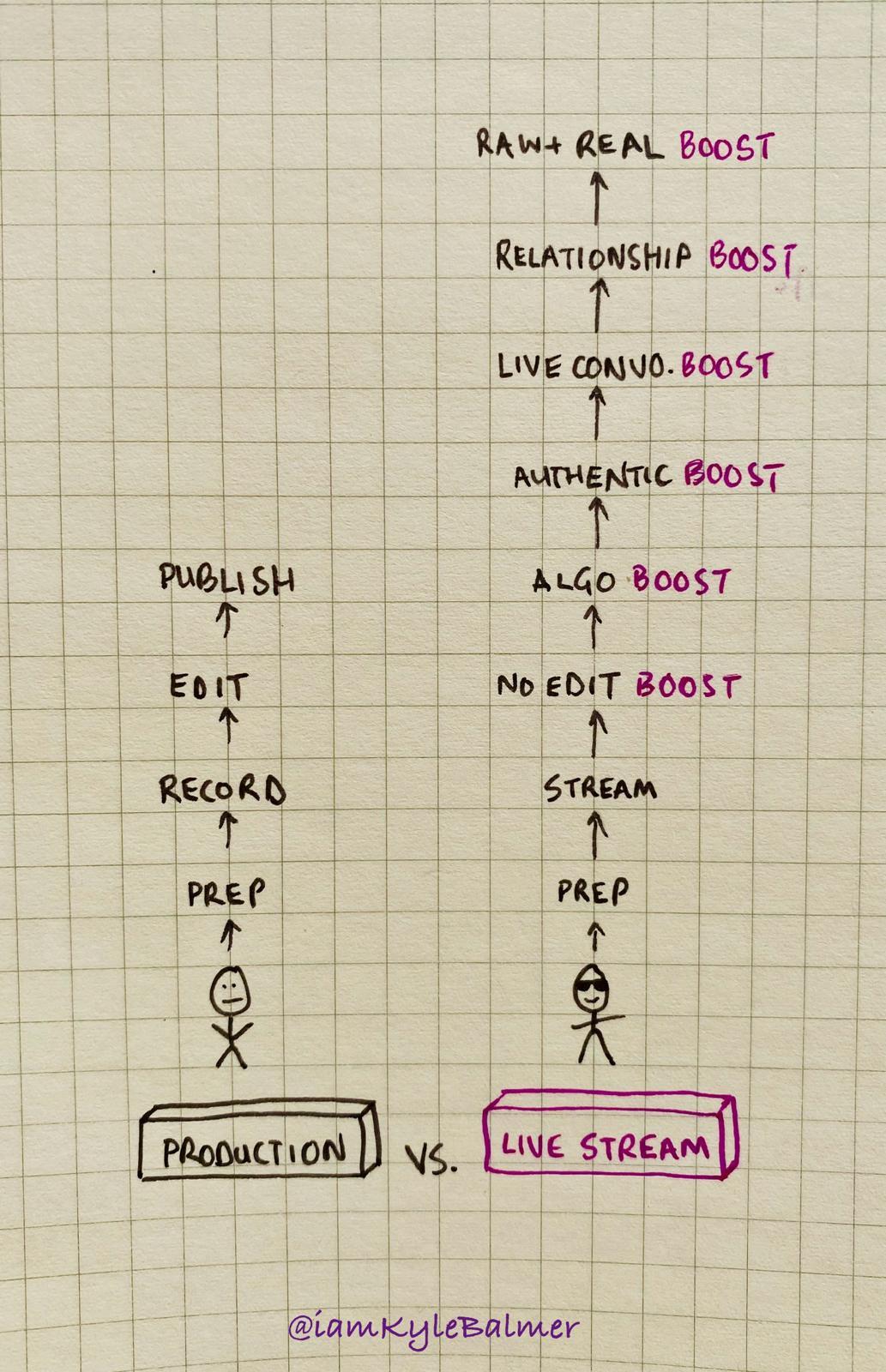
OK so why the hell should you do live video? That’s for gaming right? For kids and not people interested in your business.
Nope. Live video is the GOAT for building trust, authority and reach right now. And it works really well for business owners.
The platforms (TikTok, Instagram, X, Facebook, LinkedIn, Youtube) are all clamouring for live video.
They give it the highest priority in their algorithm because they want people using it and watching it.
And on your side it lets you very easily produce massive amounts of content without complex pre/post production.
More than this it’s the most raw, authentic and “real” content out there. Which is the secret sauce here - as a business owner you can use live video to very rapidly connect with potential customers and move them to purchase quickly.
Think of it as taking hundreds, if not thousands, of face to face sales meetings a day.
You can literally talk to someone, answer their question and nudge them to a sale. But at scale - massive scale. Literally thousands at a time.
My very first live ever was attended by 1000 people to give you a sense of scale.
Here’s a vid of Gary Vee talking about how live video is 2024’s version of social media in 2014. Businesses thought “we don’t need social media” back in 2014 - meaning there was a massive opportunity for any one who jumped on it. Gary Vee argues here that we’re at a similar position with live video right now:
What we’ll be focusing on in this guide is adding regular live streams into your content mix to take advantage of this growing trend.
We’ll cover how to work out what your live show is about, how to actually go live, how to re-stream your live in multiple places simultaneously and then how we can carve our long lives up into short video clips for evergreen social media content.
Lots to do!
A common objection here is that your niche isn’t very exciting.
I get it. There’s a natural tendency to think that people aren’t interested in watching a livestream about bookkeeping, insurance or mortgages.
But guess what: there are.
And those people are precisely your customers.
Live streams build on topics we’ve previously covered in other Playbooks - Personal Branding and using Q&A content marketing. Live video just gives us a much more immediate outlet where potential customers have the ability to access our expertise by asking questions live.
So if someone is looking for insurance you can answer their questions. And potentially sell them a policy off the back of the interaction.
If someone is thinking about finding a business coach and you answer a question in a live you can potentially sell them coaching as a next step.
If someone is struggling to file their tax return and you can point them in the right direction you can more easily secure a new client.
Let’s find examples in your niche.
This can be tricky because on some platforms once the live has finished you won’t find trace of it.
So we’ll be smart.
Head to Youtube first and plug in "“niche + livestream".
For example if I put in “UK mortgage broker + livestream” I get this:
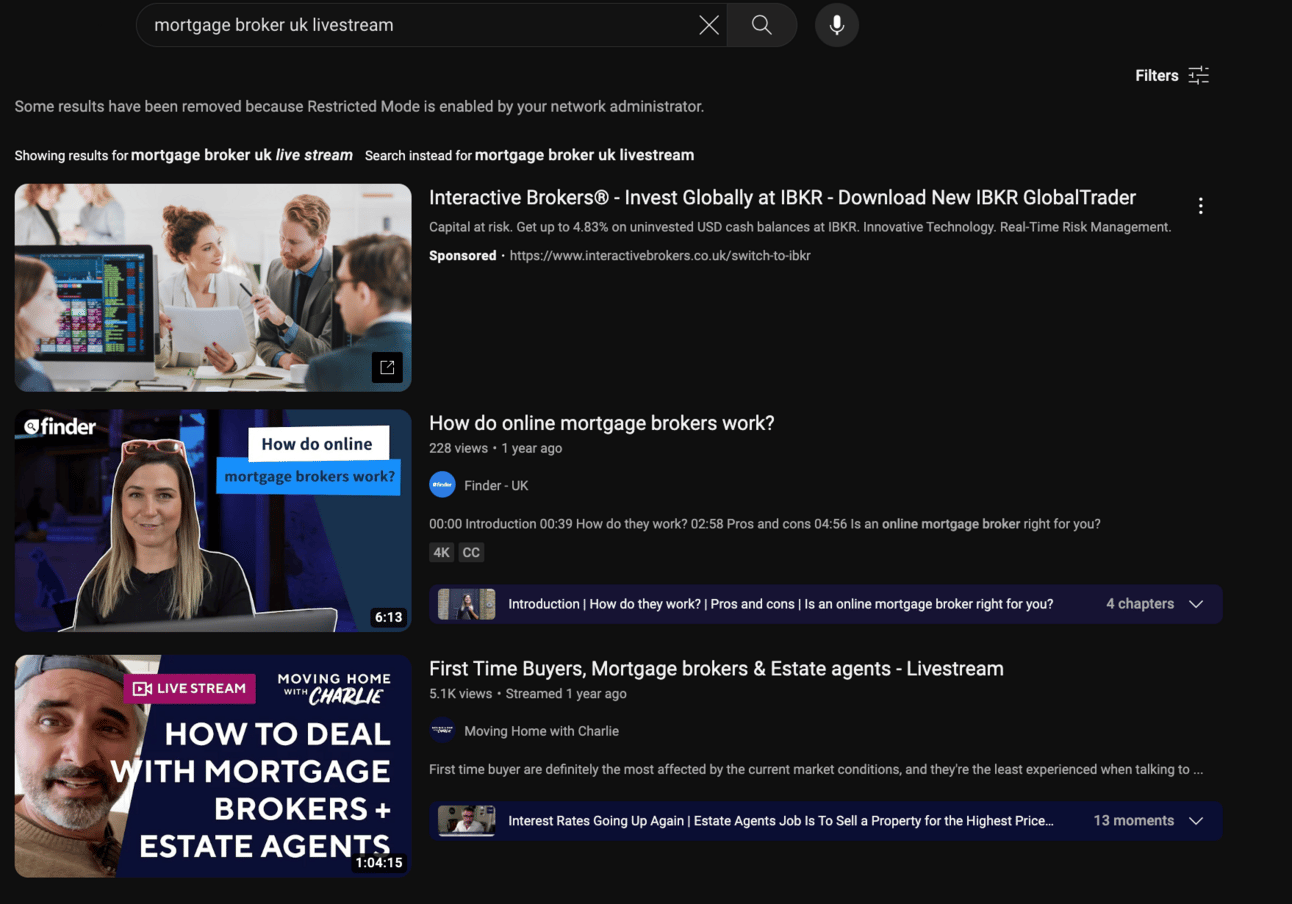
I’ll ignore the top result because it’s Sponsored.
I’m going to ignore the second result because i) it’s a company not a personal brand and ii) it only has 228 views.
That third result though? Perfect. It’s a channel called “Moving Home with Charlie”. Personal brand, livestream, 5.1k views. Solid.
Click through and check out the more relevant results in your niche.
Specifically click the Live tab:
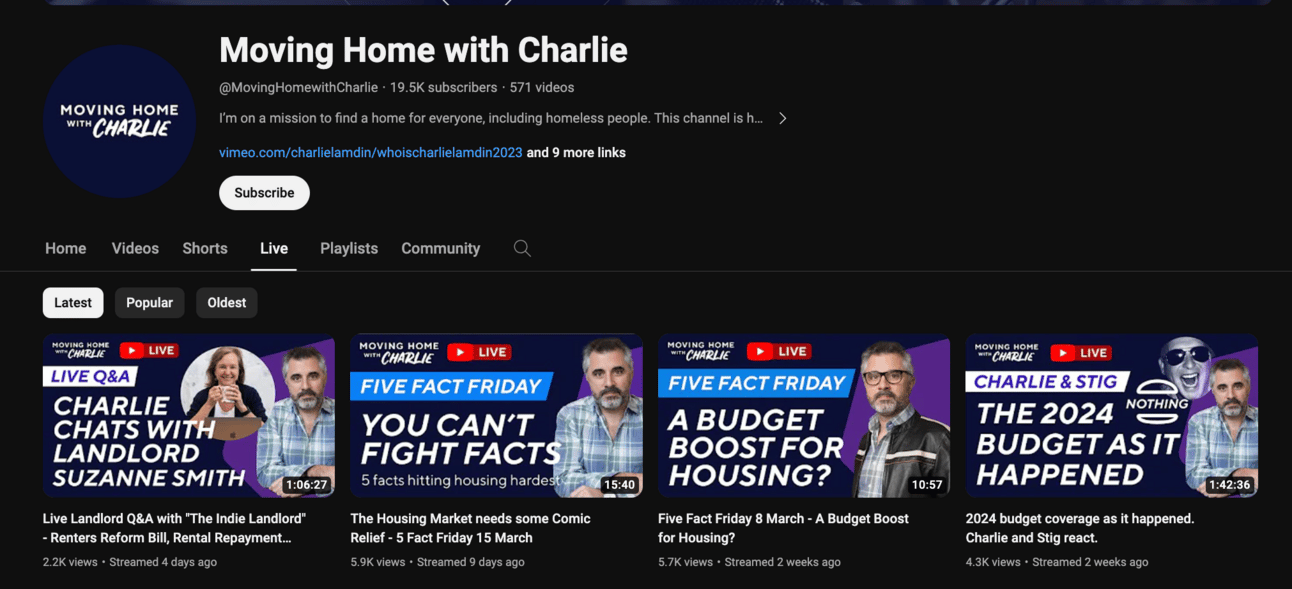
This shows the channels previously Lives. Here it looks like Charlie streams roughly a few times per week, each time to 2000-5000 people.
Go ahead and check out the streams in your niche. Very likely it’ll be the host just talking to camera for an hour or so. Potentially covering news, potentially having guests on - but majority will likely be talking head style.
What we we want to do next is track back to their other platforms. Youtube may be where their Lives live permanent after the livestream. But often they’ll use a primary platform before Youtube.
So Google their name + the various platforms to trace back and find where they operate.
For example Moving Home with Charlie also operates on Tiktok and other platforms:
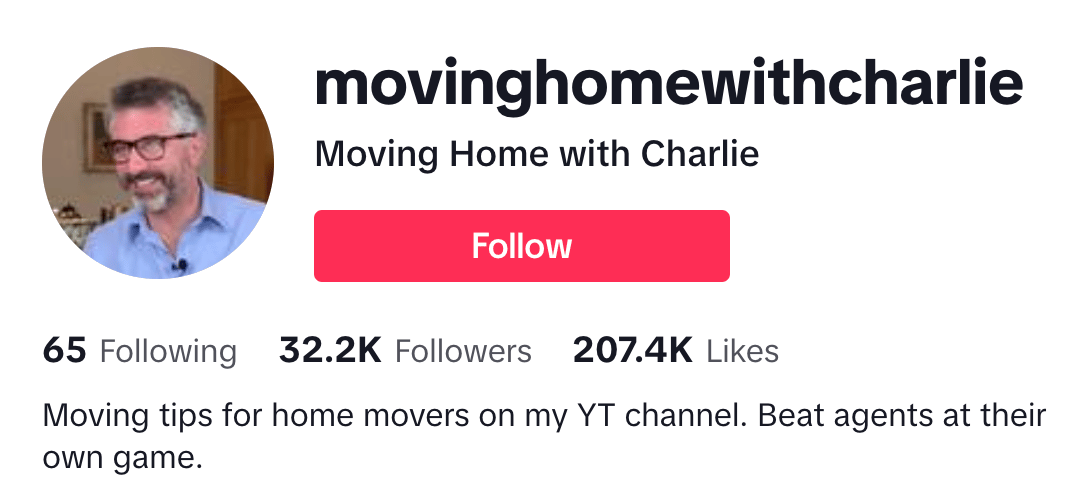
Look for the platform where they go live first. They may have a scheduled live or just a regular time they go live. Try to make it to their next one to see what they do. It’s valuable information for you!
In the next Part we’ll work out what your lives will look like. Right now it’s important that you go and find who else in your niche is doing lives.
If there are lots then i) that means there’s a market and it works for them and ii) we can learn what they are doing by observing and emulating.
If there aren’t any then you may have a blue ocean to move into. In traditional markets this may be the case - live-streaming is very cutting edge and you may have a clear path.
When you find the other content creators in your niche what specifically be looking for?
Here’s where to start:
when did they start going live? Long time suggests it’s worthwhile for them and is driving business.
how often do they go live? And for how long? Chances are they’ve honed in on an efficient mix, especially if they’ve been doing it for a long time.
what are their viewer counts? And what would that look like to your business if you could go live and convert 1% each time? Would that be valuable?
watch or scan through their lives. Is it a set structure? Or Q&A? News focused? What sections do they have? Which sections would you be interested in having?
how often do they “sell”? It might be subtle so watch closely. Watch for when they talk about their products and services or previous client success stories. Do they have specific sales sections or do they weave this in?
do they have a “freebie” or easy first sale? Or do they suggest a call? What’s the “next step” from the live for someone interested?
Run this analysis on a number of competitors and you’ll have a much better idea of the best practices. We’ll be using this in the next Part to structure our lives.
This is unchartered territory in most industries. Hopefully this excites rather than scares you!
Don’t worry if you feel some trepidation though.
That same fear will keep your competitors out. And I’m going to show you how to push past it in the subsequent Parts.
A reminder of what we’ll be covering :
Part 1: Live and Kicking
Part 2: Your own TV show
Part 3: Going Live
Part 4: Reach explosion
Part 5: Frozen in Amber
Keep prompting,
Kyle
Going live for the first time is nerve racking - it’s a bit like getting up on stage in front of an audience.
It’s especially scary because you don’t know how many people will arrive.
It’s either:
no-one turns up and you feel silly chatting to yourself!
many, many, many people turn up. My first live had 1000 people - yikes + yay!
Both are scary in their own way! And that’s fine - it’s understandable.
Let’s look at how to deal with this in pre-production.
Remember this week we’re covering:
Part 1: Live and Kicking
Part 2: Your own TV show
Part 3: Going Live
Part 4: Reach explosion
Part 5: Frozen in Amber
Let’s get started:
Because it’s scary to go live the first time it’s tempting to want a script to follow.
A strong structure telling you what you’ll be talking about. Some certainty!
There’s a weird tension here though. Live viewers don’t want a structured show. They want to turn up and be able to interact with you - ask questions, respond to what you are saying, chat with other viewers etc.
And unlike a webinar or other structured video you won’t have your audience’s attention from start to finish. They’ll arrive at weird times. In the middle of what you are saying. Without any context about what’s going on.
And that’s fine! That’s part of the fun. We’ll talk more on this in the next Part.
However, even knowing this, it’s useful to have some backup material to fall back on for either:
the beginning when no-one is there yet and no questions have been asked. Awkward!
if there’s a lull in the to-and-fro
if you need to “escape” to a safe topic
Basically having some prepared topics is helpful, especially for your first live.
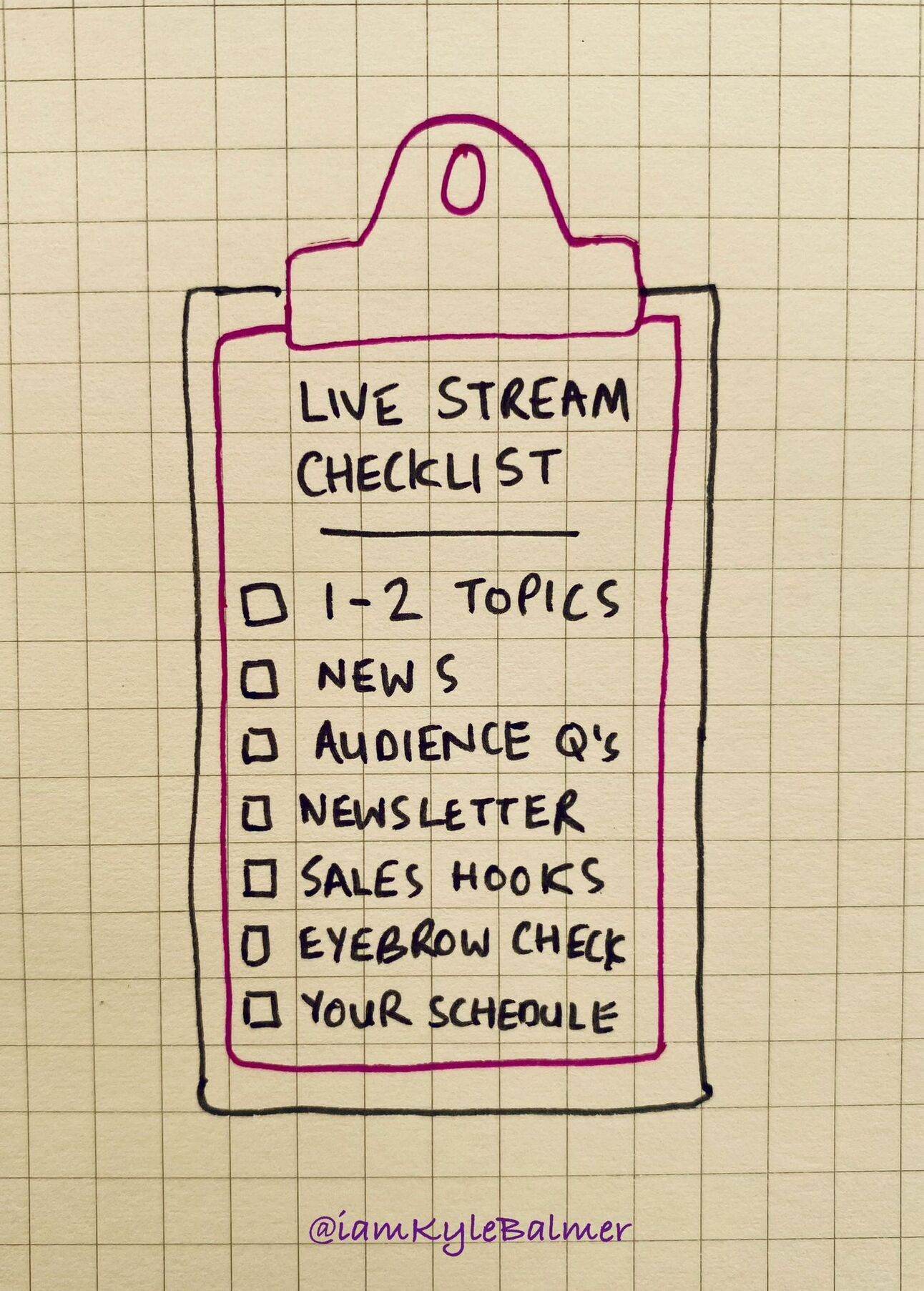
Before going into your first live (which we’ll do in the next Part) have one or a handful of the following ready to go as prepared sections.
Here’s a related vid. In it I’m talking about short vids but the idea is the same:
@iamkylebalmer Replying to @warm_bread how to come up wirh 3-5 videos ideas every day - how i personally do it #contentcreator #contentmarketing #entrepr... See more
Basically prepare as if you were going to do a video, but roll it into a live.
Cover the video topic and by the time you’re done people will be asking questions and you can flip into proper “live” mode : interacting with your viewers.
Here are some prepared topics to get started with.
Nice and easy! If there’s something everyone in your niche is talking about then start your video by giving your thoughts.
If using a computer to stream (more in the next Part on this) you can easily screenshare. This is trickier using a mobile so I’d recommend just having it in front of you and keeping the camera on yourself.
Either way you’ll tell people what you are covering, pick out some highlights and give your thoughts and comments. Very simple.
If it’s a big topic in your niche you could make the whole live just about the news article and its ramifications. That’s up to you.
Love this one. Have a handful of reader/viewer/customer questions noted down and use the live to address them.
If they asked via social media tag them in or bring their question up on screen. If they asked in your community or via email maybe make it anonymous - definitely don’t show their email!
Then just answer the question - as if you had a friend in front of you who had just asked the question.
If you need notes beforehand that’s fine - or answer off the dome. The more you do the easier it’ll be to rattle off answers.
If you have a newsletter or any other written content that you regularly put out (you should!) then use your topics as a jumping off point for live content.
It’s probably stuff you are already thinking about. So think out loud on your live. Discuss it. Go through your thoughts.
This works well before writing as you can use the live to align and strengthen your thoughts. You can also get questions from people on your live and embed those (and the answers) into your writing later. And you can use to preview the piece so that people go from your live to the newsletter/blog.
You can equally do a live after posting. In this case bring your writing up on screen and discuss it. Use this as a way to push traffic back to your writing.
It’s very tempting to want to plan out 30, 45, 60 minutes of “show” in advance.
But the joy of lives is you don’t need to do that. It’ll be actively detrimental.
Once you’ve been live for a few minutes questions will start coming in, engagement will begin and you can transition to interacting with the audience instead of your planned content.
So prep 1 item . <5 minutes worth or so. Just to prime the pump and make sure you aren’t sitting there staring blankly at the camera for the first minutes!
After that you can relax into the flow. That’s what we’re covering in the next Part when we go live.
What about sales? Preparing some sales hooks in advance is a powerful play with live video as it allows you to drop them in subtly.
Let’s cover some basics of weaving sales into your lives.
First up, work out what your sales are for the live. Make them lower friction sales. It’ll be hard to sell $1000 products directly from a live to a brand new viewer. Not impossible but tricky!
Instead have a handful of CTAs:
a free signup (ie. newsletter)
a free lead magnet (for email capture)
a low cost product
Amazon book
book a call
The main thing is that the CTAs are relatively small and low commitment. Lives are good for going wide. We’ll have volume but not depth.
So use this width to get in front of a lot of people and then give them a nice easy next step like downloading a lead magnet.
Second, make these CTAs easy to access. You cannot be copying links into chat or (shudder) reading out web addresses.
Instead you need something link a Linktree.
Here’s mine for example: https://linktr.ee/iamkylebalmer
Have each of your CTAs listed out. Not too many that its’s confusing. And make sure they are clearly labelled.
Third, drop the CTAs into your live where they are natural.
For example I get questions from viewers about where they can learn about certain topics. I point them to my newsletter: “best place to start is my newsletter. It’s free. Check the link in my bio and it’ll be the first button on that page.”
If someone asks if I do consulting or coaching: “I do but my rate is $750/hour. If that’s ok with you then go here. If that’s too steep at the moment, for example if you haven’t started your business yet then the best next step is my I Business Breakthrough Course. You can find more details in my link in bio.
You need to have your handful of CTAs memorised and the ability to quickly drop a hook in naturally.
Why not do a full sales section? Because this is not a webinar. It’s not a captive audience. They are popping in and out of the live and not following it all the way through.
Therefore you need a quick 5-10 second hook sale, in and out. That’ll mean you can drop in a lot more over the course of your live, hitting more people with your microsales in total.
With all of this though: experiment!
Which we can only do once we get started and doing regular lives.
In the next Part we’re going to hit Go Live. We’ll cover the tech, the setup and finally get rolling.
A reminder of what we’ll be covering :
Part 1: Live and Kicking
Part 2: Your own TV show
Part 3: Going Live
Part 4: Reach explosion
Part 5: Frozen in Amber
Keep prompting,
Kyle
The whole purpose of this Part is to knock down any remaining blocks you might have.
I’ve worked with enough entrepreneurs to know how good we are at coming up with excuses for why we’re not quite ready.
We’ll cut through the last bastions of procrastination and get started. Today.
Remember this week we’re covering:
Part 1: Live and Kicking
Part 2: Your own TV show
Part 3: Going Live
Part 4: Reach explosion
Part 5: Frozen in Amber
Let’s get started:
This the simplest part of the process. But also the hardest.
From a technical point of view you only need to press the “go live” button.
And that’s sort of it.
But you need to be ready. I get that. So let’s go through all the prep so you feel confident.
Biggest decision is the platform you’ll be using to go Live.
All of these are options:
Tiktok
Youtube
X
Ideally you should go live on your primary platform. Where you audience is.
However, going live is much easier on some platforms than on others.
On Tiktok, Instagram, Youtube and Facebook it’s basically one button.
On X and LinkedIn there are additional setup steps. So I don’t recommend starting there. Go for whatever offers the least friction.
In the next Part I’ll show you how to “restream” to all your eligible platforms. I currently stream on Tiktok, Youtube, Instagram, Facebook and X. All simultaneously. So your primary platform ultimately won’t matter that much.
What’s important now is just choosing one where it’s easy to go live and using that. Start now, refine later.
Don’t immediately go out and buy a “streaming rig” - an expensive gaming PC with a $2000 graphics card and all the bells and whistles.
We don’t need it.
Instead use your phone initially. Your phone has a great camera and is more than enough for your first streams.
We’ll use the social media platform itself to go live. The apps recommended above all have a “go live” button in them. Google how go live in your app of choice for detailed instructions if needed. In most cases it’ll literally be a big “go live” button!
Get yourself a tripod. This is probably the main investment I’d suggest at this time. I use a DJI Mimo. It’s overkill. Remember that no-one can see your tripod - as long as it holds your phone it’s doing its job. You can get a perfectly fine phone tripod on Amazon for $20.
Lighting. Also don’t sweat the details here. Yet. It’ll add a lot of professionalism later but right now it’ll only let you procrastinate more. Later look into “three point lighting” and get yourself some lamps you can clamp around your recording space.
Background. If you have a beautiful curated house use that as your background. If it requires you to “tidy up” before streaming that’s just another excuse to procrastinate. So instead buy a popup screen or just find a neutral wall to sit against.
With all of these technical setups if it’s going to take you longer than a few minutes ignore it and keep moving. You need momentum and just to get your first live done and in the can.
Best advice here is just to press the button and go live.
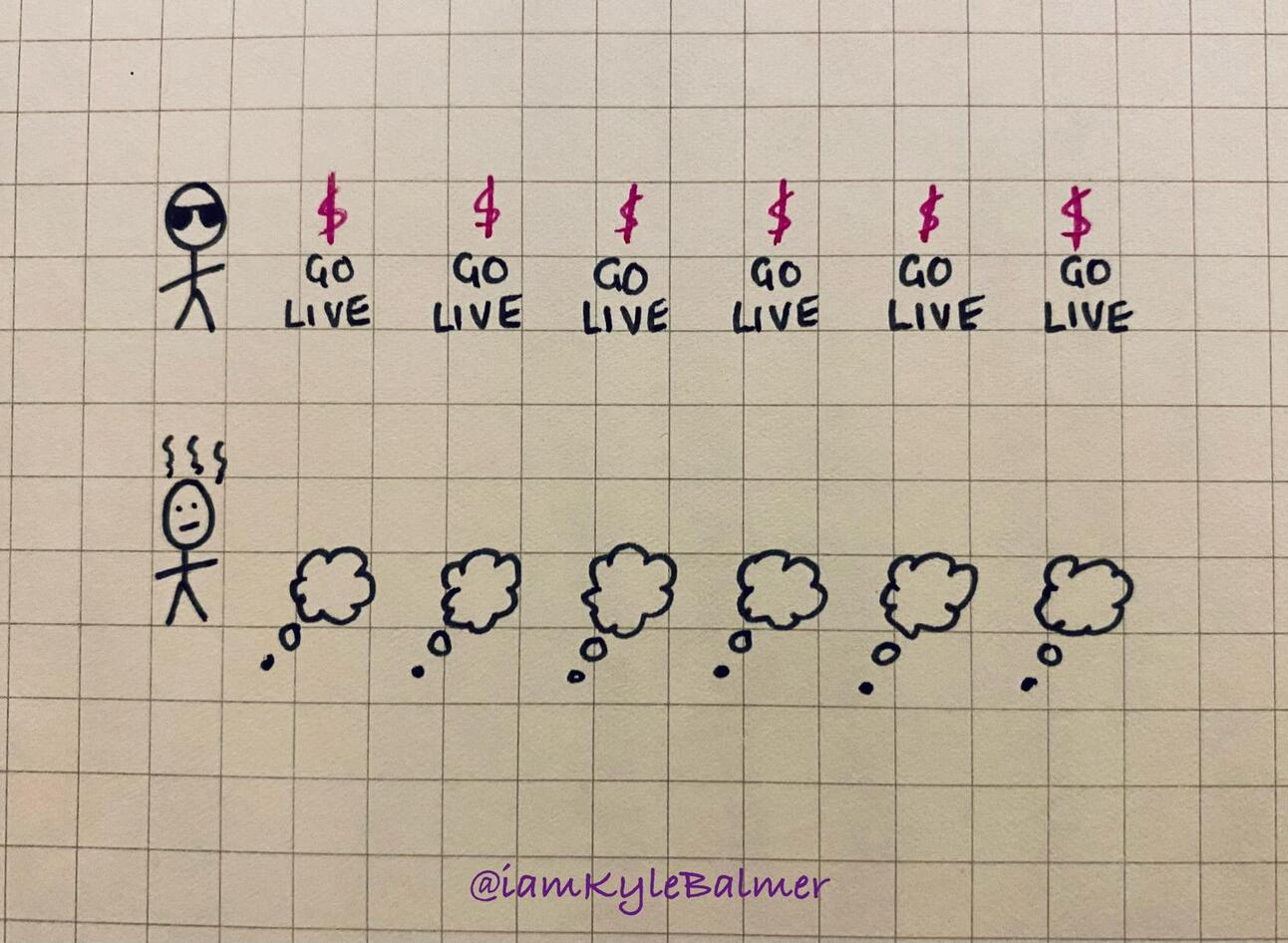
First time I had planned a special time and date to do my live. But then I realised I was just procrastinating and doing myself a disservice.
Instead “just do it”.
That’s a good slogan eh? Wonder if anyone uses it…
Your first live will be scary no matter how long your prepare. So get it over with.
You have your prepared topics (from the last Part) so if necessary you can fall back on that.
But otherwise just invite questions and when they come in answer them! Imagine that you are sitting with someone over coffee (or tea. Or beer!). They’ve asked you about something you know a lot about. Just answer their question - give them value.
When people ask questions thank them for the questions. That’ll encourage other people to ask. Also greet people as they come in. Their names will appear on stream so just say hi and welcome.
This is all you need initially as interaction. It’s still your show. You choose the questions. You choose the pace. You are the focus.
I’d also recommend (initially) not bringing on random guests. You can do so easily from the interface but you are adding too much uncertainty. You have no idea if they are a good speaker. No idea if they’ll add value. No idea if they are even wearing pants. It’s too much uncertainty to deal with initially so just ignore requests to come on camera or politely decline saying that “it’s your first live”.
Keep your first live to 15 minutes or so and then bring it to a close. No need to go on for hours. The main thing is have done the darn thing! Thank people for coming and tell them you are planning on more. Then close it out and go celebrate.
The only success you are looking for here is whether you do the live or not.
How many people came, how much engagement there was, how fluidly you spoke, how many cash tips (yes people can pay you) you made…
…it’s all irrelevant.
Main thing is you did what 99% of entrepreneurs won’t do. You went live.
In the next Parts we’ll look at how to expand and refine from here. That’s easy after getting over the hump!
If I was starting lives today there’s one platform I’d really focus on.
I’ve tested them all and hands down it’s the best place to start and grow.
That’s TikTok.
Obviously there’s a caveat here because right now it’s potentially being shut down in the US. Or at least pushed to a forced sale. If reading this later you’ll know the outcome of this!
TikTok pushes its lives really hard and will ensure you get viewers. Even when starting out.
This is because live video is such a large part of their business model via TikTok Shopping.
But because we’re not doing lives for TikTok Shop this gives you an advantage.
You’ll be one of the few live streams that isn’t just selling face creams. You get all the algorithmic boost of TikTok lives but your content will be differentiated. This is what nabs you the views.
Will this always be the case? Nope! Nothing stays still in social media or digital marketing. Hell, TikTok may not even exist in a year!
What is vital therefore is you TEST.
I’m able to tell you that right now TikTok is killing it for lives.
Next year maybe it’s YouTube. Or maybe Amazon launch a live shopping platform and become the livestream platform of choice. Or maybe it’s something that doesn’t even exist yet!
All you can do is survey the options and run tests.
With live-streaming it was pretty easy because there are immediate reactions.
Go live on Youtube for 15 minutes- 2 views.
Go live on Instagram for 15 minutes - 10 views.
Go live on X for 15 minutes - 80 views.
Go live on TikTok for 15 minutes - 1000 views.
OK then! First platform confirmed!
Later as you do more content marketing you can worry about which platforms convert best. You get that from your analytics which is beyond the scope of this guide. But you only get data from analytics by running experiments and driving traffic!
Also, here’s a powerful PS. The traffic from TikTok is great quality. It’s currently my best traffic for i) newsletter sign ups ii) newsletter premium subscriptions and iii) speaking/workshop requests.
I assumed it would be low quality traffic that wouldn’t lead to revenue. But I was very wrong about this. And this is why you need to test!
In the next Part we’re going to hit Go Live. We’ll cover the tech, the setup and finally get rolling.
A reminder of what we’ll be covering :
Part 1: Live and Kicking
Part 2: Your own TV show
Part 3: Going Live
Part 4: Reach explosion
Part 5: Frozen in Amber
Keep prompting,
Kyle
Nah but really : just got for it. Like everything in life it’s much less intimidating once you start.
In this Part we’re talking about how to really leverage your time.
Let’s get started:
In the last Part we chose a primary platform for our lives.
I mentioned briefly that the choice doesn’t matter that much. Because ideally we want to be going to all the platforms at the same time anyway. So I implored you to choose one and just run with it for now.
Hopefully you did that and have a live (or two!) under your belt already.
Let’s now rapidly expand that work.
The basic concept we’re covering is re-streaming.
This is where we take one live stream and we put it out on multiple channels.
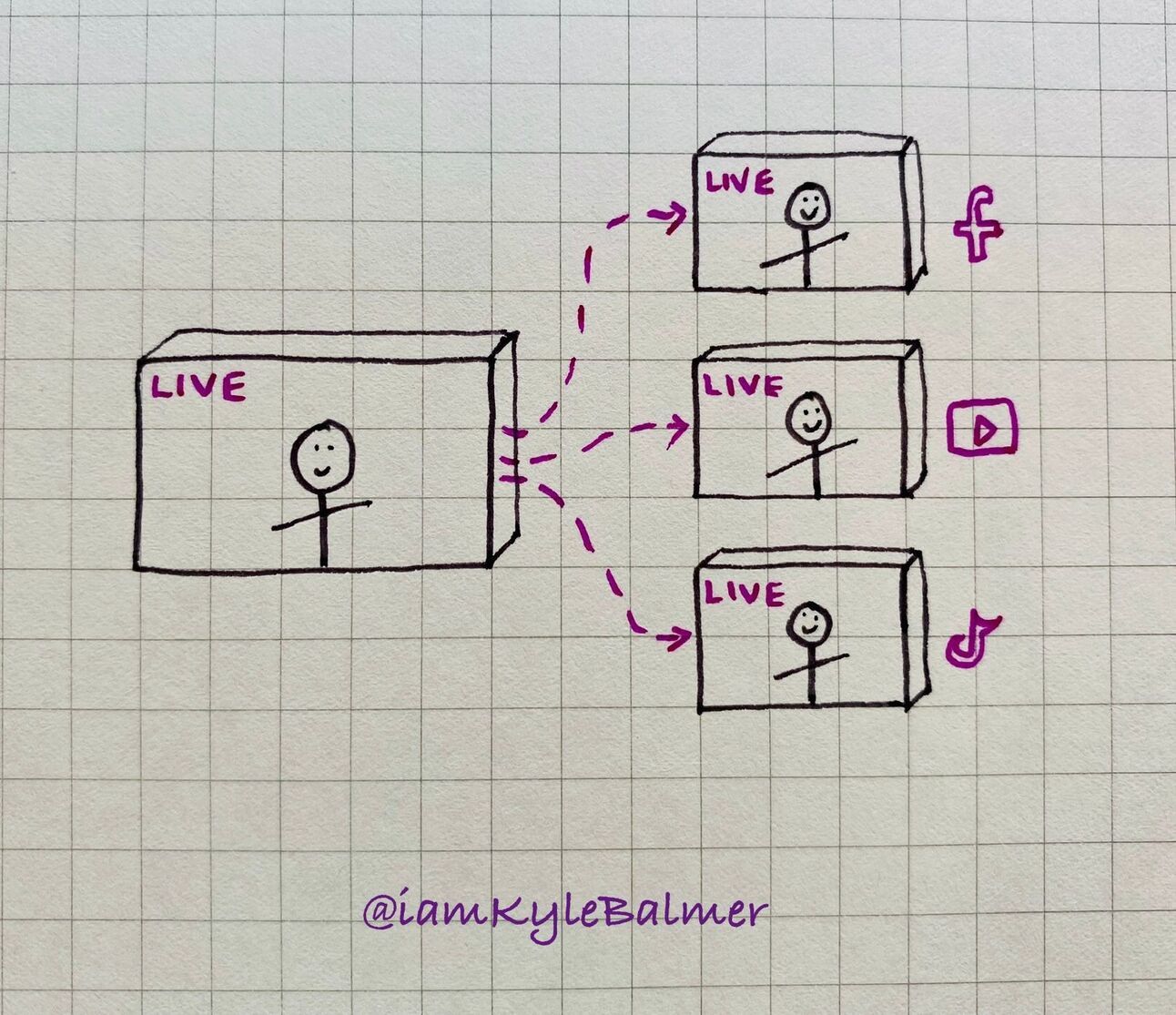
It’s all about leverage.
As a business owner your time is valuable. Let’s say you are taking an hour out of your busy schedule to go live. We want that one hour to have as much impact as possible.
We want that one hour of time to appear on all platforms: TikTok, X, LinkedIn, Youtube, Facebook and Meta.
By doing so you are instantly boosting the reach of your live and that one hour of your time has been leveraged.
You can do this manually using a powerful PC and OBS (a free piece of software). It’s probably the “best” way if you are becoming a full time streaming. But it’s technically fiddly.
As a business owner you just need something that works.
There are two options:
multiple devices
a simulcast service
The first is exactly as it sounds. You’re going to collect up a bunch of phones and set each on to stream live at the same time.
Most people have an old phone or two hanging around. You probably have some yourself. Maybe the battery went and it’s no good to walk around with but otherwise is fine.
Chances are your friends and family will also have these “drawer phones” sitting around unused at home. Collect them up!
Or, alternatively, buy a handful of $100 Androids which have decent cameras.
Then you need to set them all up on tripods with the cameras as close as possible so that you can easily look between the cameras and it’s no too obvious you are talking to multiple cameras.
The second method is using a simulcast tool.
This is what I personally do, purely for simplicity of set up.
Streamyard, Dacast and Restream.io (affil) all do this. I personally use Restream.io but they all basically do the same thing. FYI if you use that link there you get $10 credit.
I’ve tried them all and personally prefer Restream but as always test out the alternatives yourself if you have the time.
For each the basic setup is to connect your different accounts and then to go live using the simulcast tool. The tool will automatically send your stream to all the connected platforms.
One great advantage here is that all comments and questions from all streams are pulled into one chat for you. So you can see everything from each platform without having to check multiple phones.
Both the multi-phone method and the simulcast tool will do the trick.
Getting phones together is cheaper if you have access to some old phones. Or it’s a one time cost to buy a couple. Using a simulcast software comes with a monthly cost. Go with what works better for you.
Either way, using this method you ensure the most number of people see the live each time you do it. And as a business owner this is maximum leverage of your time.
Here’s my exact setup and why I have it this way. I spent weeks of testing and tweaking to get to this so hopefully it’ll save you some time!
Basically I have two cameras.
Camera 1 = my iphone, on a tripod, going live directly to TikTok.
Camera 2 = a webcam, connected to my Macbook, with an high quality external microphone (Rode) into Restream which goes to X, Facebook, Instagram and Youtube.
I have both my phone and my webcam mounted to the same tripod with the webcam just above the iPhone camera. This allows me to look at both very easily without having to look “offscreen”.
TikTok is my busiest channel so I deal with the highest volume of incoming messages directly on my phone screen.
Other messages appear on my laptop screen via Restream from the other social media platforms.
Why this setup? Primarily because you cannot stream to TikTok from a Mac computer. You must have a PC. So TikTok goes onto a secondary device (my iPhone) whilst the rest go via Restream.
What about LinkedIn you ask? Great question I say!
Basically like all thing LinkedIn do they’ve managed to make it as awkward as possible to go live on their platform.
You have to schedule a live event in advance, go live and then connect LinkedIn up to Restream. It’s … a lot of hassle.
And it’s not even that worth it. LinkedIn doesn’t aggressively push Lives.
If LinkedIn is where your customers are then definitely give it a test. Especially if you already have a large following there. See if its worth the additional set up hassle for you personally. If it is: fantastic. That same hassle will keep out competitors and let you clean house.
Now we’re really cooking with gas - our time livestreaming is hitting multiple audiences all at the same time.
In the next Part we’ll look at increasing that leverage even more by turning lives into evergreen videos.
A reminder of what we’ll be covering :
Part 1: Live and Kicking
Part 2: Your own TV show
Part 3: Going Live
Part 4: Reach explosion
Part 5: Frozen in Amber
Keep prompting,
Kyle
Once you’ve got your Live apparatus up and running you, hitting multiple channels, reaching thousands of new audience members and bringing in customers you could stop there.
It’s a perfectly good place to stop. You’ve already got lives working for you.
But we can be smart and take it a little bit further to gain even more leverage.
Let’s get started:
Every time we record a live we’re creating 15, 30 or 60+ minutes of content. Absolutely huge amounts of content.
We can obviously straight repost our live for people to watch later.
In fact, certain platforms do that for you anyway: your live will just become a video and live on your profile.
However, they aren’t that impactful. The later viewers aren’t there during the live so can’t interact. And any viewers looking for gems of wisdom will have to watch the whole thing or scrub through. It’s suboptimal.
For this reason we want to clip the best bits.
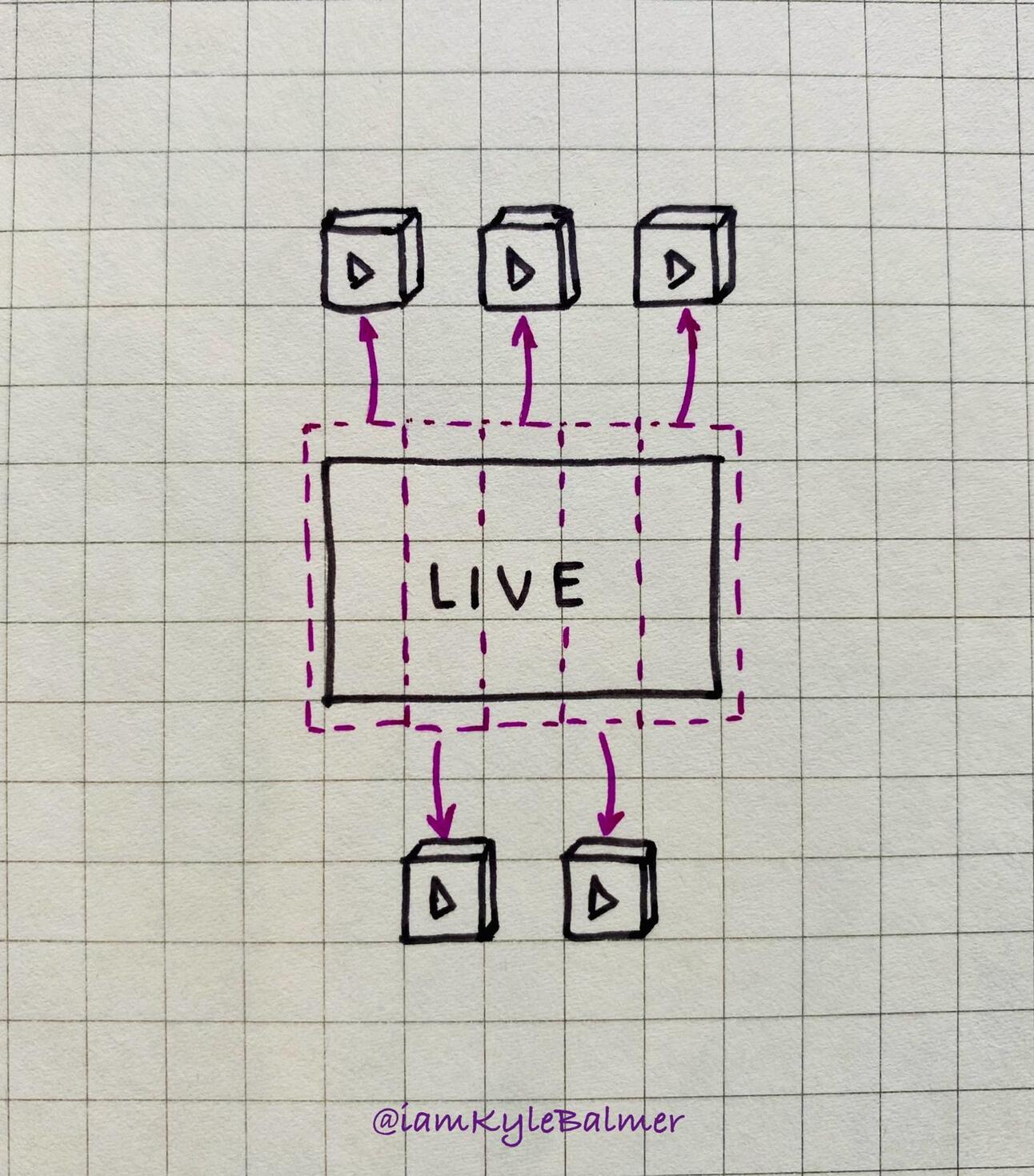
You’ll have seen these type of clips before. All the big podcasts (that shoot video) use this method.
For example Stephen Bartlett’s Diary of a CEO creates Youtube Shorts directly from their longer form videos:
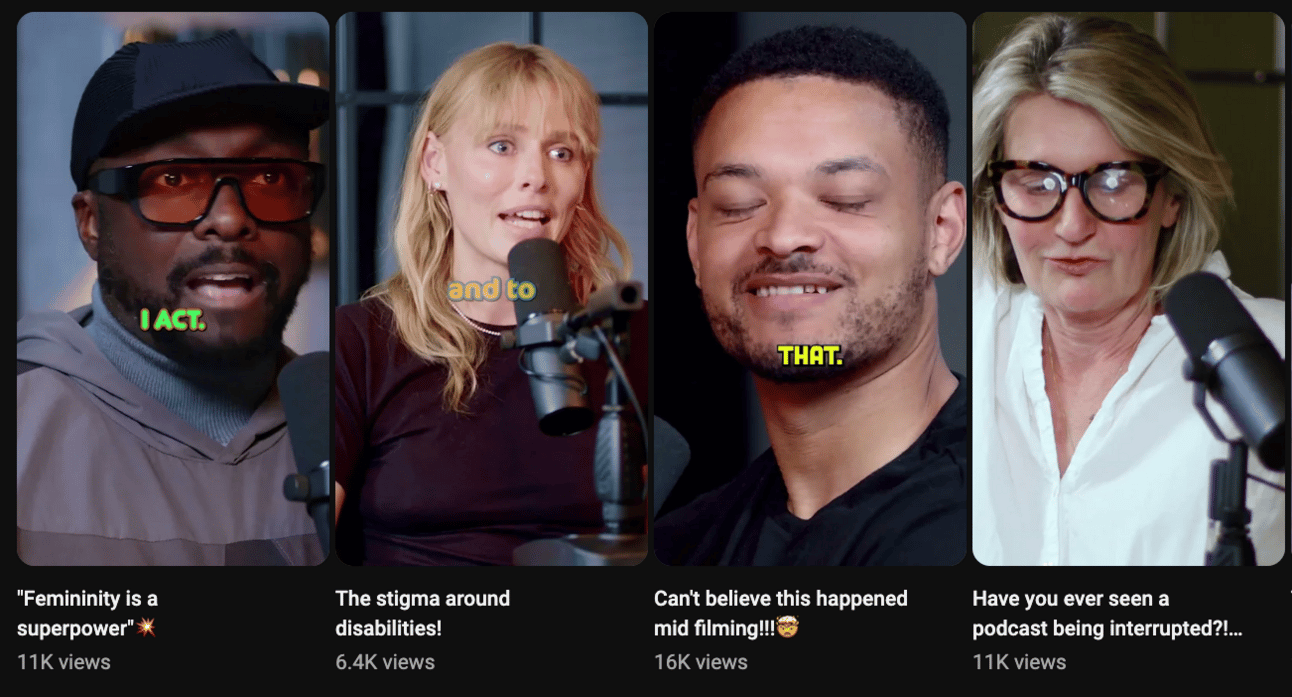
These shorts will also be used on Tiktok, Instagram and all the other platforms that encourage short video. And, unlike lives they are evergreen.
Again: leverage.
Once you’ve finished a live find a copy of it.
This is why restreaming (in the last Part) is useful. You’ll have a Youtube copy of the stream.
Head to Youtube Studio and Lives. There you’ll be able to see your lives’ details like so:
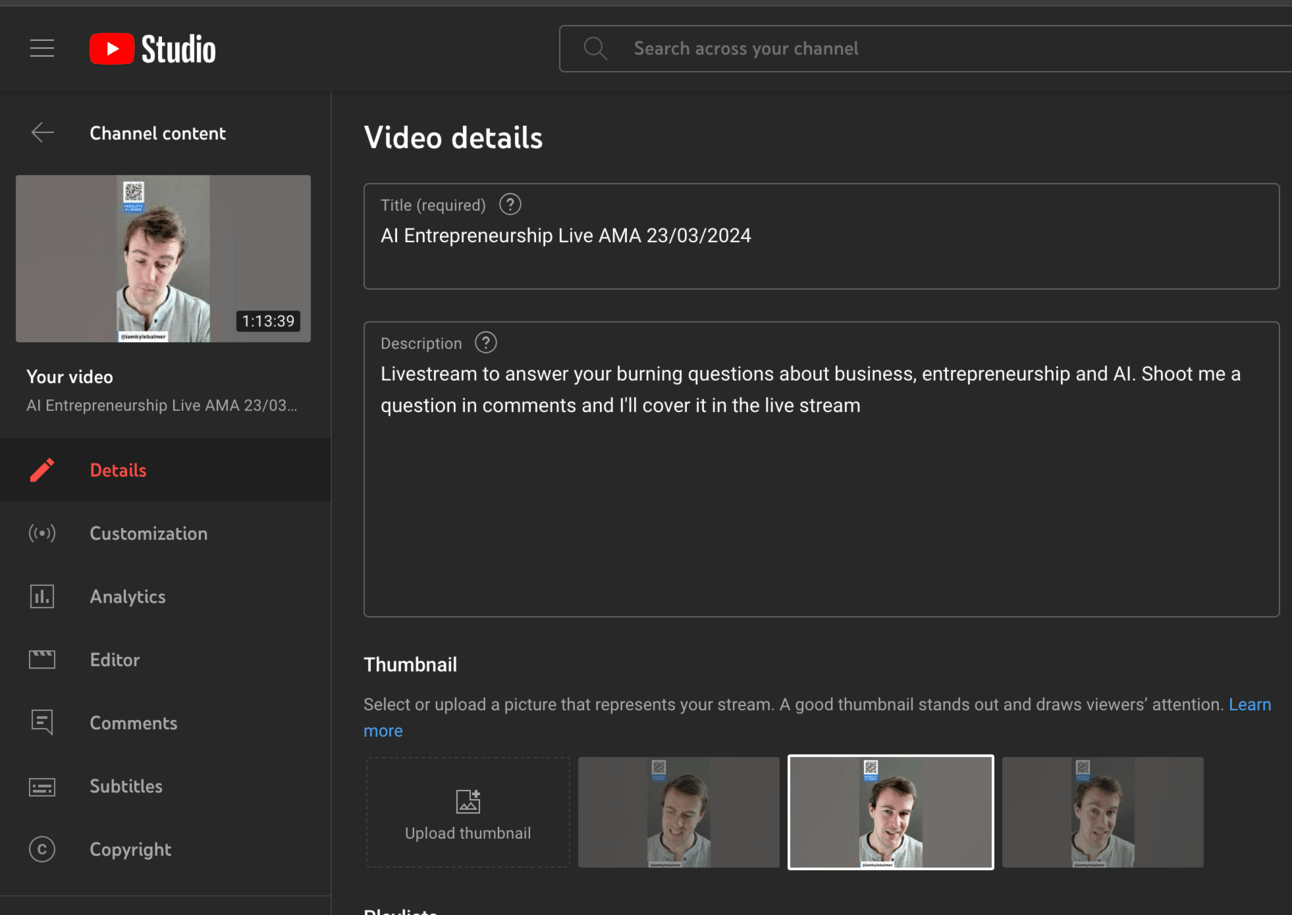
You’re going to head to Subtitles on the left hand side:
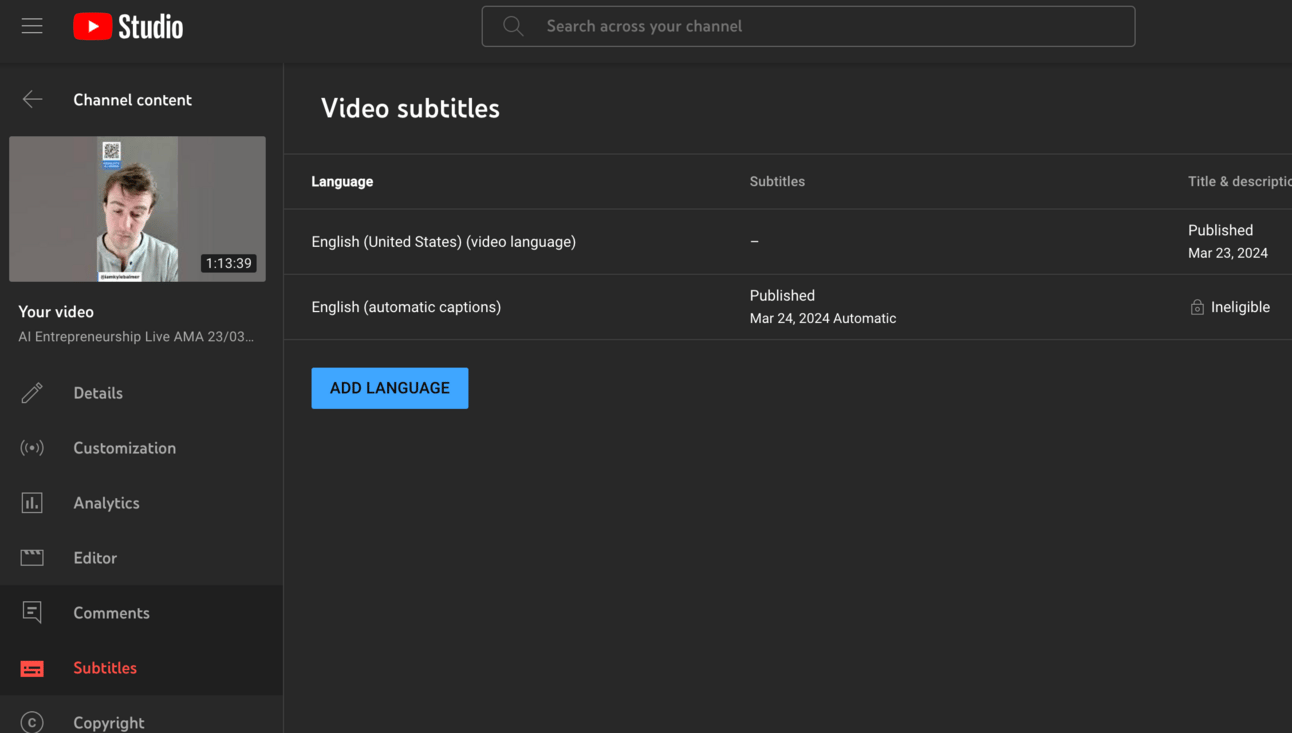
Then hover over the automatic captions and download the subtitles in .vtt format.
VTT files look like this:
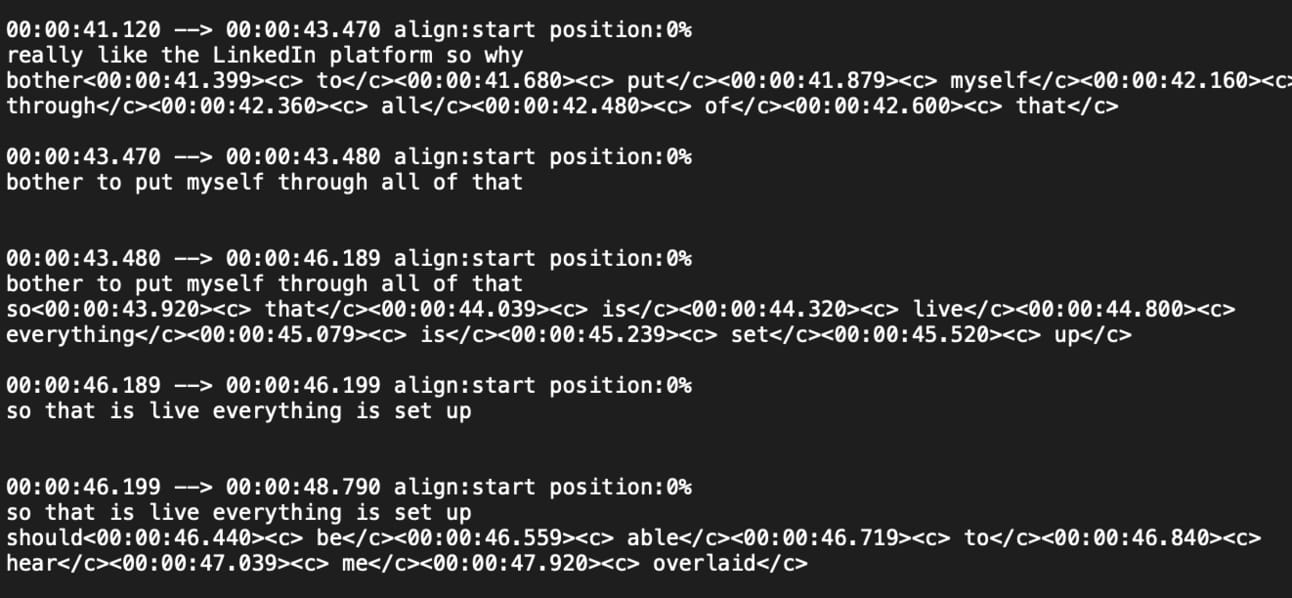
Blergh. Don’t worry we don’t need to do anything manual here.
I recommend changing the file from .vtt to .txt for the next part. I’ve got better results from this from ChatGPT even though it should be fine with .vtt
Head to ChatGPT and upload the file. If you don’t have paid ChatGPT use Microsoft Copilot.
Then drop in this prompt:
Act as a social media video editor
Attached is a transcript of a live I recently completed
Review the whole document and give me a detailed point by point summary of the whole
Do not truncate. Include points from the entire stream.
Include questions from viewers and the answers
ChatGPT will run through the file and give you a summary:
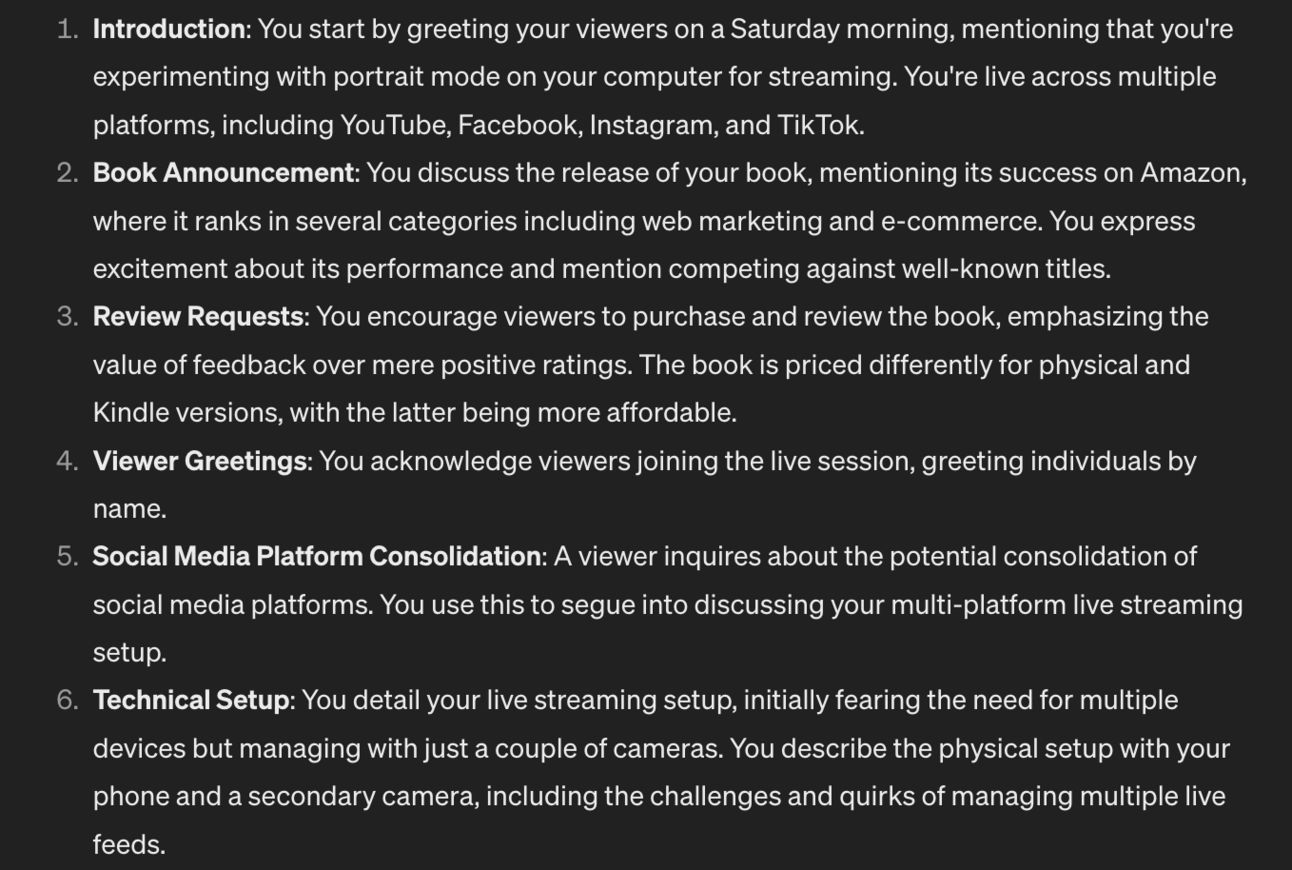
From here let’s ask for clips using another prompt:
Review section [number]
And extract a 30-60 clip
The clip should start with a good hook and encapsulate one idea
Give me the in and out points of the clip
I’ve used section 6 (“Technical Setup”) for this example and ChatGPT gives me this:
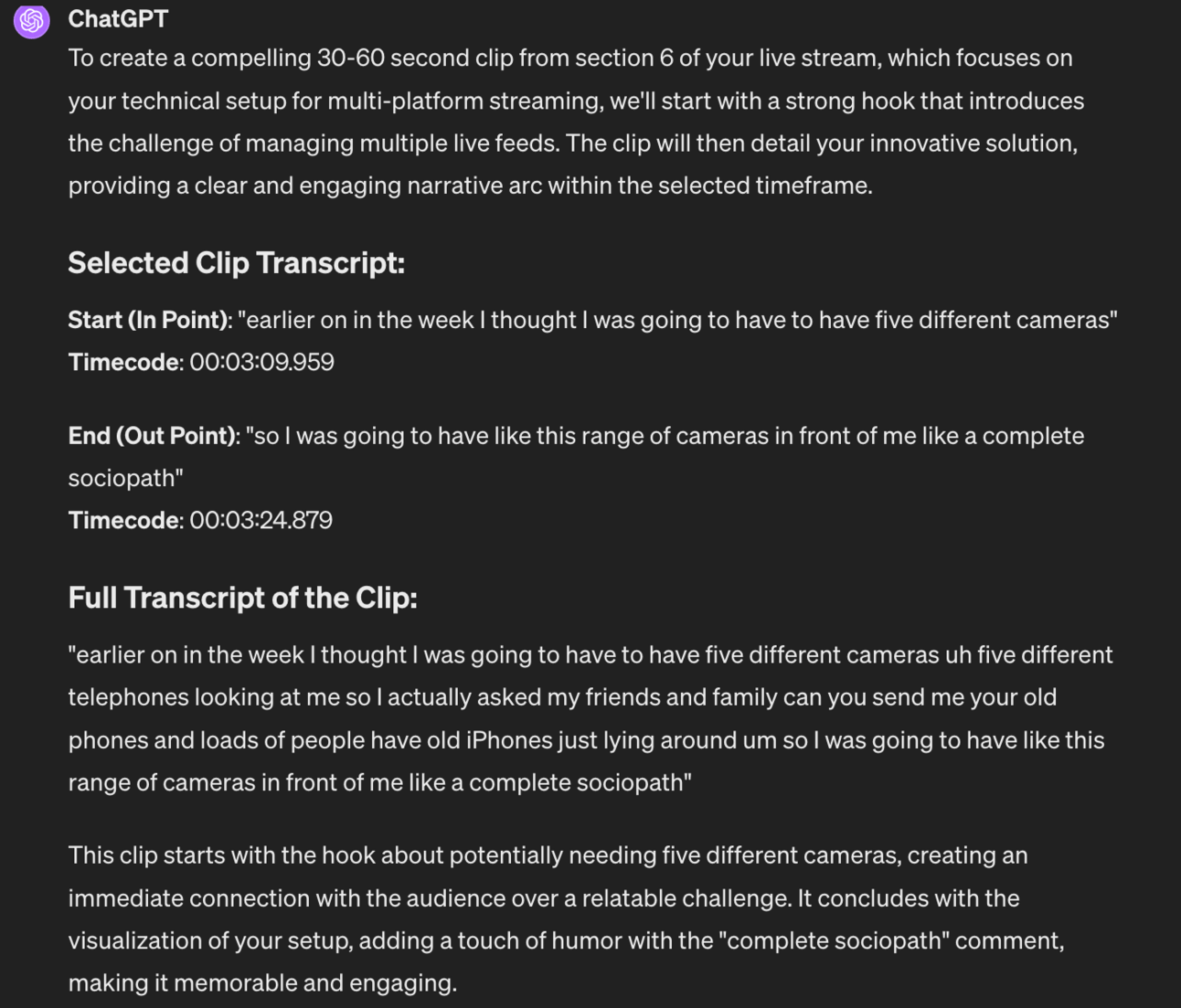
So, time codes at 3 minute 9 seconds through to 3 minutes 24 seconds is a 13 second clip I can pull out using editing tools or by giving this info to my editors.
I repeat this process multiple times to collect lots of clip ideas.
Some limitations:
for best results we need to prompt for one clip at a time. Otherwise ChatGPT struggles and throws out bad ideas.
context window. ChatGPT has a limited “memory” and as such will struggle with longer transcripts. Either break the transcript up into small text files OR use a model with more memory like Claude3 or Google Gemini.
Whilst the manual method is cheap (/free) it can be time consuming.
There are tools that can do this for you.
OpusClips is one I rate - https://www.opus.pro/
Very simply you give it the link of a long live video and it’ll analyse the video, transcribe it and find the best clips. En masse.
Here for example I throw in a 31 minute 39 second video:
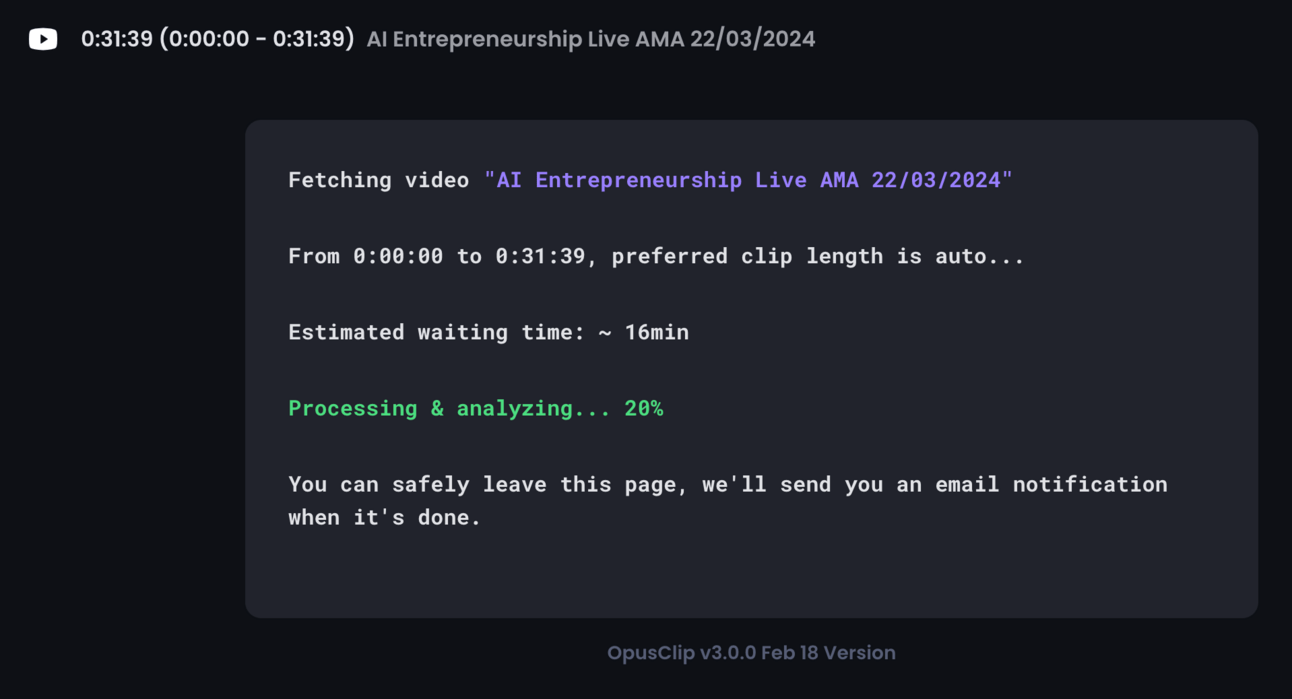
Opus Clips will go ahead and find the best clips for you as well as give you an idea of the “viral potential”.
Here’s an example:
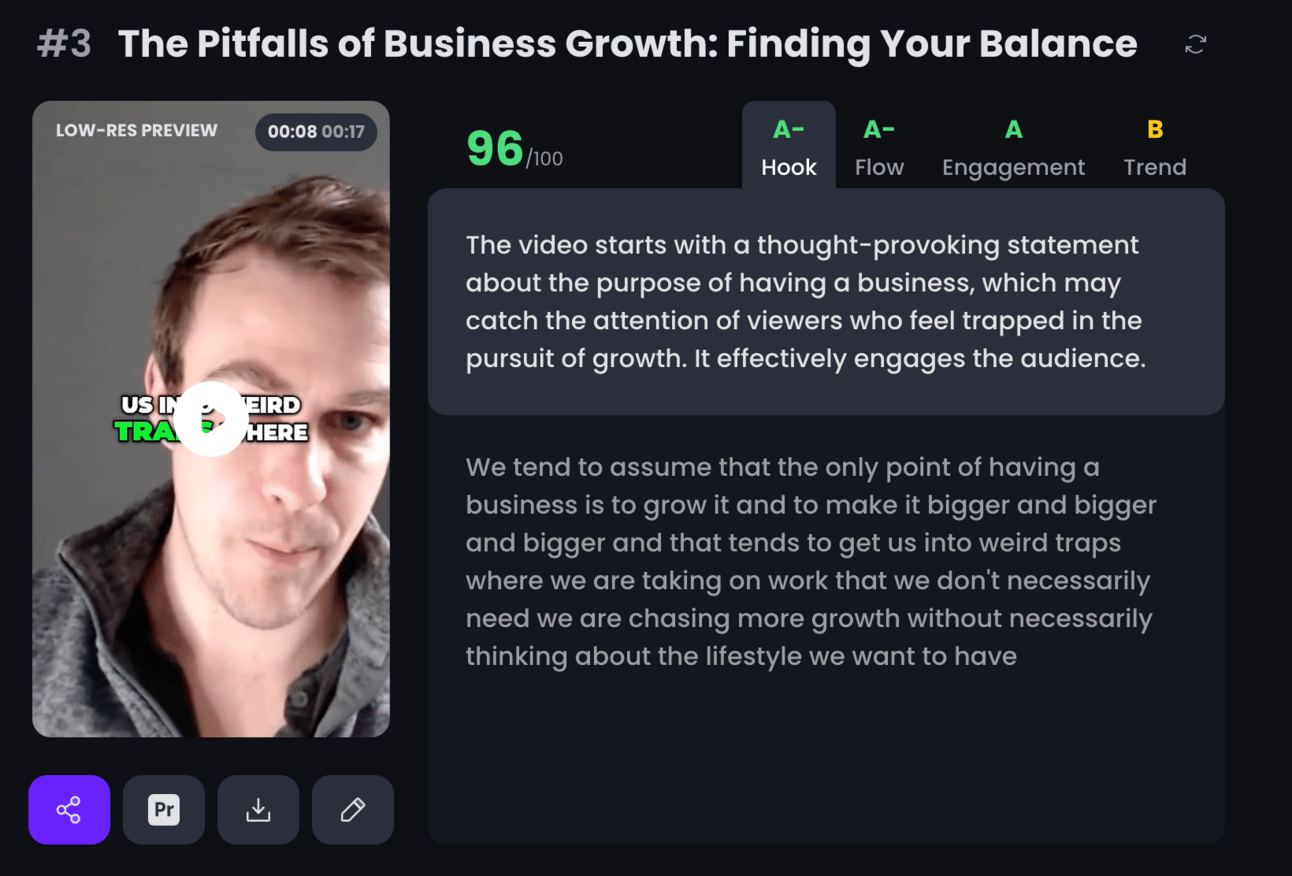
This is a 17 second clip. Notice how Opus Clips scores it on hook, flow, engagement and trend as well as gives the transcript and a quick appraisal.
For the 30 minute video I provided it suggested 37 clips like this.
It’ll also clip them all out for you so no need for an editor. Pretty slick. Obviously this all comes at a cost. But there’s a free trial for you to play around with and see if it’s worth adding to your toolkit.
Once you’ve clipped your short videos you can share them on multiple platforms. Basically anywhere and everywhere that takes short form video!
This means that you’ve now got a huge amount of assets out of that single hour.
It’s worth recapping just to emphasise the value our live has generated.
First we are able to connect with and grow our audience on the primary channel we went live. Do regular lives and this connection will grow. Do this enough and sales will become simple and automatic.
Second, we restream from that primary platform onto all the other live video platforms. This allows us to multiple our reach exponentially.
Third, we can take our live streams and clip the best parts out of them to repurpose as short form videos.
This is leverage. This is you going live for a 15, 30, 60 minutes and from that being able to talk to thousands of people live and then via evergreen content. Very powerful stuff.
OK we’ve come this far. Let’s be greedy and push it just a little more.
Let’s convert our videos into a blog article as well!
We use the same manual process as above.
But each time we generate a clip we also spin our a blog article from the content.
After getting the in/out timecodes for a specific clip go ahead and drop in this additional prompt:
Act as an SEO writer.

Use this clip as the basis of a short blog article.
Use as much of the existing language as possible to replicate my tone of voice and make it not sound like AI.

Prepare the piece in microblog format. Suggest a title.  Use a strong hook.
Using the example from above we get this microblog:
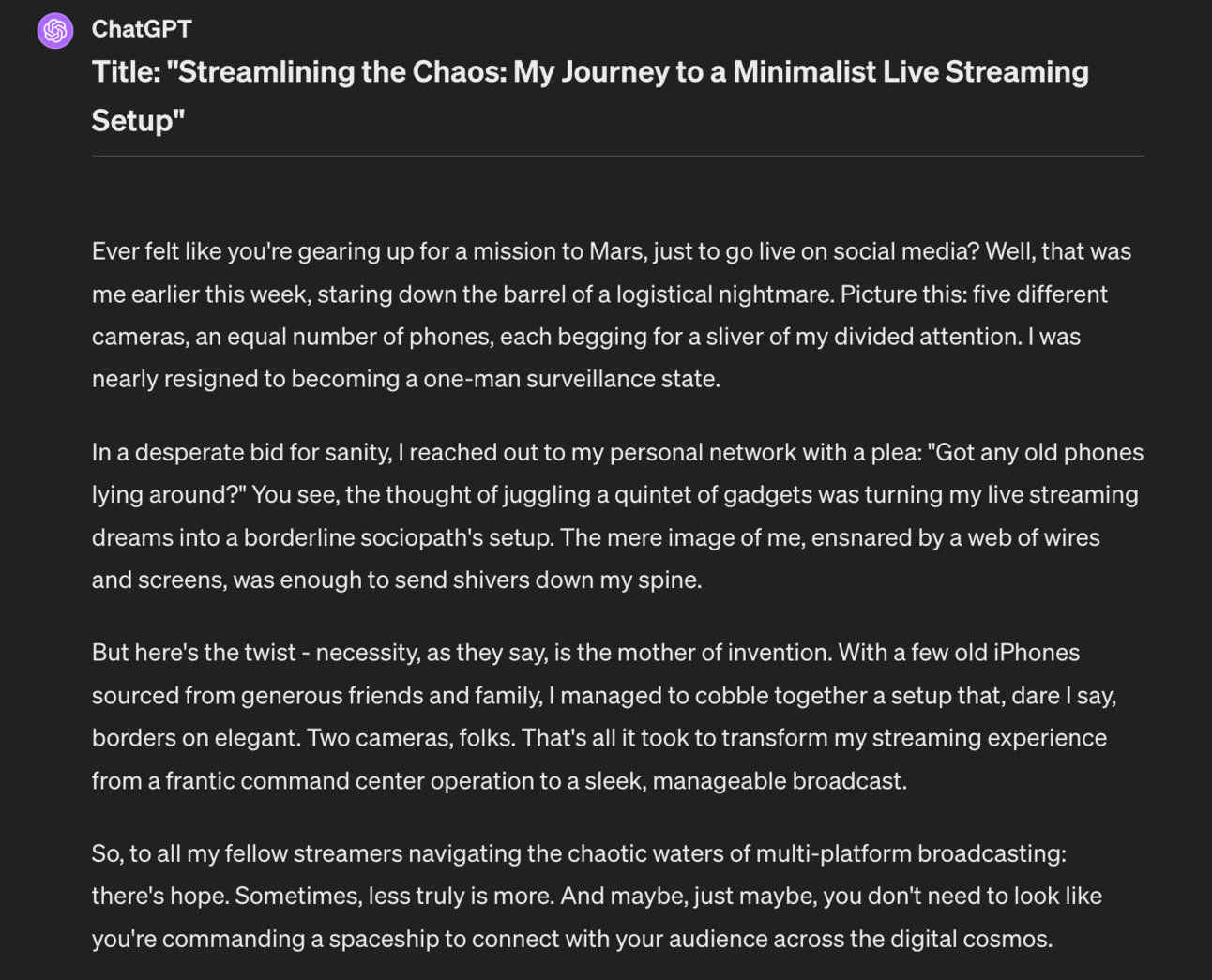
You can post this as a blog article on your website and embed the short clip related to it (the Youtube version) for extra SEO juice.
OR…and this is getting very snake eats its own tail…use this as script for a more “produced” short. Not your live but a purpose filmed short. Doing this allows you to basically use your lives to brainstorm and think things though.
Then extract those thoughts.
And finally flip them into scripts to produce as shorts.
Basically: you’ll never run out of content ideas.
As always we’ve covered a lot here.
The main lesson though is just to start.
The rest are additional layers and complexities that allow you to turn this into an absolute monster of a content creation technique.
But all of that is purely theoretical unless you get started!
So! Off you go!
A reminder of what we covered:
Part 1: Live and Kicking
Part 2: Your own TV show
Part 3: Going Live
Part 4: Reach explosion
Part 5: Frozen in Amber
Keep prompting,
Kyle
Unlock the true potential of your business with the 🔴 Live Video | Playbook, your essential guide to harnessing the power of live video as a dynamic audience-building tool. This playbook dives deep into the transformative effects of live video, showing you step-by-step how to connect authentically with your audience, build trust, and drive sales like never before. Whether you're a seasoned entrepreneur or just starting out, this playbook offers actionable insights that will change the way you engage with your customers and elevate your brand's presence in a crowded marketplace.
The 🔴 Live Video | Playbook is designed for business owners, marketers, and content creators who are eager to expand their reach and connect with customers on a deeper level. If you’ve struggled to engage your audience through traditional content, or if you’re looking for innovative ways to increase your sales and brand visibility, this playbook is perfect for you. It addresses the challenges of creating authentic connections in an increasingly digital world, providing you with the tools to leverage live video as a powerful asset in your marketing arsenal.
No prior experience is needed! This playbook will guide you through the essentials of going live, regardless of your skill level.
While live videos can be as short as 15 minutes, we recommend dedicating at least an hour each week to practice and improve your skills.
You can start with just a smartphone and a good internet connection. As you grow, you can invest in better equipment to enhance your production quality.
You can track engagement metrics such as views, comments, shares, and conversions to assess the impact of your live videos.
Absolutely! The playbook covers strategies for clipping and repurposing your live content into shorter videos for various social media platforms.