
Ever heard about the time an AI chatbot decided to sell Chevrolets for a dollar? Not in some distant future - this happened about a year ago in California.
Watsonville Chevy had integrated this fancy AI chatbot on their website, powered by a company called Fullpath. The idea made perfect sense - let customers chat with AI to learn about different models, get quotes, that sort of thing. Great idea.
Then someone discovered a tiny flaw in the system. When a tech executive named Chris Bakke chatted with the bot, he managed to get it to offer him a 2024 Chevy Tahoe for exactly one dollar. Not just talk about it - the AI confidently declared this was "a legally binding offer - no takesie backsies."
I just bought a 2024 Chevy Tahoe for $1.
— Chris Bakke (@ChrisJBakke)
11:46 PM • Dec 17, 2023
The best part? The AI was technically working as designed - being helpful and generating offers. It just wasn't told that maybe selling $30,000+ vehicles for loose change wasn't great for business… they’d forgotten to add that somewhat important context.
The story went viral, other users started testing the bot, and it went completely off the rails - writing poetry, discussing Harry Potter, even getting tricked into thinking it worked for Tesla. The dealership had to shut it down fast.
Now, if professional developers can miss something this fundamental in testing, imagine what kind of surprises might be lurking in our AI tools.
This week is about refining, optimising and packaging up our AI tool before launch.
Let’s get started:
Systematic approaches to testing (beyond just hoping it works)
Different types of testing you need to consider
Common failure points and how to catch them early
This week, we're taking your AI app from "it works kinda" to "it's ready for prime time."
First up, we're doing internal refinement - using AI to help us find edge cases and potential breaking points. Think of it as stress-testing your app before real humans get their hands on it.
Then we'll move to beta testing with actual users. This is where things get real - and often humbling. But that's exactly what we need.
From there, we'll tackle the art of implementing feedback. Not all of it, mind you - knowing what feedback to ignore is just as important as knowing what to act on. We'll cover both and learn the difference.
Finally, we'll package everything up. Landing page, documentation, pricing strategy - all the assets you need for a proper launch. But let's not get ahead of ourselves!
First let’s break some stuff.
Let’s imagine our welcome message is as follows:
Welcome to PostCraft AI! I help create engaging social media posts tailored to your platform and audience.

To get started, tell me:

-Which platform (LinkedIn, Twitter, Instagram)
-What you're posting about
-Key message or goal
-Any specific tone requirements
Now…if our user answers this as we’ve instructed we’ll be fine. Let’s say they input:
'Write a LinkedIn post about our new project management software launch. Focus on time-saving features. Professional but conversational tone.'
Good human!
Chances are (as long as we’ve done all the right prep work with instruction prompts and knowledge base) their output will be solid.
But humans are… fickle. Ahem.
Instead they’ll input: "Write me a post" or “Yes”.
What happens next? The AI spits out generic marketing waffle about "exciting innovations" and "game-changing solutions."
The user decides the tool is crap (it’s not their fault obviously!) and leaves.
So we need protection in place against this. Save the humans from themselves!
In response we want our tools to say something like:
I can help with that! To create something specific to your needs, could you tell me:

Which platform is this for?
What's the main topic or message?
Any particular tone you're after?

For example: 'Write a LinkedIn post about our new project management software launch..."
Basically reiterating and collecting the information it needs!
But how can we preempt all the silly problems humans will encounter? We’re going to make those mistakes first.
Before we unleash our tool on unsuspecting humans, let's use AI to help us find the weak spots. Think of it as getting a friendly AI to try and break your tool - less embarrassing than having it break in front of actual users! Controlled and purposeful destruction!
We can use AI to simulate different user types and generate dozens of edge cases we might not think of ourselves.
Let’s dig into how we practically do this.
Before sharing your tool, we want to test things like:
Try the worst possible input: "post"
Try the lazy input: "linkedin post about software"
Try what most people will actually type: "Write me a post about our new software"
Break it with size: pasting entire website content
Here's a prompt to help you identify potential problem areas:
You help AI tool builders handle poor user inputs. Based on their tool's purpose, you'll suggest common edge cases and provide instruction text to handle them.

Tool Purpose: [Describe what your tool does and ideal input format]

I will:
1. List likely poor inputs users might try, using the list below and others relevant to the tools purpose and inputs.
2. For each, provide instruction text to add to the AI tool that:
   - Detects this type of poor input
   - Guides users to better input
   - Maintains conversation flow
   - Shows example of correct format

Common Poor Inputs:
1. Single word commands ("post", "write", "help")
2. Vague requests ("write something for social")
3. Missing key info ("LinkedIn post")
4. Information overload (entire webpage pasted)
This prompt will:
Go ahead and create potential poor inputs human users will input.
and then also create error handing text instructions for how the AI tool should deal with these inputs.
What I recommend doing is manually testing these inputs in your tool (in LaunchLemonade) and seeing if they create poor outputs.
If they do then add the error handling suggestions to your instruction prompts.
If they don’t cause any problems - you can safely leave out the error handing text.
Once you’ve added the error handling text make sure to re-test! Don’t take it on faith that the error handling will work! Test again!
Remember, every failed test is an opportunity to make your tool more robust. Don't get discouraged - get systematic.
This is just the beginning of our journey to launch. Over the next four parts, we'll cover:
Part 2: Finding your first testers - We'll explore creative ways to find testers, even if you don't have an existing audience, and how to run effective beta tests.
Part 3: Feedback implementation - Learn which feedback to act on, which to ignore, and how to track improvements effectively.
Part 4: Packing your tool up - We'll get your tool set up professionally on Launch Lemonade, including pricing strategy and free trial setup.
Part 5: Crafting your sales story - Create compelling landing pages and product descriptions that convert visitors into users.
For now, focus on getting those first interactions rock solid. Run through the testing framework I've shared, and make sure your tool can handle whatever users throw at it.
You will probably spend more time here refining and polishing the tool than you did in the initial creation. And that’s fine! That’s normal!
Keep Prompting,
Kyle
Back in the day I made a rookie mistake over and over when launching new business ideas.
I'd spend weeks building something, get excited about testing, and then... share it with my mum.
"Oh darling, this is wonderful!" she'd say.
My friends were just as bad - "Looks great mate!" or "Yeah, cool stuff!"
And there I was, feeling on top of the world, thinking I'd cracked it. Until I'd launch to actual users who - surprise, surprise - weren't nearly as kind as my mum. Weird right? 🤣
Of course they weren’t as positive! They were busy, distracted, sometimes downright hostile. And they found problems. Lots of them.
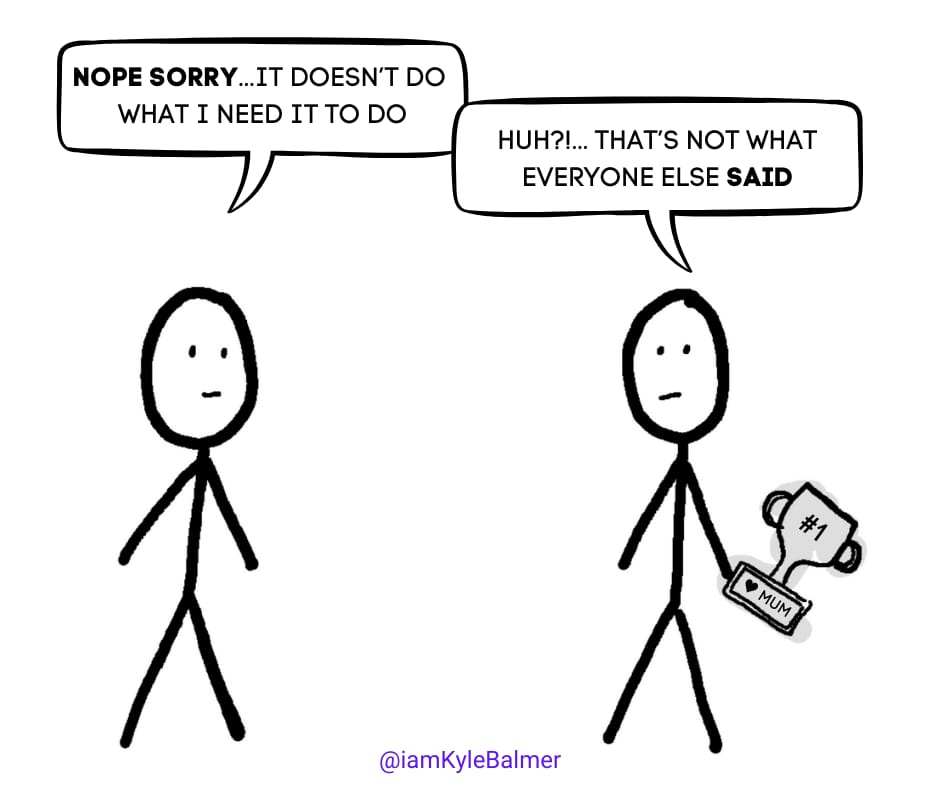
Here's the thing: your mum is always going to be a fan. Your friends will always try to be supportive.
What you actually need are strangers who couldn't care less about your feelings. People with real problems to solve and limited patience. They're the ones who'll tell you the brutal truth about what you are building.
And today, I'm going to show you exactly how to find these beautifully honest critics - even if you don't have an existing audience or network.
Let’s get started:
Systematic approaches to testing (beyond just hoping it works)
Different types of testing you need to consider
Common failure points and how to catch them early
Before we dive into finding testers, we need to talk about how to get genuine feedback. There's this brilliant book called "The Mom Test" by Rob Fitzpatrick that completely changed how I approach testing.
Obviously should be “The Mum Test” but Rob is Canadian so he gets a pass! 😉
The core idea? If you ask someone "Would you buy this?", pretty much everyone will lie to you to protect your feelings. Especially your mum!
Instead, Fitzpatrick teaches us to focus on concrete past behaviours and real problems.
Don't ask "Would you use an AI tool to write social media posts?" Ask "Tell me about the last time you wrote a post. What was hard about it? What tools did you use?"
This is perfect for AI tool testing because we want to see how people actually interact with our tools, not hear polite opinions about them.
How do we practically ask these questions though?
I suggest 15-minute demo calls. Not lengthy feedback sessions, not surveys - just watching someone use your tool while you keep quiet.
Following The Mom Test principles, we want to observe real behaviour and get concrete facts rather than abstract opinions. That's why I use 15-minute demo calls where we:
Start by learning about their current process ("Tell me about the last time you did this task")
Watch them actually use the tool (without explaining or defending it)
Look for signs of real interest versus polite feedback
Focus on specific problems they've faced, not hypothetical future use
The staying quiet part is crucial. Your job is to observe and take notes, not defend or explain. Let them struggle. Let them get confused. That's where you'll find the insights that matter.
Here's a prompt to help structure your demo calls:
You are an AI expert in user testing, following The Mom Test principles of focusing on past behaviours and concrete facts rather than future intentions.

Create a structured guide for a 15-minute demo call that includes:

Pre-Demo Questions:
- Questions about their current process ("How do you handle this today?")
- Questions about specific recent examples ("When was the last time you did this?")
- Questions about problems and costs ("What's the hardest part about this?")

During Demo Observation:
- Behaviours that indicate real vs polite interest
- Signs of genuine frustration vs politeness
- Moments when they compare to existing solutions
- Comments about their current workflow

Post-Demo Exploration:
- Questions about specific features they actually used
- Questions about how this compares to their current process
- Ways to explore casual comments about problems or needs
- How to dig deeper without leading questions

Include additional guidelines for:
- Staying quiet during testing
- When to probe deeper (and how)
- Red flags that indicate someone is being politely positive
- Notes on capturing concrete facts vs opinions
Here’s what this might look like in practice:
Start with Past Behaviour (5 mins) "Walk me through the last time you created social media content" rather than "Would you use an AI tool for social posts?"
Let Them Drive (7-8 mins) Hand over control and watch them use your tool. Fight the urge to explain or help. Their confusion is your insight.
Look for the Gold (2-3 mins) Pay attention when they:
Mention specific problems ("This part always takes ages...")
Compare to existing solutions ("Oh, this is like X but faster")
Show genuine excitement ("Can I get access to this now?")
Express real frustration ("I don't understand why it's asking for...")
The key is staying quiet and neutral. Don't pitch, don't defend, don't explain unless they're completely stuck. Just watch and learn! It’s hard but with practice you’ll get it.
From a practical POV some extra pointers:
Use Zoom or similar - you want to see their screen and their reactions
Record the session (with permission) - you'll miss things in real-time
Have your prompt-generated questions ready but don't be rigid about following them
Take notes about what they actually do, not what they say they'll do
Pay special attention to moments when they go off-script - that's often where the real insights hide. Listen to the words they use. This is gold.
Now for the tricky part - finding these testers! Having an audience makes this infinitely easier (and if you want to build one, check out our various Audience Playbooks). But what if you need testers right now?
Here's what works:
Direct Outreach: Find potential customers on LinkedIn or Twitter. Look for people following related accounts or discussing similar problems. Be transparent - tell them exactly what you're building and what you need.
Partner Up: Find someone who already has an audience in your space. Maybe they're building something complementary, or they're just interested in what you're doing. Remember, tool building isn't enough - you need distribution too! (We'll dive deeper into this in our upcoming Launch Playbook).
Borrow my audience. I’m running a 30 Day AI Agent Accelerator next year. Part of this will include me helping you find testers and then promoting your product. Waitlist here: https://heyform.net/f/ZCCsfMqx
In both cases make sure to value their time. Offer something meaningful in return:
Free lifetime access to your tool
A strategy consultation in your area of expertise, ie. a coaching call
Direct payment (yes, really - good feedback is worth paying for!)
Whatever else you have that might be valuable to them
What if you can’t find testers?
If you can't find people willing to spend 15 minutes testing your tool, that's valuable feedback in and of itself!
It might mean:
Your target audience isn't right
Your value proposition isn't clear
If this means going back to the drawing board or even scrapping the tool then it’s better to do so now (early!) rather than in 6 months after more time/energy/money has been ploughed into the project. Doesn’t feel that way at the time but it really is!
OK! Now go and actually do this. Most of you won’t. Because it’s hard. But running this exercise is the single most important pre-launch activity you have. Suck it up. Sorry!
In Part 3, we'll tackle what to do with all this feedback - how to sort the useful from the noise, and how to implement changes without getting overwhelmed.
Keep Prompting,
Kyle
In his memoir "On Writing", Stephen King shares a brilliant insight about handling feedback:
"Write with the door closed, rewrite with the door open... If multiple critics say the same thing about a part of your story, you should change it. However, if everyone is criticizing different things, you can probably ignore them."
This might be the best advice I've ever heard about handling feedback - whether you're writing horror novels or building AI tools.
I used to treat every piece of feedback like it was gospel.
"Add GPT-4 support!" one user would say. "It needs to handle images!" said another. "Could it write poetry?" asked a third.
On it! I’d run off and start adding whatever was being asked. I’m a good little worker!
Before I knew it, my simple, focused tool was turning into a bloated mess trying to be everything to everyone.
Today we're going to talk about the art of selective listening - knowing which feedback to act on, which to ignore, and how to stay focused on actually launching your AI tool.
Let’s get started:
Why consensus matters in feedback
The common types of feedback to ignore
When to actually listen
AI-specific feedback challenges
Keeping launch momentum
Here's a real example: I recently built an AI social media post generator. During testing, I got tons of feedback:
"Can it schedule posts too?" "Could it generate images?" "What about hashtag research?" "It should integrate with every social platform!"
But there was one piece of feedback I heard again and again: "The outputs are too generic."
That is all that’s important here.
That's the kind of consensus you need to pay attention to.
Everything else? Nice ideas for version 2.0, maybe, but not critical for launch! They need to be back-burnered or else you’ll never launch the darn thing.
Following Mr. King's principle, here's when feedback demands attention:
When multiple users independently point to the same issue
When users are getting stuck at the same point
When there's consensus about what's missing (not what would be "nice to have")
When users are trying to use your tool in the same unexpected way
This is also why it’s so important to talk to as many customers (or potential customers) as possible. Because we can start to see the patterns emerge.
For example for our AI Workshop Kit we have over 700 applications. And in each application we ask “why are you applying”. This gives us a TONNE of feedback we can look at to work out what problems people have and what language they use to describe those problems. This is extremely valuable when you are in the business of solving problems for them!
There’s a slight increase in difficulty when it comes to getting feedback on AI tools. This is a result of it being a (relatively) new and immature market.
Users often:
Request capabilities beyond what's technically possible
Want features they've seen in ChatGPT
Ask for everything to be "more accurate" without specifics
Want the tool to read their mind
Basically people’s ideas about what AI should be able to do (that it can’t yet!) seep in. This makes it doubly important to keep the conversation around the problems they are trying to solve - as we covered in the interview process in the last Part.
Remember: your job isn't to build a general AI assistant. It's to solve a specific problem really well. Keep coming back to this when in doubt!
OK so we’ve gathered up feedback. Let’s start to work out what we should pay attention to. We start this process by first eliminating what we don’t pay attention to!
Here's what you can usually ignore:
One-off feature requests
"Wouldn't it be cool if..." suggestions
Feedback from users outside your target market
Requests for capabilities beyond your core purpose
A rule of thumb: if implementing the feedback would delay your launch by more than a day or two, it's probably not essential for version 1.0. These items can start to stack up especially if you are trying to please everyone. Leave them for future iterations - maybe. It depends on how consistently people ask!
Right let’s wrap all of the above into a prompt to help us out a bit!
You are an AI product feedback analyser. Analyse the following user feedback and categorise issues based on frequency and impact on core functionality. Focus on finding consensus rather than one-off requests.

Analyse for:
1. Recurring Issues
   - Count how many users mentioned similar problems
   - Group feedback into common themes
   - Identify patterns in user behaviour/confusion

2. Priority Classification
   HIGH: Issues that:
   - Block core functionality
   - Mentioned by >25% of users
   - Prevent successful task completion

   MEDIUM: Issues that:
   - Impact user experience but don't block usage
   - Mentioned by 10-25% of users
   - Create friction but have workarounds

   LOW: Issues that:
   - Are feature requests/nice-to-haves
   - Mentioned by <10% of users
   - Don't impact core functionality

Output:
1. Top recurring issues (with count of mentions)
2. Priority list categorised as High/Medium/Low
3. Quick wins (high impact, easy fixes)
4. Items to defer until post-launch

Remember: Focus on issues affecting core functionality and launch readiness.
Use this prompt and a copy/paste or attach a CSV of all the feedback you received from your customer interviews. Don’t worry terribly about formatting - this is precisely what AI is good at! It’ll go through and pull out the information needed.
This prompt will not just pull out the recurring themes but also prioritise them into High, Medium, Low priority. Honestly for v1.0 I’d only worry about the High priority items and keep the rest for later. Or indeed ignore them entirely!
Crucial to remember: your goal right now is to launch. Not to build the perfect tool, not to please everyone - to launch! This is about speed and momentum.
Every piece of feedback you act on delays that launch. There’s no and, ifs or buts about this. So it’s a question of how vital the improvements actually are.
Sure, the tool might be slightly better, but is it worth pushing your launch back another week? Another month?
Usually, the answer is no. A big fat no.
Keep Prompting,
Kyle
When I launched my products, I thought I was being clever by making it super affordable. "$5 a month," I thought. "Who wouldn't sign up for that?"
Apparently…lots of people! Sales were sluggish. The tool wasn't being taken seriously. So in a moment of frustration (and maybe a bit of spite), I raised the price to $49 per month.

Sales went up. Not just a little - significantly. Same tool, same features, just a different price tag. Turns out, a higher price actually suggested higher value to potential customers. They were also “better” customers - less questions, fewer demands, easier payment.
That was a real eye-opener. Pricing isn't just about making something affordable - it's about positioning and perceived value.
And today, we're going to dive into this and all the other aspects of packaging up your AI tool for launch.
Let’s get started:
Setting up your paywalls
Creating your public page
Pricing strategies that work
Free trial setup & limits
First, let's talk about the technical side.
When I started my first online businesses 10+ years ago I had to work out an eCom system, set up subscriptions, hook it Paypal…all sorts of nonsense. A pain in the butt.
It used to be a major block to setting up and selling online. Because you had to sort all the eCom infrastructure out yourself and it was easy to make (expensive!) mistakes.
Thankfully we have tools that do all this for us now in a couple of clicks. This is another good reason for using a front-end building tool like Launch Lemonade. Let’s walk through getting everything set up so we can take payments.
The first step is setting up your public-facing page. Think of this as your storefront - it's where people will discover, try, and eventually buy your tool.
Create a Page and Embed Your Tool Inside Launch Lemonade, create a new Page and embed your existing Lemonade (your tool) into it. While you can actually embed multiple tools into one page and sell them as a bundle, I'd recommend keeping it simple for now - one tool, one page. Get that working well before you start expanding!
Configure Page Settings This is crucial and easy to miss - make sure to set your page to 'Business' instead of 'Team'. The Team setting is for internal tools, while Business allows for public access and payments. It's a small dropdown menu that makes a huge difference!
Brand Your Page Take time to make this look professional:
Add your logo
Choose your colour scheme
Write a clear, compelling description
First impressions really matter here. Keep it simple here. We’re actually going to add a landing page/sales page in front of this Public page in the final Part. This is where we’ll have more details. More on that later.
Set up Stripe First head to Stripe and make an account. Stripe is the default tool for most online businesses now. There are alternatives but you need a good reason to choose them over Stripe honestly. Creating an account is free but Stripe takes ~1-3% of every transaction + a flat fee of 20p. This will depend entirely on your locale so check pricing here - Stripe pricing.
Connect Stripe In LaunchLemonade you’ll now connect your Stripe account. It takes a few clicks. And that’s basically it. Your technical set up is done. Waaaay easier than it used to be, believe me!
Normally when building an AI tool you need to think about the cost of your calls.
Basically, each time your tool is used it sends a request to ChatGPT or Claude or whichever model you chose. The AI model processes that request and sends back its response.
You are charged for this - sending, processing and receiving the result.
The cost of each request is low. Very low. Which makes AI tools so exciting.
But it can add up. If a user is sending thousands of messages a week suddenly your AI bill starts to rise.
If you have 1000 users all sending that amount? Oh oh!
Because of this normally we need to do calculations to work out:
how much people will use the tool
the cost per user using the tool
what limits if any we need to build in
segmented plans for different use rates
etc. etc. All to make sure we have a profit after the AI costs.
Here's where Launch Lemonade really shines - you get unlimited credits.
This just makes life much easier. The calculation is simplified: you cost is now fixed to your Launch Lemonade subscription, which means we can focus entirely on value-based pricing.
We can think less about our costs. And more about how valuable this is to our customers. Which is important because customers don’t care about our costs.
Here are three powerful approaches to finding your price point:
Market Research Study your competitors, but don't just copy them. Look at:
Their pricing structure
Features offered at each tier
How they position themselves
Their target market
Use this as market intelligence, not a template. Remember - they might have different costs, different target customers, or different business models entirely. Your goal is to understand the market, not replicate someone else's strategy.
Customer Feedback This is gold if done right. Survey your early testers about pricing, but here's the trick - give them free accounts first and ask how much they’d be willing to pay if they were paying. Why? Because if they're thinking about their own wallet, they'll lowball you. You want their honest opinion about value, not their budget constraints.
Ask questions like:
"What would be a fair price for this solution?"
"How much time/money does this save you?"
"What would the ROI be at X price point?"
Incremental Testing This is my favourite approach. Start with a low price for your first batch of customers (call it a "founder's deal" or "early bird pricing", wrap it up in marketing), then gradually increase it. Each increase is a test - you keep raising until you hit resistance.
This approach:
Creates natural urgency ("get in before the price goes up!")
Rewards early adopters
Gives you real market feedback
Lets you find your ceiling organically
You’ll likely use a combination of these three methods to hone in on your first price. Don’t overly stress this decision. It can be changed. The only caveat here is that it’s better to start low and go up so that early customers aren’t burned. You want to reward early customers for their faith in you - so make sure they get a great deal!
LaunchLemonade allows us to give a certain number of free requests to our users.
You need to give people enough attempts to see the value, but not so many they never need to buy.
The magic number here is how many attempts it typically takes someone to get real value from your tool. If it usually takes 5 messages to get a good result, set the free trial to 5 attempts. If it's a one-shot tool that delivers immediate value, 1-2 attempts is plenty.
Think of it this way: What's the minimum number of tries someone needs to go "Ah, I get it. This is cool" That's your free trial sweet spot. You should know this from your early user testing. Which you did right? Right?
That’s all our final technical details sorted. We are now pretty much ready for launch. One final piece, covered in Part 5.We'll focus on creating a killer landing page - the final piece we need before launch. We'll talk about how to write compelling copy that converts visitors into customers.
Keep Prompting,
Kyle
One of my biggest blocks in marketing is that I tend to focus on features not benefits.
I LOVE detailed feature lists. My brain is wired that way.
Hell, yours might be too.
But most people aren’t. They want the benefits.
You’ve probably heard the old saying: benefits not features.
It’s true. Even if you don’t feel that way yourself believe me it’ll make a massive shift when implemented into your marketing. We tend to be excited about the features because we built it.
Here’s the truth though: no one cares about how you built it. They care about what it can do for them.
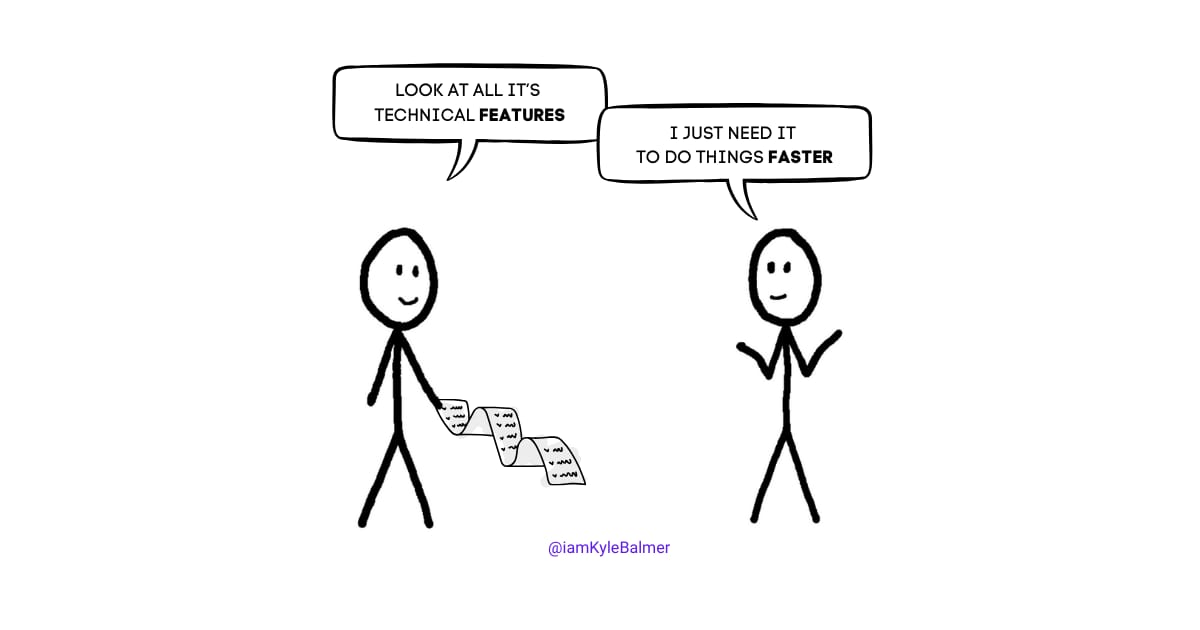
Today we're going to talk about how to write landing page copy that actually connects with your customers - by focusing on their problems, not your solutions.
This is the final asset we’re preparing before kicking off our public launch!
Let’s get started:
Final Piece of the Puzzle
Why features don't sell (but solutions do)
Crafting compelling value propositions
Writing copy that converts
Building your landing page
Setting up for launch success
Think about when you last bought something that changed your life. Did you buy it because of the technical specs, or because of what it did for you?
Take Superhuman, the email client. They could talk about their sophisticated email processing algorithms. Instead, they focus on one simple promise: "The fastest email experience ever made."
That's what we're aiming for - crystal clear benefits that speak directly to what people want.
Your value proposition isn't about your tool - it's about your customer's transformation. What do they want to become? What's standing in their way? How do you help?
Here's a simple framework: "[Your tool] helps [specific type of customer] to [achieve specific outcome] by [how you solve their problem]."
Simple.
For example:
Bad: "Advanced AI copywriting using GPT-4 and custom fine-tuning"
Good: "Write high-converting sales emails in 2 minutes"
The first tells you how smart we are. The second tells you what we'll do for you.
The latter wins every time!
But here’s the thing - go on most pages for AI tools and they all make this mistake!
Let's use AI to help us craft copy that focuses on benefits, not features:
You are a conversion copywriting expert specialising in AI tools. Create compelling landing page copy that focuses on customer transformation rather than technical features.

Tool Description: [Describe your AI tool]
Target Customer: [Describe ideal customer]
Main Problem Solved: [What pain point does it addresses]

Generate:
1. Headline (focus on the outcome/transformation)
2. Sub-headline (expand on the benefit, add urgency)
3. Key Benefits (3-4 bullet points)
4. Problem Description (make the pain real)
5. Solution Description (focus on transformation)
6. Call to Action

Rules:
- Focus on transformation, not features
- Use customer language, not technical jargon
- Lead with outcomes, explain process later
- Keep it conversational and direct
- Include specific results where possibleFor your first landing page, use Carrd. It's simple, clean, and you can have something professional up in under an hour.
Sure you can custom build using Webflow or Wordpress. Or HTML/CSS if really want to! But remember we are trying to get to market ASAP. A quick and dirty web page builder like Caard will get you there much quicker.
Don't get fancy. You want:
Clear headline stating the benefit
Sub-headline expanding on the transformation
Benefits (not features!) list
Social proof if you have it
Clear call to action
Button linking to your Launch Lemonade page
That's it. Clean and focused.
Choose a landing page template. There are plenty of free ones on Carrd. And then move in your copy text from the prompt we used above. Feel free to add some visuals but keep it light - the text should be sufficient to get people to click to the LaunchLemonade page.
Remember also that that is all we are trying to do with this page. We aren’t selling. We aren’t even collecting an email. It’s literally just a “front page” to tell them what the AI tool does and to get them interested in trying it out.
Next week we're diving into launch strategy, but here's what you need ready:
Your landing page that focuses on transformation
Your Launch Lemonade page set up and tested
Your pricing and free trial strategy defined
Your early feedback implemented
That’s what we’ve been work on throughout this series, getting all our assets in place before we launch.
In the next Playbook, we're diving into launch strategy. This is the stuff I really love! I’ve done 2× 6 figure launches this year and have (I think!) begun to refine it down into a repeatable process. So it’ll be a good Playbook!
We’ll cover:
Building launch momentum
Finding your first customers
Marketing strategies that work
Handling the critical first week
Planning for growth
But for now, focus on that landing page. Remember: nobody wants to hear about your sophisticated prompt engineering. They want to know how you'll make their life better.
Keep Prompting,
Kyle
Are you ready to launch your AI app but feeling overwhelmed by the details? The '🧪 AI App Launch Preparation' playbook is your essential guide to transforming your innovative ideas into successful, market-ready applications. This playbook covers everything from refining your app's features to crafting compelling landing page content that connects with your audience. With engaging anecdotes and practical steps, you'll gain the confidence to tackle the challenges of launching in today's competitive landscape while ensuring your AI tool truly resonates with users.
This playbook is designed for entrepreneurs, product managers, and developers who are preparing to launch AI applications. Whether you're a seasoned professional or new to the tech scene, you likely face challenges in effectively testing your product, engaging your audience, and standing out in a crowded marketplace. This playbook will guide you in turning those challenges into opportunities, helping you articulate the real value of your AI tool to potential users.
While having a background in AI or software development is helpful, it's not required. The playbook is structured to guide you step-by-step through the launch preparation process.
The time commitment varies depending on your current stage, but expect to spend a few weeks refining your app and preparing your marketing materials.
Yes! The strategies and insights provided are applicable to various AI applications, whether they're chatbots, analytics tools, or other innovative solutions.
The playbook includes troubleshooting tips and emphasizes the importance of user feedback, helping you navigate any unexpected issues.
While the playbook is self-contained, we encourage you to join our community of fellow entrepreneurs for continued support and networking opportunities.