
Claude Code for Non-Coders: A Gentle Introduction to Building Your Own Tools
I've been putting this off. Claude Code is a massive topic and simplifying it for non-technical people is tricky. But I finally did it on a livestream, and I'm going to walk you through the whole thing here.
If you've heard people raving about Claude Code but assumed it's only for developers - it's not. You don't need to learn Python. You don't need to understand terminals. You talk to Claude Code the same way you talk to ChatGPT. The difference is that instead of chatting, it builds things. And it’s VERY good at doing so
Rethink What You Can Build
Most people hear "coding tool" and think they need to build the next Instagram. Forget that.
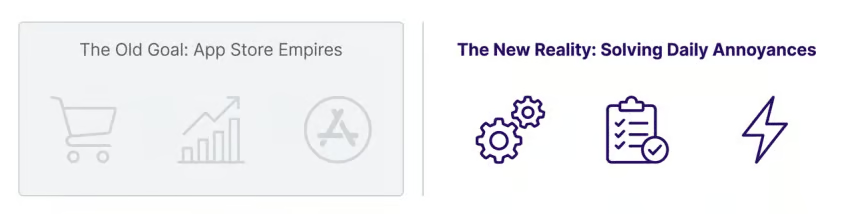
Instead we’re going to use Claude Code as a personal problem-solving tool. Mini tools. Workflow automations. Internal utilities. Things that solve YOUR specific annoyances.
Ask yourself: what annoys me daily? What repetitive task do I hate? What would I pay someone to automate? That's your first Claude Code project. Start here and then 1000% we can tackle more complex projects - but let’s start simple.
The Intimidation Barrier
The official installation guide for Claude Code is terrifying.
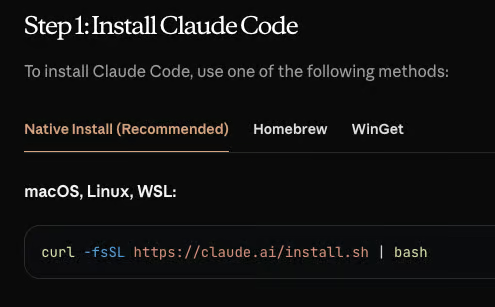
It immediately throws terminal commands at you. Curl scripts. Homebrew. Dependency errors. If you've never coded before, it looks like something out of The Matrix. Most people give up here. We're going to skip all of that. No terminals required.
Instead here are three other ways to access Claude Code.
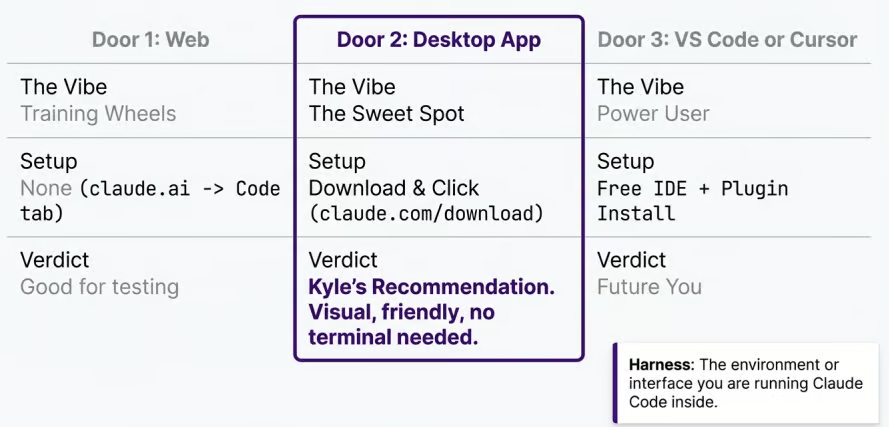
Door 1: The Web (claude.ai)
Go to claude.ai and click the Code tab. Also works on the mobile app. This is training wheels - limited but zero setup. Good for testing whether you like the vibe.
Door 2: The Desktop App (Kyle's recommendation)
Download from claude.com/download. Mac and Windows. This gives you Chat, Cowork, AND Code all in one app. Visual interface, no terminal, no command line. This is the sweet spot for most people.
Door 3: VS Code or Cursor
VS Code is free. Cursor costs about $20/month. These are proper code editors with Claude Code built in. More powerful but more complex.
The Cost of Entry
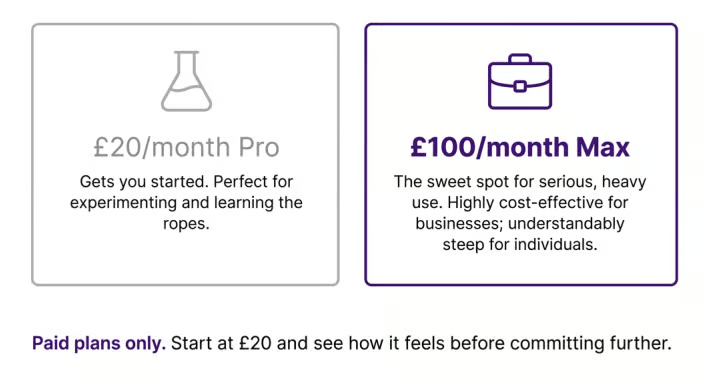
Claude Code requires a paid plan. No getting around that. Sorry!
$20/month (Pro) - Gets you started. Perfect for experimenting and learning. You'll hit usage limits within a week if you build daily, but it's enough to see if this is for you. You can definitely stagger your work and be clever with usage but if you are serious about building you’ll hit limits often.
$100/month (Max) - The sweet spot for serious use. You can basically code all day. Highly cost-effective for businesses. Steep for personal use, but compare it to hiring a developer and it’s peanuts.
Start at $20. See how it feels. Upgrade if/when you hit the wall. Or manage your limits at $20.
Setting Up GitHub (It's Just Cloud Storage)
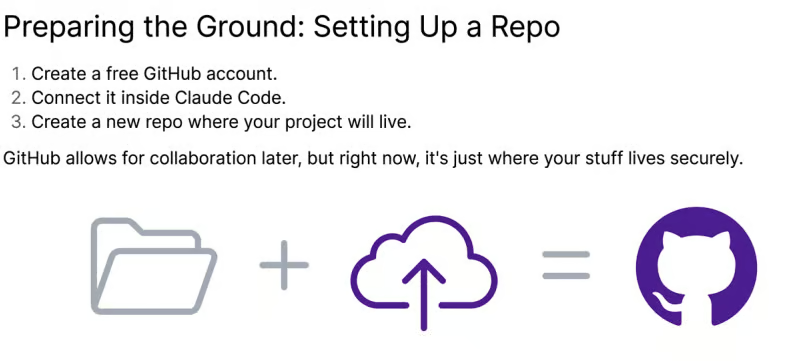
Before you build anything, you need somewhere for your code to live. That's GitHub.
Claude Code will need this from the get-go so set this up now. Not sure how? ASK Claude!
Think of it like Google Drive or Dropbox, but for code projects. A "repo" (repository) is just a folder that's automatically backed up to the cloud. Yes it does more stuff but for now the analogy is fine. Don’t @ me bro.
Three steps:
Create a free GitHub account at github.com
Connect it inside Claude Code
Create a new repo where your project will live
That's it. GitHub also gives you version control - if Claude Code breaks something, you can roll back. And your repo connects to everything else you'll eventually use: deployment tools, other AI coding agents, collaboration.
Don't overthink this. It's a folder in the cloud.
Seeing What You Built
Here's where Claude Code differs from tools like Lovable, Replit, and Bolt.
Those tools give you an instant preview - you see your app live as it's being built. Claude Code doesn't do that. You need to open what you built in a browser yourself.
Two concepts to know:
Localhost - Running the code on YOUR machine. Only you can see it. This is where you test and iterate.
Deployment - Putting your code on the internet so anyone can access it. Services like Vercel handle this for free.
The good news: if you don't know how to do any of this, just ask Claude Code. Literally type "I don't know what that means. Can you help me view this?" It'll walk you through it.
For now I’d advise using Github Pages. Tell you project to enable github pages and it’ll make a public version of the page you can navigate to. For free. A caveat here: it will be public. Perfectly fine for your first toy project though!
You can also turn on Github Pages in Github itself. Go into your Repo > Settings > Pages and you can toggle it on.
The Iteration Loop
Once your first project is running, the fun starts. You still don't have to touch code. You direct Claude in plain English.
I actually use my microphone. I don’t even type!
The loop is simple:
Poke around - Use what you built. Test the tool.
Break things - Find the limits. What doesn't work?
Direct the AI - Tell Claude what to change. “Hey this bit doesn’t work” or “This looks odd, what can we do?”
This becomes your basic loop. Yes, 100% we can get more sophisticated later but for now just converse with Claude Code and make the changes you need.
Copying Cool Projects From Others
Here's a cheat code. If you see someone building something cool with Claude Code, you can copy their article or instructions, paste it into Claude Code, and say "I want to do this."
I did this live on stream. Gary Tan - the CEO of Y Combinator - just released something called the GST Stack. It sets up a team of AI specialists inside Claude Code: engineering manager, staff engineer, QA engineer, release engineer. Six workflow skills. Browser automation. The works.
Installation? One command pasted into Claude Code. Basically said “hey this looks cool set this up for me please” and it set everything up automatically. I didn't understand half of what it installed. Didn't need to…
The Learning Pathway
You've done the hard part. You've built your first little project. Here's what comes next:
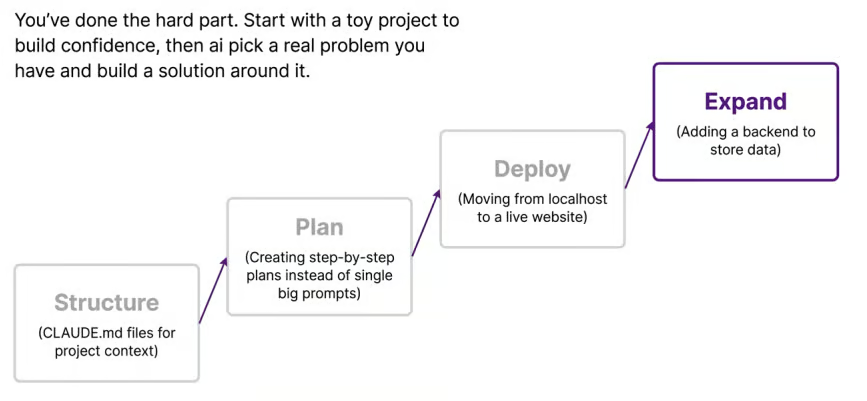
Structure - CLAUDE.md files that give Claude permanent context about your project. Like the Projects feature in Chat, but for Code.
Plan - Creating step-by-step plans instead of single big prompts. Breaks complex builds into manageable pieces.
Deploy - Moving from localhost to a live website. Vercel, Netlify, or similar.
Expand - Adding a backend to store data. Supabase for databases. User authentication. The serious stuff.
Each of these gets its own presentation and video. Coming over the next few weeks! There’s a lot to cover. There’s also Skills, MCP, Ralph loops…oh my.
As a quick preview though when you're ready to build something “real”, here's how the pieces fit together:
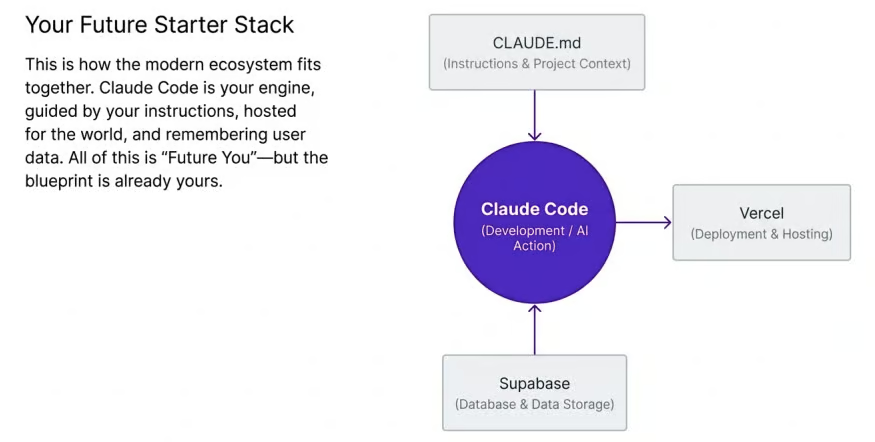
CLAUDE.md - Your instructions and project context. Tells Claude Code how your project works.
Claude Code - The engine. Does the building.
Vercel - Deployment and hosting. Gets your project on the internet.
Supabase - Database and data storage. For when you need to remember users and save information.
That's the full starter stack. Everything you need to go from idea to live product. All of it is either free or very cheap to start. I’ll cover all these bits and pieces over time.
The Free (and cheaper) Alternative
If you can't justify $20/month (or $100!) yet, there's a free option.
Anti-Gravity from Google. It's a code editor (basically VS Code) with access to Gemini 3.1 Pro, Gemini 3 Flash, Claude Sonnet, and more. All for $0/month.
It's not as powerful as Claude Code. But it's hard to beat at that price. Worth trying if you want to see whether building with AI clicks for you before paying.
OpenAI's Codex is also worth knowing about. If you're already paying $20/month for ChatGPT, you get Codex included. GPT 5.3 and 5.4 are genuinely good for coding. They are on-par with Claude Code for some tasks. Make sure you get the Codex app itself, don’t use the web version.
Here’s a vid I did on Codex:
For Claude Code the full PDF guide and slide deck are linked below. Grab them. Build something this weekend. Even if it's silly. Especially if it's silly. The silly stuff is how you learn!
Next week I'm covering Skills and MCP - how to extend Claude Code's capabilities beyond what it can do out of the box. That's when things get properly powerful.
Want the full unfiltered discussion? Today I'm doing an Introduction to Claude Code - the terminal tool that lets you build actual apps. Come with questions. Join me for the daily AI news livestream where we dig into everything live.
Streaming on YouTube (with full 4k screen share) and TikTok (follow and turn on notifications for Live Notification).
Get the full daily digest in your inbox. Browse recent issues →